“This TV Doesn’t Seem to Be Part of the Disney+ Household”
Update Limits Explained, and How to Fix It
TL;DR: The Disney Plus household message means Disney+ has decided the telly in front of you isn’t in the home your subscription belongs to, and it wants you to prove otherwise before it plays anything. Disney admits there may be a limit on how often you can update your Household, and on how often you can claim to be away from home, then declines to tell anyone what either limit is.
So stop jabbing at the two buttons. Get the TV onto your home broadband, watch something for five minutes, choose the option that matches where you are tonight, and have a look at who else is signed in, because a household that keeps wandering off usually has a stranger in it.
Friday, half seven, the kids finally on the sofa, and Disney+ throws up a grey box claiming the TV you have owned for three years doesn’t seem to be part of the Disney+ Household. Brilliant. You have two buttons, one remote and a queue of small people asking why Bluey has gone, and whichever button you press spends something from an allowance Disney won’t show you. Give this Disney Plus household guide five minutes before you press anything, and keep an eye out for the second of the four messages further down, because that one isn’t about where you live at all.
- What does “This TV doesn’t seem to be part of the Disney+ Household for this account” mean?
- Is there a Disney Plus household update limit?
- What is the Disney Plus away from home limit?
- The four Disney Plus household messages, decoded (and the one that should worry you)
- How to update your Disney Plus household
- What to do when you have hit the Disney Plus household limit
- Is it a household problem, error 73, or something else?
- Someone else changed your Disney Plus household?
- Disney Plus Extra Member or a second subscription?
- Will a VPN or a factory reset fix the Disney Plus household message? (Sadly not)
- How the Disney Plus household rules compare with HBO Max and Netflix
- Why the Disney Plus household rules catch the wrong people
- So which Disney Plus household button should you press tonight?
- Disney Plus household FAQ
- How we verified this
- Sources
- Related BAIZAAR guides
What does “This TV doesn’t seem to be part of the Disney+ Household for this account” mean?
It means Disney+ has looked at the television, looked at where it thinks you live, and decided the two don’t match. Your subscription is fine, your card is fine, and nobody is accusing you of anything yet, it’s a household check that has fired and wants an explanation before the telly carries on.
Disney spells out what it means by a Household in its own help article on sharing a subscription: “A Household is a collection of devices associated with your primary personal residence that are used by the individuals who reside there.” One home, then, and the kit belonging to whoever sleeps there most nights.
How Disney decides where that home is matters more than the definition. It says your Disney Plus household is set up automatically, “based on your subscription activity, linked devices and internet connection, among other factors.” Three signals named, and a little phrase tacked on the end reserving the right to use any others it fancies.
In practice your broadband connection carries most of the weight. A TV that streams on the same home connection every evening is home. Take that TV, or any other, to a holiday let, a student flat or your parents’ spare room, and Disney+ clocks the new network long before it learns a single thing about you as a person, which is exactly how a perfectly honest weekend away ends with a lockout screen and a cold cup of tea.
This particular wording turns up on televisions and TV sticks. Phones get gentler messages of their own, and they’re in the table a bit further down.
Is there a Disney Plus household update limit?
Probably, yes, and Disney won’t say what it is. The exact words on its help page are that “there may be a limit to the number of times you can update your Household.”
May be. No figure, no time window, nothing about how long you’re locked out once you reach it and no warning as you get close, which is rather like a car park that fines you without bothering to put up a sign.
You’ll find pages ranking for this search that quote a neat allowance, usually some number of updates a year. We went looking for a Disney source behind those figures and couldn’t find one, so we’re not adding another guess to the pile, and if Disney ever publishes the Disney Plus household update limit we’ll put it on this page the same week.
Why keep it secret? Because a published limit is a published workaround, and Netflix, HBO Max and Disney+ have all settled on the same silence, which is hard to put down to coincidence.
Treat every press of UPDATE HOUSEHOLD as spending a credit from a balance you can’t see. Annoying, yes, but useful to know before you start pressing.
What is the Disney Plus away from home limit?
It’s the same trick applied to the other button. Disney covers both in a single sentence: “there may be limits on the number of times you can update your Household or choose that you are away from home.”
So I’M AWAY FROM HOME is no free pass. Each press sends a one-time passcode to the email address on the account, you type it in, and a separate counter you will never see ticks up by one. Two buttons, two allowances, and you can run one dry whilst the other still has plenty of room.
Disney doesn’t say how long an away-from-home session lasts either. It does offer one useful bit of advice, though: if you’re going to be somewhere else for a proper stretch, say a winter or summer holiday, it suggests updating your Household to that place instead of claiming to be away over and over again.
That feels backwards. Updating sounds permanent, and nobody likes the idea of telling Disney their home has moved to a cottage in Cornwall, but for a fortnight away one deliberate update when you arrive and another when you get home beats a dozen away-from-home codes and the faff of digging each one out of your inbox.
The four Disney Plus household messages, decoded (and the one that should worry you)
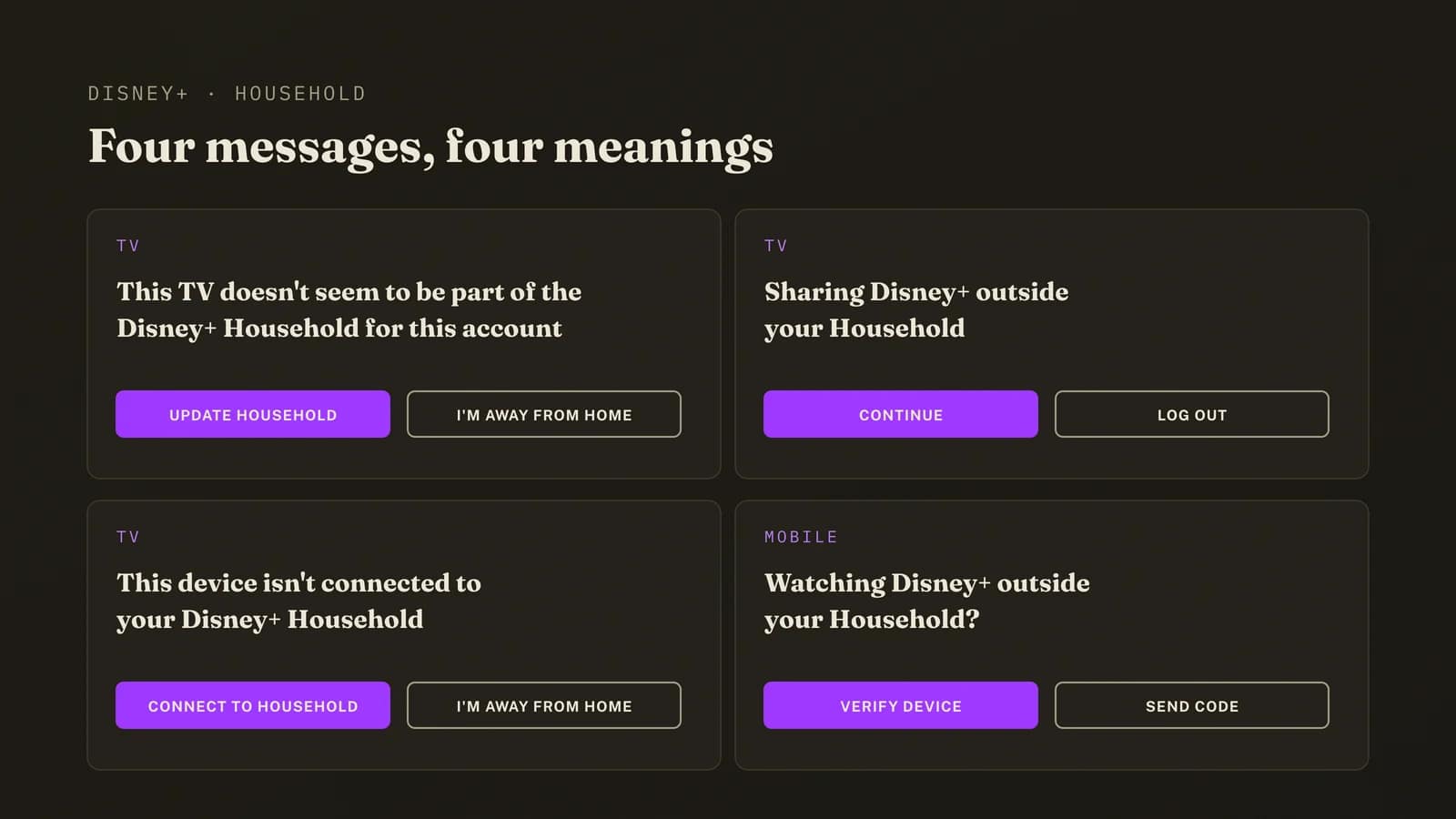
Disney+ has four different messages for household problems, and at nine o’clock at night with a remote in one hand they all read like the same complaint. They aren’t. The wording tells you what Disney thinks has happened, the buttons tell you what it will let you do about it, and picking the wrong one is how a five-minute problem turns into a week of passcodes.
| What the screen says | Where you see it | What Disney thinks | Buttons on offer |
|---|---|---|---|
| “This TV doesn’t seem to be part of the Disney+ Household for this account” | TV or TV stick | This TV is somewhere other than your home | UPDATE HOUSEHOLD or I’M AWAY FROM HOME. If it is not your household: CREATE ACCOUNT |
| “Sharing Disney+ outside your Household” | TV or TV stick | Someone outside the home may be using the account | CONTINUE, then verify with a one-time passcode. If it is not your household: LOG OUT |
| “This device isn’t connected to your Disney+ Household” | TV or TV stick | The device has never been linked to the home | CONNECT TO HOUSEHOLD or I’M AWAY FROM HOME, both with a passcode |
| “Watching Disney+ outside your Household?” | Phone or tablet | Your mobile is away from home or not yet recognised | CONTINUE, then VERIFY DEVICE on home Wi-Fi or SEND CODE |
Swipe the table sideways for the buttons column.
The second row is the one we’d take seriously. “Sharing Disney+ outside your Household” is Disney telling you it suspects your login is being used at another address. If that’s you on holiday, press CONTINUE and verify. If you’ve no idea who is watching, you have a security problem dressed up in a household costume, and it gets its own section further down.
The mobile message is the gentlest of the lot. VERIFY DEVICE just wants your phone on the home Wi-Fi for a moment, which costs nothing and spends no away-from-home credit at all.
How to update your Disney Plus household
Updating your Disney Plus household makes wherever you’re sitting the new home, so do it from the TV you watch most, on the broadband you live with, and only when you mean it.
- Open Disney+ on the main TV at home, connected to your home broadband and not a phone hotspot.
- Wait for the household message, or start playing something to trigger it.
- Choose UPDATE HOUSEHOLD. Disney sends a one-time passcode to the email address on the account.
- Find the email. Check Promotions, Junk and Spam before deciding it hasn’t arrived.
- Enter the passcode on the TV. If several codes have piled up, use the newest one.
- Stream for a few minutes. That gives Disney a clean signal that this TV, on this network, is home.
On a phone or tablet it’s quicker. When “Watching Disney+ outside your Household?” pops up, choose CONTINUE, then VERIFY DEVICE whilst the phone is on your home Wi-Fi, or SEND CODE if you’re out and happy to do it by email.
Updated your Disney+ household by accident?
It happens all the time, usually in a hotel room at the end of a long day, when the button you pressed looked like the quickest way to get Moana back on. Disney’s own answer is to press UPDATE HOUSEHOLD again the next time the message appears and you’re back at home. That puts the household back where it belongs, though it almost certainly costs another update from the same hidden allowance, so do it once, at home, on the main telly, and then leave the thing alone.
What to do when you have hit the Disney Plus household limit
Stop pressing buttons. Nothing suggests repeated attempts shorten a lockout, and every attempt that does go through spends another credit, so put the remote down and work through these in order.
Watch something at home. Five minutes on the main TV, on home broadband. Disney builds your Disney Plus household from activity, so plain old viewing on the right network is the cheapest signal you can send it.
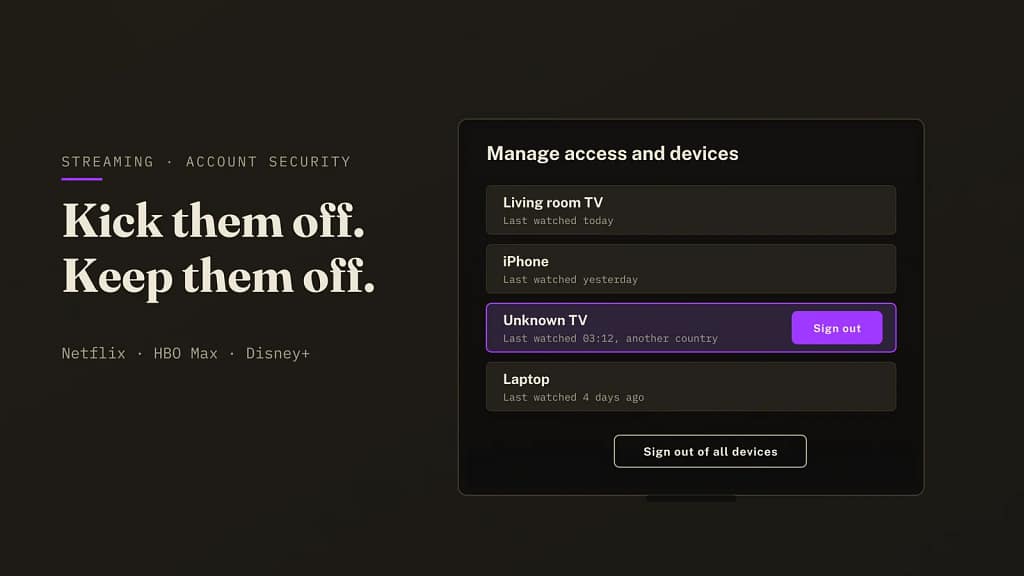
Check who else is signed in. Disney lets you log out of one device or all of them from your account settings, and any device you can’t place is a decent suspect, because a household that keeps moving is very often a household with an extra viewer in it.
Log out of all devices if anything looks off, then change the password. It’s heavy-handed. It’s also the only way to be certain the person causing the prompts has gone.
Then contact Disney+ support. Take dates, the exact wording of the message and a list of what you’ve already tried, because an agent who can see you’ve done the obvious things has a lot more room to help than one who has to read you the script from the top.
And the cooldown? Disney has never said, and we can’t either, so plan for days and count anything quicker as luck.
Never forward a Disney+ one-time passcode to anyone. Every code is a household change or an away-from-home check performed on your account. Texting one to a relative at another address spends your allowance for them, and a passcode request you didn’t make is a sign someone else knows your password.
Is it a household problem, error 73, or something else?
Three different Disney+ problems get blamed on each other constantly, and each one needs its own fix.
- Household messages mention your Household by name. They’re about where your devices live, and the fixes above apply.
- Error 73 says the content isn’t available in your current location, or that Disney+ is only available in certain regions. That’s a geo-block, triggered by your IP address looking foreign or VPN-like. Our Disney Plus error 73 guide covers it if you use a VPN. If you don’t, the usual suspect is your broadband connection itself, since some providers put many customers behind one shared public IP address, and one neighbour’s VPN-like traffic can get that address flagged for everybody on it. Ask your provider whether you’re on shared addressing.
- Too many streams at once is a plan limit on simultaneous playback. It clears the moment someone else in the house stops watching.
If the word Household is nowhere on your screen, you’re reading the wrong guide, and Disney’s own error 73 page will confirm which one you’ve got.
Someone else changed your Disney Plus household?
If the household moved and you didn’t move it, don’t shrug it off. Updating a Disney Plus household needs a one-time passcode sent to the account email, so a stranger moving yours either has access to that inbox or is being handed codes by someone who does, and neither option is especially cheering.
Log out of all devices from your account settings, change the Disney+ password and change your email password as well, since the inbox is the master key and whoever holds it gets every passcode Disney sends.
We’ve written up how to kick someone off Netflix, HBO Max or Disney+ and keep them out, and most of it applies here too. It boils down to a different password for every streaming service, so one leaked login can’t be replayed against the others, and a password manager makes that painless instead of a drawer full of sticky notes.
Proton Pass Plus is the one we’d point you at, at $1.99 a month on its current 12-month offer (£1.59 in the UK) with built-in 2FA codes and email aliases, and there’s a free plan if you only need the basics. See Proton Pass Plus plans →
Disney Plus Extra Member or a second subscription?
If the person causing all these prompts lives somewhere else and you’re happy to keep paying for them, Disney’s official route is the Extra Member add-on, which gives someone outside your Disney Plus household their own login on your subscription. The small print is tight. One slot per account, billed monthly, and only if Disney bills you directly.
Prices moved this month, which hasn’t done anyone’s mood any favours. In the UK, Disney+ went up for new subscribers on 14 October 2026, according to ISPreview’s report on the rise, existing monthly subscribers follow on 18 November and annual ones on 2 December, and in the US existing subscribers pay the new rates from 21 October. Extra Member prices stayed put.
| Option | US (per month) | UK (per month) | Notes |
|---|---|---|---|
| Extra Member on an ad-supported plan | $6.99 | £4.99 | One slot, direct billing only |
| Extra Member on an ad-free plan | $9.99 | £5.99 | One slot, direct billing only |
| Their own Standard with Ads | Check Disney’s US plan page | £6.99 | UK price for new subscribers from 14 October 2026 |
| Their own Standard | Check Disney’s US plan page | £11.99 | Profile can be transferred to keep watch history |
Swipe the table sideways for the notes column.
For one person in the UK the sums are closer than you’d think. An ad-free Extra Member at £5.99 undercuts their own Standard plan at £11.99 by six quid a month, but they’re one login on your bill and you’re the one paying, whereas their own subscription buys them independence and a household of their own.
One detail from Disney’s help page is worth knowing before anyone moves out: a profile can move to a new subscription with its watch history intact, unless it’s the primary profile, belongs to someone under 18 or is set to Junior Mode.
Will a VPN or a factory reset fix the Disney Plus household message? (Sadly not)
A VPN won’t. Plenty of pages will try to sell you one on this exact search. Disney builds your household from account activity and linked devices as well as the connection, so swapping your IP address leaves two of the three signals exactly where they were, and a VPN address can trip error 73 on top of the household prompt, at which point you’ve turned one problem into two.
Reinstalling the app or clearing the cache won’t either. Those fix playback faults. Your Disney Plus household lives on Disney’s servers against your account, and nothing you delete on a TV gets anywhere near it.
Factory resetting the TV is worse. Same problem, more effort, and the TV comes back as a brand new device that has never been linked to your home, which can earn you the “isn’t connected to your Disney+ Household” message on top of the one you already had.
Hammering I’M AWAY FROM HOME is the slow way to lose. It works once. Maybe twice, maybe a few more times, and then that counter runs dry as well and you’re stuck behind two limits.
How the Disney Plus household rules compare with HBO Max and Netflix
Disney+ borrowed a model Netflix built first and HBO Max picked up later. All three pin a household to a TV on a home network, all three send one-time codes to the account email, and not one of them publishes the limits that would let you plan around any of it.
HBO Max is the closest cousin. Its version of this lockout reads “You’ve updated your household too many times”, and our HBO Max household guide walks through the same rate-limit logic step by step. For the bigger picture of why every service is tightening the screws this year, see whether HBO Max is cracking down on sharing.
The difference is mostly tone. Disney’s messages are softer and its enforcement less noisy, which is why most people only meet the Disney Plus household rules when a TV in a holiday let refuses to play Bluey on the first wet afternoon of the week.
Why the Disney Plus household rules catch the wrong people
Because the system was built for one kind of household, and plenty of real ones look nothing like it.
A household check exists to stop one login being shared across four homes. What it also catches is the separated parent whose kids split the week, the student who comes home at weekends, the couple with a flat in town and a cottage they escape to, and the grandparent who was handed the password in 2021 and has watched the same three films on it ever since. None of them is trying to diddle Disney, yet all of them will bump into the Disney Plus household limit sooner or later, because ordinary life refuses to stay on one network.
Then there’s everything you aren’t told. No number of updates, no countdown, no warning as you get near the edge. Somebody sharing on purpose learns where the edges are by poking at them, whereas the honest subscriber finds one by falling over it on a Friday night with a child on the sofa.
Disney is within its rights, to be fair. Its rules have always said one household, and the company’s own paid sharing explainer is open about Extra Member being the commercial point of the whole exercise. It’s a revenue programme wearing a security lanyard, and knowing that won’t change the message on your TV, though it might stop you feeling like you’ve been caught doing something.
So which Disney Plus household button should you press tonight?
If you’re at home, update. Get the TV on your broadband, watch something, and pick UPDATE HOUSEHOLD only if this really is where you live now, because the Disney Plus household message is a location check and it does clear, usually without anybody needing to ring support.
If you split your life between two places, update deliberately when you arrive somewhere for weeks and save I’M AWAY FROM HOME for short trips. And if the person setting it off lives elsewhere, the Extra Member costs less than the row about who is paying for what.
If the household moved and you never touched it, go straight to the devices list. Somebody else is in your account, and that’s a different job altogether.
Someone else moving your Disney Plus household? Lock the account
A different password for every service and a safe home for your 2FA codes stop one leaked login turning into four. Proton Pass Plus handles both and adds email aliases, so a streaming breach can’t be traced back to your real inbox. Run it for a fortnight on the 30-day guarantee, and if it isn’t for you, cancel and get your money back.
$1.99 a month on the 12-month offer, billed $23.88 for the first year then $35.88 a year. UK: £1.59 a month, £19.08 first year. 30-day money-back guarantee. Prices checked 18 October 2026. BAIZAAR earns a commission if you subscribe, at no extra cost to you.
Disney Plus household FAQ
What does “This TV doesn’t seem to be part of the Disney+ Household for this account” mean?
It means Disney+ doesn’t recognise that TV as being in your home. Disney builds your Disney Plus household from subscription activity, linked devices and your internet connection, so press UPDATE HOUSEHOLD if this is now home, or I’M AWAY FROM HOME if you’re only visiting.
How many times can you update your Disney Plus household?
Disney doesn’t publish a number. Its help page only says there may be a limit to the number of times you can update your Household, so any article quoting a precise figure is guessing.
Is there a Disney Plus away from home limit?
Yes, according to Disney, which says there may be limits on how many times you can choose that you’re away from home, separate from the update limit. It doesn’t publish the figure, or how long each away-from-home session lasts.
How do I reset the Disney Plus away from home limit?
There’s no reset button. Watch from home on your home internet so Disney sees ordinary activity again, and if you’re staying somewhere for weeks, update your household to that place instead of claiming to be away over and over.
Is there a Disney Plus household workaround?
The only supported ones are watching from home, verifying a device on home Wi-Fi, the away-from-home option for trips, and the Extra Member add-on for someone who lives elsewhere. VPNs, reinstalls and factory resets don’t change how Disney identifies your household, whatever the forums say.
Can I use Disney+ in two homes?
Not as two households. Disney ties a subscription to your primary residence, so use I’M AWAY FROM HOME for short stays at a second home, or update the household when you arrive for a long one.
Can a college student use their parents’ Disney+ account?
Disney’s rules say the Household is the people living at your primary residence, so a student at university is outside it for most of the year. Their phone can verify on the family Wi-Fi when they’re home for the holidays, and for term time the Extra Member add-on is Disney’s answer.
Does a VPN fix the Disney Plus household message?
No. Disney uses account activity and linked devices as well as your connection, so a VPN changes only one signal, and it can trigger error 73 as a bonus, leaving you with two problems.
How much is a Disney Plus Extra Member?
In the US, $6.99 a month on the ad-supported plan and $9.99 on ad-free plans. In the UK, £4.99 on Standard with Ads and £5.99 on Standard or Premium. One slot per account, and only if you are billed directly by Disney.
Why is Disney+ Extra Member not showing up on my account?
Usually because you pay through a third party, such as an app store, broadband bundle or TV provider. Disney only offers the Extra Member to subscribers billed directly, and only one per account.
I got a Disney+ passcode email I did not ask for. Should I worry?
Yes, a little. Passcodes go out when someone tries to update your household or verify a device, which needs your password, so log out of all devices, change your Disney+ password and change your email password too.
Will Disney ban my account for sharing outside my household?
Disney doesn’t talk about bans. What it describes is devices outside your Household being asked to verify, log out or sign up for their own account, so in practice you get friction and the account stays open.
How we verified this
Every message, button and limit on this page comes from the Disney+ UK Help Centre article on sharing a subscription, read in full on 16 October 2026, including the sections on TV devices, mobile devices and watching away from home. Prices come from Disney’s paid sharing explainer and ISPreview’s report of 14 October 2026, both re-read on 18 October. We didn’t have a locked-out account to poke at, so the order of screens on your TV may differ slightly by device.
Where Disney publishes no number, we say so, and we’ll update this page if it ever publishes the household update limit or the away-from-home limit.
Sources
- Sharing your Disney+ subscription, Disney+ Help Centre (UK), read 16 October 2026. Source for the Household definition, all four messages, the buttons and both limit statements.
- Disney+ error code 73, Disney+ Help Centre (US).
- Paid sharing on Disney+ explainer, The Walt Disney Company. Source for Extra Member rules and US Extra Member pricing.
- Disney hikes UK prices for 2026, ISPreview, 14 October 2026. Source for UK plan prices, the rollout dates for existing subscribers and UK Extra Member prices staying put.
Related BAIZAAR guides
- HBO Max household updated too many times: the fix
- Is HBO Max cracking down on sharing?
- Disney Plus error 73
- How to kick someone off Netflix, HBO Max or Disney+
- Netflix not working with a VPN