
How to Kick Someone Off Netflix, HBO Max or Disney+
and Stop Them Getting Back In
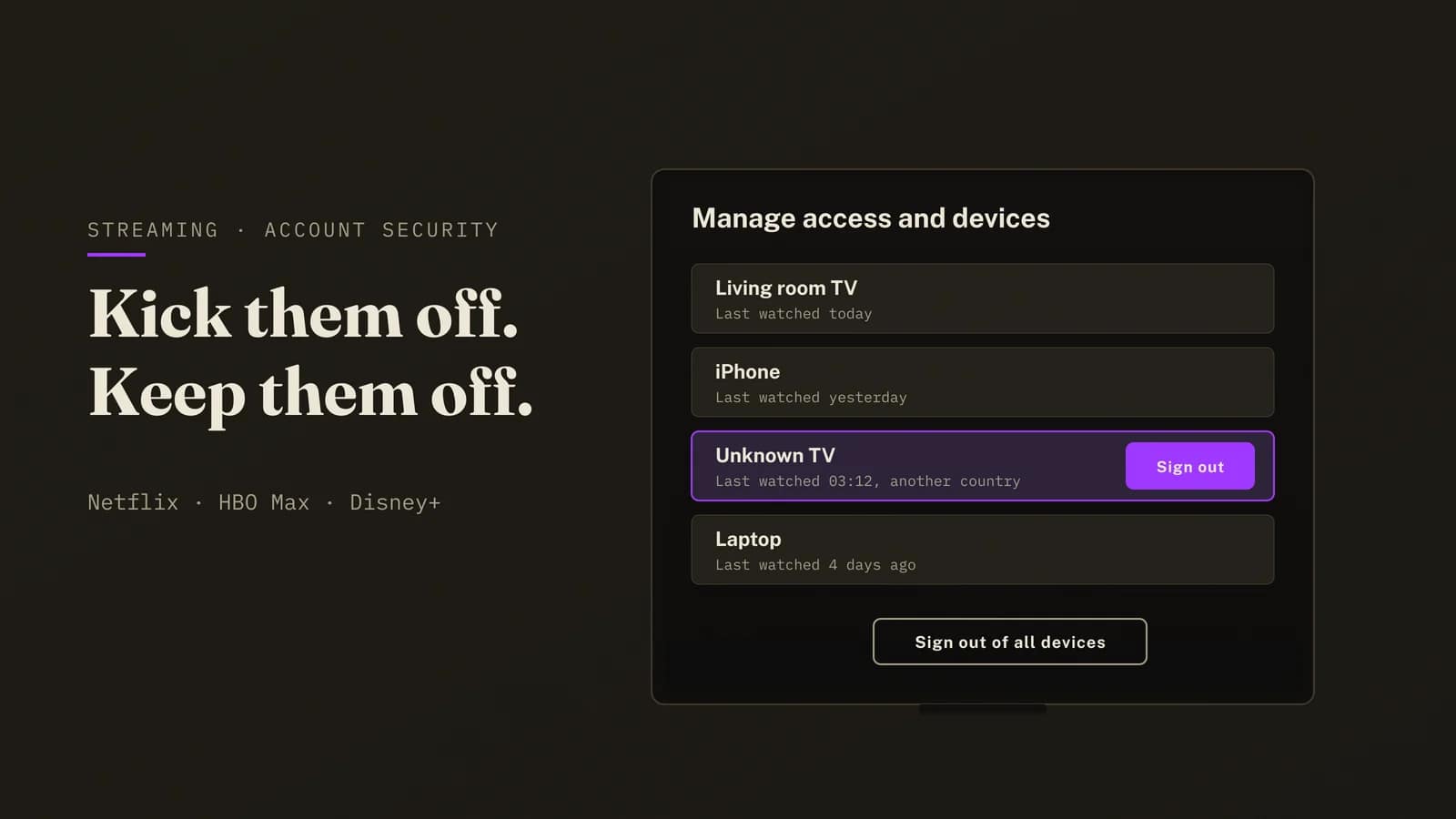
TL;DR: To kick someone off Netflix, go to Account > Manage Access and Devices, hit Sign Out of All Devices, then change your password. Do the second bit before you’ve even put the remote down, because signing out only boots them and the new password is what stops them strolling straight back in.
HBO Max is a little kinder, since changing the password there signs every device out by itself. Disney+ has its own log-out-of-all-devices button.
Skip the third step, locking down the email account your streaming login hangs off, and you’ll probably be back on this page within the month.
So there’s a profile on your Netflix you didn’t make, or a telly in a city you’ve never visited sitting in your device list, or the account keeps hitting its screen limit at nine o’clock on a weeknight when the only person watching is you. Annoying, and a bit creepy. Getting them off takes about five minutes. Keeping them off is a separate job, the one most guides skip, so we’ve saved it for further down where it belongs.
- How do you kick someone off Netflix?
- Can you kick someone off Netflix without changing your password?
- Can you kick someone off Netflix mid-show?
- How do you sign out of all devices on HBO Max?
- How do you kick someone off Disney+ or Prime Video?
- Someone is using my Netflix account from another country. What does that mean?
- How did they get into my account in the first place?
- How do you lock your account so they stay out?
- Why It's Easy to Kick Someone Off Netflix and So Hard to Keep Them Out
- Kick Someone Off Netflix Tonight: What We'd Do in Your Shoes
- Kick someone off Netflix FAQ
- How we verified this
- Sources
- Related BAIZAAR guides
How do you kick someone off Netflix?
You kick someone off Netflix from the Manage Access and Devices page, which lists every device that has streamed on your account lately, and you can boot them one at a time or all at once. Netflix spells the route out on its own Manage Access and Devices page, and it runs to five taps.
- Sign in to Netflix in a web browser or the app and open Account.
- Choose Manage Access and Devices. You’ll see each device’s type, the profile most recently used on it, and the date and time it last played something.
- To remove one device, tap the down arrow next to it and choose Sign Out.
- To remove everyone, scroll to the bottom and choose Sign Out of All Devices, then Sign Out to confirm.
- Change your password straight afterwards. Skip it and the whole exercise lasts about as long as it takes them to type the old one in again.
Two things trip people up on that page. A brand new device can take up to 48 hours to appear, so somebody who signed in last night may simply not be listed yet, and Netflix also hides anything that hasn’t been active for 90 days, along with devices only ever used for Netflix games or Tudum.
So an empty-looking list proves less than you’d think. If you’ve any reason to be suspicious, sign out of all devices anyway, because the cost to you is ten minutes of thumbing a password into your own telly with the remote, which is miserable but survivable, and the cost to them is everything.
Can you kick someone off Netflix without changing your password?
Yes, for roughly as long as it takes them to type it back in. Sign Out of All Devices ends every session on the account, but anyone who still knows the password just signs straight back in, so if you want to kick someone off Netflix and have them stay kicked, the password has to change.
There’s one quieter route, and it suits a particular kind of freeloader. Netflix now lets each profile carry its own email address, so if a profile on your account has an email you don’t recognise, open Account > Manage Profiles, find it and remove the email. Netflix says anyone using that email will be signed out within 24 hours.
Handy for the cousin you added in a weak moment at a wedding. Useless against anyone holding your real password, since they never needed a profile email to begin with.
Netflix’s own advice, on its page about stopping someone from using your account, puts the password change first and the device sign-out second. We’d do both in the same minute and not lose sleep over the order.
Can you kick someone off Netflix mid-show?
Yes, though don’t expect it to happen with a stopwatch running. Sign Out of All Devices ends every session on the account, and Netflix doesn’t say how quickly a stream that’s already playing gets cut off, so give it a few minutes before you decide it hasn’t worked.
People usually type this one as “how to kick someone off Netflix while they are watching”, and it’s nearly always because the account has hit its screen limit and your own living-room telly is the one being refused whilst somebody else finishes their box set. Signing everyone out frees the slot. Sign back in on your own devices with the new password, and theirs stays dark.
How do you sign out of all devices on HBO Max?
On HBO Max, open your profile, choose Account, then Devices. HBO Max lists each signed-in device with a profile name, a sign-in date and a country, which is frankly more evidence than Netflix ever gives you.
- One device: choose the X beside it.
- Everyone: choose Sign Out All Devices.
- Or skip both: change the password at
HBOMax.com/account/edit/password. HBO Max confirms this signs the account out of every device by itself, which saves you a step.
One oddity. Anyone halfway through something keeps watching until the title ends, so your former flatmate may get to see how the episode finishes before the door shuts on them, which is generous of HBO Max, if slightly galling when it’s your subscription paying for it.
There’s an HBO Max symptom worth knowing about here, because it often turns out to be this exact problem in a different coat. If HBO Max suddenly says you’ve updated your household too many times and you haven’t touched the setting in months, HBO’s own documentation says someone outside your household may have done it, and our HBO Max household error guide walks through that one. If the account itself has been taken over, password changed or email swapped, that’s a nastier job, and it starts at HBOMax.com/forgot-password, which mails a reset link to the account email (check Junk and Promotions before you panic). If that inbox isn’t yours any more, HBO Max’s help centre says to contact them directly.
How do you kick someone off Disney+ or Prime Video?
Both have the same switch, they’ve just hidden it in different cupboards.
| Service | Where to sign everyone out | Does a password change sign everyone out? |
|---|---|---|
| Netflix | Account > Manage Access and Devices > Sign Out of All Devices | Do both. Sign out, then change the password |
| HBO Max | Profile > Account > Devices > Sign Out All Devices | Yes, HBO Max says it does |
| Disney+ | Account > log out of all devices | Not documented, so do both |
| Prime Video | Settings > Your Devices, or Amazon’s Manage Your Content and Devices page (deregister each device) | Not documented, and the password also guards your Amazon shopping account |
Swipe the table sideways for the third column.
Prime Video is the awkward one. Your Prime Video login is your Amazon login, card details and order history included, so an uninvited viewer there is a far bigger worry than somebody getting free films, and it’s worth changing that password today even if the device list looks spotless.
Someone is using my Netflix account from another country. What does that mean?
It usually means one of two things, and the device list will tell you which.
Someone you know. An ex, a sibling at university, a mate you lent the login to in 2021 and forgot about. The device names look familiar, the profile has a real name on it, and the location is a city they could plausibly live in. That’s a sharing problem, and the fix is the boring one: sign out, change the password, move on with your evening.
Someone you’ve never met. A generic browser, a television brand you don’t own, a country you’ve never set foot in, possibly a profile switched to a language nobody in your house speaks. No lapsed favour, this. Your password is sitting in somebody else’s database, and kicking them off is only the first job on the list.
Netflix will usually have tipped you off already, since it emails the account holder whenever a new device signs in and estimates the location from the IP address. That estimate can be miles out, because IP addresses are a rough guide at best and anyone on a VPN can look like they’re anywhere at all, but a city you’ve never visited is still worth acting on tonight.
And if the email address on the account has already been changed, so you can’t sign in at all, you’re past kicking anyone off and into recovery, which is a different and nastier job and one only Netflix can do. Its help centre says to contact Netflix so they can change the email back, and the login help page has an “I don’t remember my email or phone” route that asks for the name and payment card on the account, though it isn’t offered in every region.
How did they get into my account in the first place?
Almost certainly with a password that also opens something else of yours. Reuse is the whole business model.
In January 2026 the researcher Jeremiah Fowler found an exposed database holding 149,404,754 unique logins and passwords, with Netflix, HBO Max and Disney+ credentials amongst them, most likely scooped up by infostealer malware that lifts saved passwords straight out of browsers. CX Today reported the find at the time.
Once a password gets loose, automated tools try it on every popular service going. Streaming accounts are a favourite target, because owners rarely notice one extra profile, and they’re cheap to buy too: an analysis of roughly 75,000 dark-web listings, reported by Cord Cutters News in May 2026, put the average streaming account at about $15 and a Netflix login at $15.60.
Fifteen dollars, for your viewing history, the card saved on your billing page and, if that password does double duty, every other account it happens to open. Which is why we’d spend longer on the next section than on the sign-out button.
You can check whether your email address has turned up in a known breach with the free Have I Been Pwned service, and a hit there tells you which old password needs retiring from every site it’s still guarding.
If you’ve just realised your Netflix password also unlocks your Amazon account, your work email and some forum you joined in 2014, a password manager is the least painful way out of that mess, and it’s the route we’d take. See Proton Pass’s current plans →
How do you lock your account so they stay out?

Three steps, and the order matters more than you’d expect. The first two take five minutes between them, whilst the third decides whether you’re reading this page again next month.
1. Sign out of all devices
We’ve covered this for each service above. It ends every session going, including the hotel telly in Leeds you signed into last spring and never thought about again.
2. Change the password to one that exists nowhere else
Netflix’s own guidance, on its help page for unwanted users, asks for a password that’s unique to Netflix, at least eight characters long and not built out of your name or birthday, and then it adds a line we were pleased to see from a streaming company: “A password manager can make it easier to keep track of unique passwords.”
Fair enough. Forty unique passwords is beyond most memories, and the old-fashioned alternative, a notebook in the kitchen drawer, beats reuse comfortably but loses badly to a house fire.
3. Lock the email account the login hangs off
Every password reset link goes to your email, so whoever controls that inbox controls the streaming account, the bank login and a frankly alarming amount of the rest of your life. Give the email account its own long password, switch on two-factor authentication there, and check the recovery phone number and backup address are still yours.
Two smaller habits finish it off:
- Ignore anyone asking for your password by text or email. Netflix says it will never ask for your password, card number or bank details that way, so any message that does is phishing, however official the logo looks.
- Use a separate sign-in address for streaming. An email alias that forwards to your real inbox means a leaked streaming login doesn’t hand an attacker the address that controls everything else.
BAIZAAR uses Proton Pass for exactly this. It generates and stores a different password for every service, creates hide-my-email aliases when you sign up for something, keeps two-factor codes in a built-in authenticator and keeps an eye on the dark web for your details turning up. The free plan covers the passwords. Pass Plus adds unlimited aliases and the monitoring for $1.99 a month on the 12-month deal (£1.59 in the UK), billed $23.88 for the first year and renewing at $35.88, and if you’d like to shop around first, our password manager comparison treats the alternatives fairly.
Where this plan falls over.
- A compromised email account. If somebody else can read your inbox, they can reset any password you pick, so sort the email out first if you have the slightest doubt.
- Infostealer malware on your own computer. A new password typed into an infected machine just leaks again. Run a malware scan before you change anything important.
- Billing through a partner. If Sky, Virgin Media or a mobile network bills you for Netflix, some account changes go through them, which can slow recovery down.
- Logins you handed out yourself. Kicking out a relative is easy. Explaining it over Christmas dinner is beyond our remit.
One password per service, and you never have to remember any of them
Proton Pass generates a unique password for every streaming service, fills it in for you and hides your real email behind aliases, so one leak stays one leak. Proton Unlimited bundles it with Proton Mail, which is where your password resets ought to be landing anyway. Run it for a fortnight on the 30-day money-back guarantee, and if it isn’t for you, cancel and walk away.
Pass Plus: $1.99 a month for 12 months ($23.88, renews at $35.88), or £1.59 a month in the UK. Unlimited: $9.09 a month for 12 months ($109.12, renews at $119.88). 30-day money-back guarantee. Prices checked 16 October 2026.
Why It’s Easy to Kick Someone Off Netflix and So Hard to Keep Them Out
Streaming services lean almost entirely on two things you control, the password and the email address behind it, and they’ve poured far more engineering into catching you sharing with your sister than into helping you when a stranger in another country signs in with your details.
Which leaves the security of a family’s telly budget resting on whether somebody once reused a password from a 2019 forum account. Grim, but there it is.
A password manager helps a lot. It won’t help if the email account is the weak point, and it can’t help if malware is reading your keystrokes, so we’d be lying if we told you a subscription solves this on its own. The order solves it. Proton Pass makes steps two and three less of a faff, step one costs nothing, and how many streaming services did you say you share that password with?
Kick Someone Off Netflix Tonight: What We’d Do in Your Shoes
To kick someone off Netflix, sign out of all devices from Manage Access and Devices and change the password in the same sitting. On HBO Max the password change does both jobs, and on Disney+ and Prime Video you’ll be doing both by hand, which is tedious for about four minutes.
Then give the email account ten minutes, since it’s the master key to every streaming login you own. If the intruder turned out to be a stranger, assume that password is in a database somewhere and retire it from every site it ever touched. Can’t remember which sites those were? Have I Been Pwned will jog your memory, unpleasantly.
Kick someone off Netflix FAQ
How do I kick someone off my Netflix account?
Open Account, choose Manage Access and Devices, then Sign Out of All Devices and confirm. Change your password straight afterwards, or anyone who knows it will just sign back in.
How do I kick someone off Netflix without changing my password?
Sign them out from Manage Access and Devices, though they can sign back in with the same password. If they use a profile with its own email address, removing that email signs them out within 24 hours, which is the only lasting option that leaves your password alone.
Can I kick someone off Netflix immediately?
Sign Out of All Devices ends every session on the account, but Netflix doesn’t publish how quickly a stream already in progress stops. Allow a few minutes, and change the password at the same time.
Why can’t I see the device on Netflix’s Manage Access and Devices page?
New devices can take up to 48 hours to appear, and devices inactive for 90 days, or only used for Netflix games or Tudum, are hidden. If you suspect one you can’t see, sign out of all devices anyway.
Does changing my Netflix password sign everyone out?
Change the password and use Sign Out of All Devices as well, so there’s no doubt about it. Netflix’s help pages treat them as two separate steps.
How do I sign out of all devices on HBO Max?
Go to your profile, then Account, then Devices, and choose Sign Out All Devices. Changing your HBO Max password signs every device out too, though anyone mid-stream keeps watching until their title ends.
How do I kick someone off HBO Max?
Remove their device with the X on the Devices page, then change your password at HBOMax.com/account/edit/password so they can’t sign back in.
Someone is using my Netflix account in another country. Have I been hacked?
Probably, if you don’t recognise the device. Netflix works the location out from the IP address, so it can be off, but an unfamiliar country plus an unfamiliar device usually means your password has leaked. Sign out of all devices, change the password and secure your email account.
Will Netflix tell me if someone signs in to my account?
Yes. Netflix emails the account holder when a new device signs in, and if you don’t recognise it, change your password straight away.
How do I kick someone off Disney+?
Use the option to log out of all devices in your Disney+ account settings, then change the password.
Can a password manager stop someone using my streaming account?
It stops the most common cause, a reused password leaking from some other site. It can’t protect an account whose email inbox is already compromised, so secure the email as well.
Is it safe to share my Netflix password with family?
Within your household it’s allowed, but every extra person is one more place the password can leak from. If someone outside your home needs access, Netflix’s extra member option gives them a login of their own.
How we verified this
Every menu path on this page comes from the services’ own help centres, read on 15 and 16 October 2026: Netflix’s pages on stopping unwanted users, managing devices and new sign-in alerts, and HBO Max’s device management page. The breach and dark-web figures come from contemporary reporting, linked in the sources.
Prime Video’s deregistration route is the least documented of the four, and menu labels on smart TVs vary by manufacturer. Proton prices were read from Proton’s own offer pages on 16 October 2026 and change often.
Sources
- How to stop someone from using your account, Netflix help centre. Source for the unique-password advice and the password manager line.
- How to manage access and devices, Netflix help centre. Source for the 48-hour and 90-day notes.
- I got an email about a new sign-in to my account, Netflix help centre. Source for sign-in alerts and the 24-hour profile email removal.
- Manage devices on your HBO Max account, HBO Max help centre. Source for the device list, the mid-stream caveat and the fact that a password change signs every device out.
- Massive credential leak exposes 149 million stolen logins, CX Today, 26 January 2026.
- From binge-watching to breached, Cord Cutters News, 22 May 2026.
Related BAIZAAR guides
- HBO Max household updated too many times: the fix
- Has Proton Mail ever been hacked?
- The most secure password managers in 2026