Best Task Management Tool
for ADHD Professionals in 2026:
One Works. The Rest Are Decoration.

Last Updated: March 2026 · By Baizaar Lee
Quick Verdict
For most ADHD professionals, Todoist is the safest first choice for task management in 2026, because it supports quick capture, reliable reminder and simple daily views without demanding hours of system design. Structured testing over 30 days showed it reduced missed deadlines more reliably than heavier tools requiring significant configuration. The recommended approach is to begin with a single inbox, a handful of high-level projects and a consistent daily review habit, rather than elaborate label hierarchies from day one. Its main limitation is the free tier: serious reminders and calendar sync require Todoist Pro, which costs approximately £4.99/$7.00 per month as of early 2026. Verify current pricing directly on the Todoist website, as subscription tiers do change.
Best Task Management Tool for ADHD Professionals – Table of Contents
- Best Task Management Tool for ADHD Professionals – Table of Contents
- What ADHD Professionals Actually Struggle With (It Is Not Productivity)
- How I Tested Five Task Managers Over 30 Days
- Why Todoist Usually Wins for ADHD Professionals
- The 7-Day Todoist ADHD Experiment
- Todoist Pro (2 Months Free)
- The Honest Case Against ClickUp: Features, UX and a Privacy Audit
- Which Features Actually Matter for ADHD? (And Which Are Decoration)
- The Todoist Morning Mode: A Named-View Routine That Works
- Is Todoist's Free Tier Good Enough?
- A Quick Word on Privacy for Client Work
- How Should You Pick One Tool and Stop Switching?
- Best Task Management Tool for ADHD Professionals – FAQ
What ADHD Professionals Actually Struggle With (It Is Not Productivity)
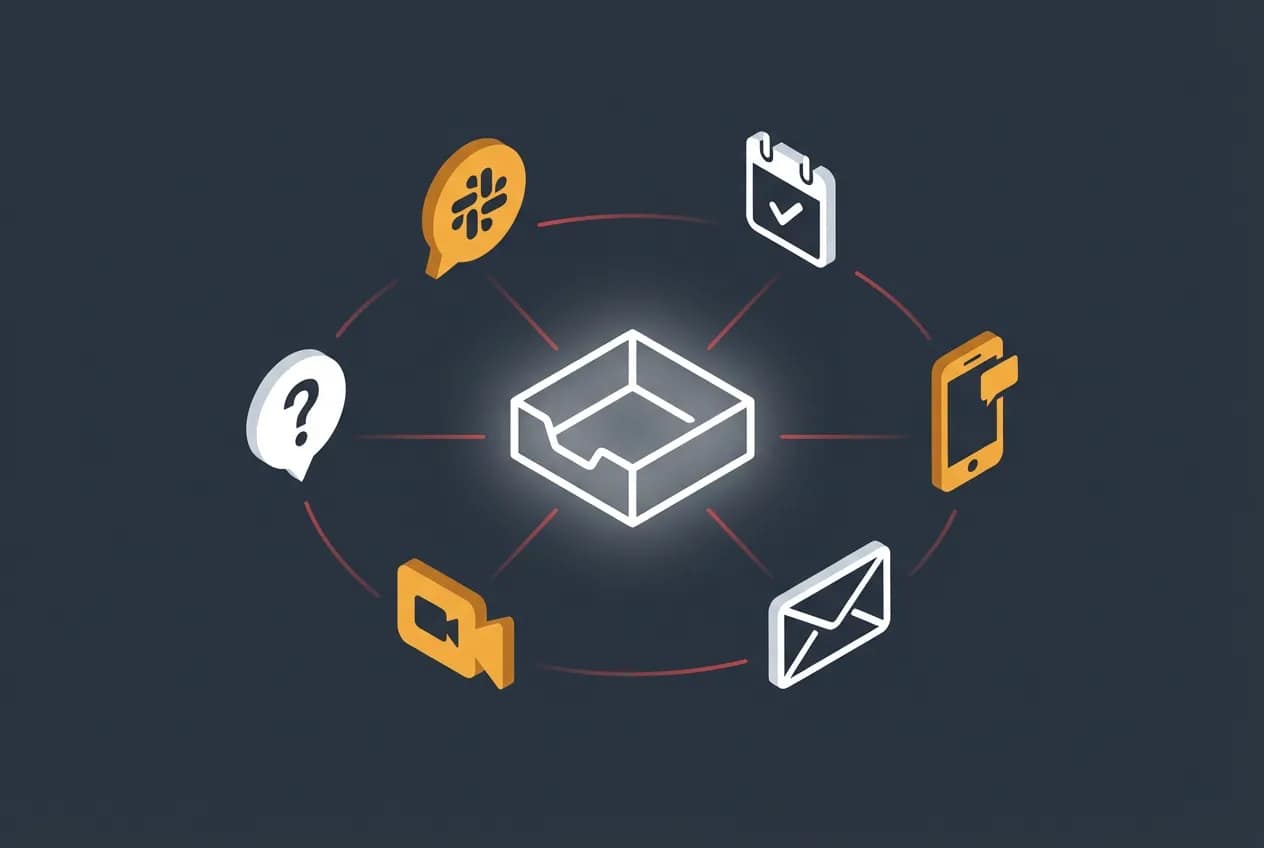
“Productivity” is not the problem.
If you have ADHD, you probably know precisely what needs doing. You wrote it down (somewhere..), you might even be considered a casual-calligraphist having written it down so beautifully, perhaps even with colour coding and nested subtasks paired with a priority label that Eisenhower himself would approve of.
Then a Slack notification arrived. Then someone from HR sent a calendar invite for a mandatory 30-minute culture check-in. Then your phone lit up. Then your Teams status went yellow because you had not replied to a message from two days ago that you genuinely forgot existed.
By the time you had dealt with all of that, you were doing something else entirely. What, exactly, you are not sure. Actually, where has all that energy and focus evaporated? The tasks you captured this morning? Oh, ah yes they are still there. You just do not remember them right now, and there are three new ones you have thought of since, which you also have not written down.
This is working memory collapse compounded by context switching. It is the core failure mode that derails ADHD professionals, and it is almost completely invisible to managers who see a capable person who keeps dropping the ball for no visible reason.
The second failure mode is quieter. It does not look like failure from the outside. It looks like deep, focused work. However the work is building a Notion database view for a project with a four-hour deadline. The actual project work has not started. The system for the project work is, however – “beautifully architected”.
This is the hyperfocus rabbit hole, and any task management tool that does not address both of these failure modes is decoration. Nice to look at. Useless when the ADHD brain is under fire.
How I Tested Five Task Managers Over 30 Days
Transparency about what “tested” means here.
I am a long-term Todoist user, currently sitting at Grand Master tier. That is north of 32,000 Karma points, accumulated across several years of daily use, through daily life and work reminders, personal crises, side-hustled projects, DIY plans and the occasional week where I rescheduled the same task so many times it started to feel like a recurring character in my life.
I know Todoist well enough to have genuine opinions about its worst moments, not simply its marketing copy.
For this piece, I ran structured parallel experiments through early 2026. Identical project sets loaded into Todoist, Notion, ClickUp and Trello. Each used as my primary work system for at least seven consecutive days. Same deadlines. Same recurring tasks. Same client projects.
By week three of the Notion phase, I had rescheduled the same task eleven times. The task was to review a client brief. Not write it. Review it. Eleven reschedules. In that same period, I had built three Notion database views, created a linked Kanban board and spent roughly forty minutes agonising over whether to use a “Priority” property or an “Urgency” property.
The brief remained unreviewed until the client chased me.
That is not a knock on Notion as a product. Notion is genuinely powerful. It is a knock on what happens when you hand an ADHD brain infinite customisation options alongside a real deadline. Spoiler: the customisation wins every time.
Why Todoist Usually Wins for ADHD Professionals
Speed of capture is everything. Not the best calendar integration, not the prettiest interface, not the deepest feature set.
The moment between “I need to do this” and “this is now captured somewhere I will actually see it” must be as short as possible, because that gap is precisely where working memory goes MIA. Every second of friction between the thought and the capture is a second in which a Slack notification can arrive and erase the thought entirely.
Todoist is fast. The quick-add keyboard shortcut works globally on desktop. Natural language input means typing “send invoice to Maya Friday 5pm” creates a dated, timed task without you opening a project, choosing a label or making a single decision beyond the one you already made: write it down.
The Today view is a structural advantage that is easy to underestimate. Open it and you see what needs doing today. Nothing else. No sidebar full of tempting tangents, no project views demanding attention, no half-finished templates from last month staring at you. For an ADHD brain already managing a four-way context-switch between Slack, Teams, email and whatever the HR system wanted at 10am, a quiet interface is not a design preference. It’s genuinely useful (unlike the new HR system).
I have tried explaining this to non-ADHD colleagues. “Surely more features means more power?” No. More features is a decision menu that never closes. ClickUp has a lot of features. I will come back to that.
The Karma system deserves a mention. After years at Grand Master level, I have noticed that the streak tracking and Karma points act as a mild but real external reward signal. ADHD brains that struggle with intrinsic motivation on low-stimulation tasks get a small dopamine nudge from maintaining a streak. It is not the reason to use Todoist. But it is a quiet structural advantage that nobody in the “best productivity app” discourse ever seems to talk about, possibly because it sounds trivial until the day you realise the streak kept you going through a brutal client quarter.
The 7-Day Todoist ADHD Experiment
If the eleven-reschedule story landed, this section is for you.
You do not need to overhaul your workflow. You do not need to read four more articles. You need a one-week experiment that costs fifteen minutes to set up.
Day 1: Create one project for each area of your working life. Work, Personal, Admin. No more than five projects total. Do not create subtasks yet. Do not add labels. Do not build anything. Just capture every open loop currently living in your head into the inbox, then sort each one into a project.
Days 2 to 4: Use only the Today view. Every morning, spend five minutes dragging tasks into Today. Do not look at other projects. Do not reorganise anything. Work exclusively from Today.
Days 5 to 7: Add a specific time-based reminder to your three most important tasks each day. Check whether you completed them. Be honest. The Karma graph will also have an opinion.
That is the experiment. Setup: twenty minutes. Weekly maintenance: fifteen minutes total. No new life philosophy required.
Start Your 7-Day Todoist ADHD Experiment
Todoist Pro unlocks time-based reminders, calendar sync and saved filters,
the three features that make the experiment above actually work for an ADHD
brain. As of early 2026, Pro is approximately £4.99/$7.00 per month.One missed client deadline costs more than six months of that subscription.
Todoist Pro (2 Months Free)
Kick off your 7-day Todoist Experiment with 2 months of Pro for free using our reader exclusive link. Remember to set a reminder (or several) to cancel your subscription if you don’t love it.
Already on the free tier and wondering if it is worth upgrading? The honest
answer is in the free tier section below.
For a deeper system once the basics are stable, the Todoist Energy-Based Workflow guide on BAIZAAR shows how to structure your tasks around energy levels rather than arbitrary priority labels, which is a considerably more honest way to run an ADHD workday than pretending every Tuesday at 2pm is equally productive.
The Honest Case Against ClickUp: Features, UX and a Privacy Audit
ClickUp is genuinely impressive in the same way a Swiss Army knife with 47 blades is impressive. You look at it and think: this must be better. It has so many things. Then you need to cut your sandwich and you spend three minutes hunting for the right blade.
Let us start with the UX reality for ADHD users specifically.
ClickUp offers multiple views, custom statuses, goals, time tracking, docs, whiteboards, mind maps, sprint points and an AI layer that does several things simultaneously. For a brain already losing the context-switching battle between Slack, Teams and 43 different browser tabs, this is not a feature list. It is a decision menu that does not close.
There is something ClickUp does genuinely well: if you have a complex, multi-person project with distinct phases, dedicated sprint management and someone whose actual job is to configure and maintain the workspace, the custom automation rules and status flows can reduce manual task management significantly. For those teams, it earns its keep.
For a solo ADHD professional managing their own workload? The configuration overhead is the product. You will spend more time building the system than using it.
ClickUp Privacy: Claims vs Reality
This is the section where I put on the paranoid cap 🧢
ClickUp claims SOC 2 Type 2 compliance and GDPR alignment. Both are technically accurate at face value. Neither tells the full story.
SOC 2 Type 2 means an external auditor reviewed ClickUp’s internal security controls over a defined period and found them adequate. It does not mean your data is encrypted in a way that prevents ClickUp from reading it. It does not mean zero-knowledge architecture. It means their security processes met a minimum auditable standard. That is a baseline, not a privacy guarantee.
GDPR compliance is claimed, but ClickUp’s data is primarily stored on AWS infrastructure in the United States. For UK and EU professionals handling client data under GDPR obligations, that creates a data residency question worth asking your legal team about before you start storing sensitive project details, NDA-adjacent notes or client-facing deliverables in a task description.
The AI layer is where it gets more pointed. ClickUp AI, expanded significantly through 2024 and 2025, uses workspace content to power its features. An opt-out mechanism for AI data training exists. It is not the default position. You have to go looking for it, which is not the behaviour of a tool that leads with privacy.
A thread on ClickUp’s own community from 2022 put it plainly: ClickUp should not be marketed as a privacy-sensitive tool. The product has not materially changed its fundamental data model since.
The short version: ClickUp meets enterprise compliance baselines while running on the same US-hosted SaaS data model as most mainstream productivity tools. If your work involves NDAs, regulated data or anything that keeps your legal team awake, that matters more than the SOC 2 badge on the pricing page.
Which Features Actually Matter for ADHD? (And Which Are Decoration)
Short list. Genuinely short.
Features that matter for ADHD:
- Frictionless capture via keyboard shortcut, mobile widget or voice input
- Reliable time-based reminders that actually fire at the specified time
- A daily focus view that shows only today’s tasks and nothing else
- Natural language date input (“next Monday morning” should just work)
- Bidirectional calendar sync that stays current without manual nudging
Features that do not matter for ADHD specifically:
- Gantt charts
- Custom fields beyond priority level and project assignment
- Nested subtasks more than one level deep
- Whiteboard views and mind map integrations
- Any setup process that takes more than ten minutes before you can add a task
The uncomfortable truth is that the “does not matter” list is also the features that make task managers look impressive in comparison articles. More features equals better screenshots. More features equals a longer specification table. It does not, in practice, equal fewer missed deadlines for an ADHD professional operating under real workday conditions.
If working memory collapse is your primary failure mode, fast capture is your most valuable feature bar none. The Todoist voice capture guide on BAIZAAR covers the specific setup for hands-free task capture, which is particularly useful when the thought arrives mid-commute or mid-conversation and the window for capture is approximately four seconds.
The Todoist Morning Mode: A Named-View Routine That Works
I do not recommend building this system in week one. Build the habit first. Prove you will use the tool before you invest in designing a workflow around it. The Morning Mode is for week five onwards.
Once you have a functioning Todoist setup with consistent projects and recurring tasks, this routine takes eight to ten minutes and replaces the “stare at the inbox wondering where to start” spiral that ADHD mornings are classically famous for.
Step 1: Open Today, not Projects
Seriously. Not Projects. Not the full inbox. Today. If your brain immediately tries to wander into the Upcoming view or reorganise something from last week, set a five-minute timer before you open the app. The timer is the work boundary.
Step 2: Create your Morning Mode filter
In Todoist, go to Filters and create a new filter with this query:
This surfaces everything due today or overdue while excluding anything filed in a Someday project (a dedicated holding area for captures that are not yet assigned a date or priority). Save the filter and name it Morning Mode.
This becomes your actual working view for the day. Not Today (which can show things you parked with a date but do not actually need to touch). Not the full inbox. Morning Mode.
Step 3: Pick your three
Out of everything visible in Morning Mode, select three tasks and assign them Priority 1 (P1). These are the non-negotiable completions for the day. Everything else is a bonus. Be strict with this. Most ADHD professionals who struggle with task management are not under-planning, they are over-planning and under-completing.
Step 4: Set a specific time reminder on each P1 task
Not a floating due date. A specific time. “Do this at 10am” is more useful to an ADHD brain than “do this today,” because “today” is infinite and 10am is not.
Step 5: Close everything else
Close Projects. Close Upcoming. You are not planning right now. You are working.
For the deeper layer of this system, the one where you stop scheduling by clock time and start scheduling by cognitive capacity, the Zombie Mode guide covers it in full. That is the next step, once this routine is genuinely automatic rather than effortful.
Is Todoist’s Free Tier Good Enough?
Honest answer: for getting started, yes. For sustainable daily use, not ideal.
The free tier allows up to five active projects. Most working professionals running concurrent personal and work responsibilities will hit that ceiling within the first week. At that point, you are forced into a decision you were not ready to make.
The reminders issue is more consequential than the project limit. Time-based reminders are a Pro feature. For ADHD professionals, reminders are not a productivity nicety. They are the external executive function that compensates for time blindness. Discovering that the single most important feature for your brain type sits behind a paywall is genuinely frustrating, particularly when you have already invested a week building a system around the tool.
The Karma system, including streak tracking, is available on the free tier. The calendar sync is limited. Filters and label views that make the Morning Mode above actually work require Pro.
Todoist Pro costs approximately £4.99/$7.00 per month as of early 2026, or less on an annual plan. Prices will change; check current pricing at the source. At the monthly cost of two reasonably priced coffees, the question for an ADHD professional is not whether it is affordable. The question is whether it is worth the cognitive friction of upgrading mid-experiment. It is.
A Quick Word on Privacy for Client Work
Todoist is not a zero-knowledge encrypted service. It uses standard SaaS-level encryption in transit and at rest, with data stored across EU and US infrastructure. Two-factor authentication is available and worth enabling immediately.
For most day-to-day professional task management, this is adequate.
If you handle NDAs, regulated data, or client work with specific GDPR obligations, the task management layer is one piece of a larger question. We have kept this article tightly focused on which tool works best for ADHD brains, but the full privacy stack question, including how to pair your task system with genuinely encrypted storage and communications, is covered in the Proton Drive vs pCloud deep-dive on BAIZAAR.
How Should You Pick One Tool and Stop Switching?
Three criteria. If the tool passes all three, commit to it for ninety days before evaluating anything else.
- Can you add a task in under fifteen seconds without opening a browser tab?
- Will it remind you at a specific time, not just mark something as due today?
- Does the daily view show only what matters right now?
Todoist passes all three. Notion fails the first and third. ClickUp fails the third by design. Trello fails the second unless you add a Power-Up, which requires another decision.
Pick the one that passes. Use it for ninety days. Stop looking at alternatives.
The urge to switch apps mid-quarter is itself worth examining. New system, new dopamine hit, brief illusion of control, then the same missed tasks sitting in a different colour scheme. Recognising that loop is more valuable than any feature comparison article, including this one.
Best Task Management Tool for ADHD Professionals – FAQ
Is Todoist good for ADHD?
Yes, with specific caveats. Todoist’s strengths for ADHD users are its speed of capture, reliable time-based reminders (Pro tier) and the low-friction Today view. It does not replace executive function, but it provides consistent external structure that directly addresses time blindness and working memory challenges. The free tier is functional for initial use; the ADHD-specific features that genuinely matter, reminders, calendar sync and saved filters, require Todoist Pro.
What is the best task manager for ADHD professionals in 2026?
Based on structured 30-day testing and several years of daily use at Grand Master tier, Todoist is the most reliable starting point for ADHD professionals in 2026. It prioritises fast capture and simple daily views over feature depth, which is the correct trade-off for brains managing context switching and working memory challenges. The recommendation is to start with the 7-day experiment outlined above before committing to any longer-term setup.
Is ClickUp good for ADHD?
For most solo ADHD professionals, no. ClickUp’s feature depth creates decision overhead that counteracts the focus benefits of any task management system. It works best for teams with dedicated project management support and someone to configure the workspace. Solo use without a pre-built template is a reliable path to spending more time inside ClickUp than completing the work it is supposed to organise.
Can Todoist be used for project management?
Yes, within limits. Todoist handles personal and small-team project management well, particularly for deadline-driven workflows, recurring task management and daily prioritisation. It is not built for complex multi-phase project plans with dependencies, resource allocation or time tracking. For that level of complexity, Todoist works best as the personal task layer within a broader stack, not as the single system of record for an entire team.
Does Todoist have a privacy issue for professional use?
Todoist is not zero-knowledge encrypted, and data is stored across EU and US servers. For standard professional use, this is adequate. For regulated industries or work with strict GDPR obligations around data residency, review the privacy documentation directly and consult your legal team. See the Proton Drive vs pCloud comparison from BAIZAAR for a fuller breakdown of privacy-first storage options to pair with your task system.
How much does Todoist Pro cost?
As of early 2026, Todoist Pro costs approximately £4.99/$7.00 per month on a monthly plan, with a reduced rate on annual billing. Pricing is subject to change; always verify current rates directly on the Todoist pricing page before subscribing.
Affiliate disclosure: Baizaar.tools is reader-supported. Some links in this article are affiliate links. If you sign up or purchase via these links, we may earn a commission at no extra cost to you. This does not influence our editorial recommendations. We only recommend tools we have tested and use ourselves.
Prices and product features referenced in this article reflect publicly available information as of March 2026. Check current details directly with each provider.