The Todoist Energy-Based Workflow:
Beating Burnout with “Zombie Mode”
(2026 Guide)
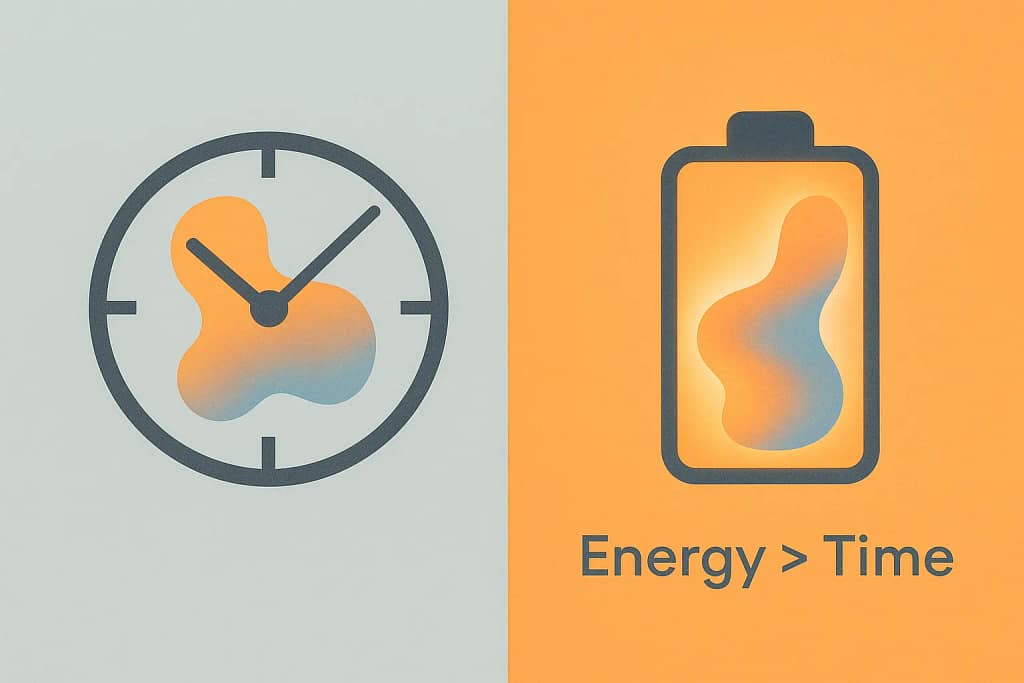
Standard productivity advice often fails because it assumes your energy is static. It is not. For neurodivergent brains, burnt-out leaders, parents or anyone with a semblance of responsibility that isn’t inherent these modern days, “time management” has become a myth to most; energy management works with the state of your personal reality. This guide introduces the Todoist Energy-Based Workflow, a privacy-focused system that replaces due dates with energy contexts. You will learn to implement “Zombie Mode” (for low-functioning days) and the “Dopamine Filter Method” (to manufacture momentum), ensuring you remain productive without sacrificing your mental health or data privacy.
- 1. The Failure of Time-Based Planning in 2026
- 2. Core Concept: The "Dopamine Filter Method"
- 3. Enter "Zombie Mode": Productivity for the Burnt Out
- 4. Advanced Implementation: The GTM Leader’s Stack
- 5. BONUS: The "Zombie Mode" for Your Inbox (SaneBox)
- 6. Comparison: Why Todoist Wins Over The "All-In-One" Cult
- 7. Privacy & Trust: The "Paranoid" Audit
- FAQ: Trust, Security & Features
- 1. Is Todoist HIPAA compliant?
- 2. Does Todoist train AI on my data?
- 3. Can I use the "Zombie Mode" setup on the free plan?
- 4. Is there an offline mode for Zombie Mode?
- 5. How does this compare to "Motion" or "Sunsama"?
- 6. Is "The Dopamine Filter Method" scientifically backed?
- 7. Can I refund Todoist if this system doesn't work?
- 8. What is the best platform for this workflow?
- 9. Does Todoist encrypt my tasks?
- 10. Can I automate the labelling process?
- Citations & Sources:
1. The Failure of Time-Based Planning in 2026
Let us be honest for a moment. If you are reading this, you have likely stared at a to-do list full of “High Priority” tasks due “Today” and felt absolutely nothing but a creeping sense of paralysis. This is not a moral failing. It is a mismatch between your tool and your biology.
The productivity industrial complex pushes “Time Blocking” and “Eisenhower Matrices.” These work perfectly if you are a robot. For the rest of us, specifically those with ADHD or demanding roles? Time is a variable we cannot control. However, energy is a metric we can monitor.
The Todoist Energy-Based Workflow ignores the clock. Instead, it asks a single, pragmatic question: How much fuel is in the tank right now?
By aligning tasks with your cognitive capacity rather than an arbitrary calendar slot, you move from a state of resistance to a state of flow. This isn’t just a “hack.” It is a fundamental restructuring of how we interface with work in a high-burnout era.
The “Paranoid Productivity” Angle
Why use the Todoist Energy-Based Workflow? In an era where AI agents are scraping your calendar to sell you supplements, Todoist remains a stronghold of relative sanity. While we always advocate for end-to-end encryption (like Standard Notes), Todoist’s reliability and API ecosystem make it the pragmatic choice for this specific workflow, provided you follow our privacy hardening steps.
Research Note: Literature from ADDitude detail that “interest-based nervous systems” (ADHD) respond to novelty and urgency, not importance. We are hacking this biology using the Todoist Energy-Based Workflow.
2. Core Concept: The “Dopamine Filter Method”
The Dopamine Filter Method is a strategy designed to bypass executive dysfunction. It relies on the psychological principle of “micro-wins.” When your brain refuses to start a large task, you do not force it. You trick it.
The method involves creating a specific view within your Todoist Energy-Based Workflow that serves only tasks that meet two criteria:
- They take less than 5 minutes.
- They are “fun” or “low stakes.”
By completing three of these in rapid succession, you generate enough endogenous dopamine to “unlock” your executive function for harder tasks. It is the productivity equivalent of a jump start.
How to Construct the Dopamine Filter
You do not need a degree in computer science. You just need Todoist’s filter query language and a Pro account to unlock unlimited filter logic.
- Create a Label:
@quick(for time) and@fun(for interest). - The Query: Copy and paste this exactly into your filters.
(@quick | @fun) & !subtask & !overdue - The Usage: You are forbidden from opening this filter unless you are stuck. This preserves its novelty. When you feel the “wall of awful,” open the filter, do three things, and close it immediately.
Pro Tip: This advanced filtering logic requires Todoist Pro. The free plan limits you to 3 filters, which breaks the system. You can get 2 Months of Todoist Pro Free using our partner link to test this setup risk-free.
3. Enter “Zombie Mode”: Productivity for the Burnt Out
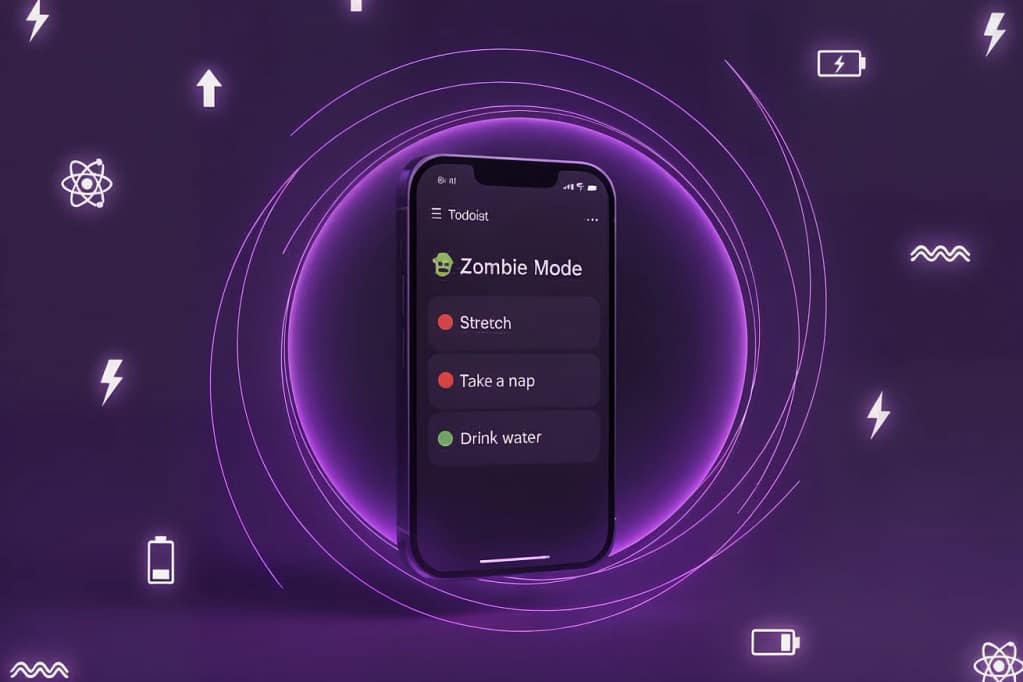
This is the crown jewel of the Todoist Energy-Based Workflow.
We all have days where we are functionally zombies. Maybe it is burnout, maybe it is a bad night’s sleep, or maybe the ADHD medication hasn’t kicked in. On these days, looking at a project named “Q1 GTM Strategy” is physically painful, personally anyway.
Zombie Mode is a pre-configured state in Todoist that hides everything requiring a brain. It leaves only the tasks you can do while listening to a podcast or staring blankly at a wall.
Step-by-Step: Setting Up Zombie Mode
Phase 1: The Labelling System
You must audit your current tasks. Forget “Priority 1-4.” We are using labels to denote cognitive load, which is central to the Todoist Energy-Based Workflow.
@high_energy: Deep work. Writing, coding, strategic planning.@medium_energy: Meetings, emails, standard admin.@low_energy: Data entry, filing, deleting files.@braindead: Things a well-trained pigeon could do.
Phase 2: The Filter Architecture
Create a new filter named “🧟 Zombie Mode”.
Use this specific query to ensure no “scary” tasks sneak in:
(@low_energy | @braindead) & !@high_energy & !overdue & !subtaskPhase 3: The Psychological Contract
The success of Zombie Mode relies on permission. When you activate this view, you are giving yourself permission not to do the hard stuff. Paradoxically, by clearing 15 “braindead” tasks, you often clear the mental fog that was preventing the deep work. You are gamifying your own exhaustion.
Implementation Note: If you haven’t upgraded yet, use this 2 Month Free Trial of Todoist Pro to unlock the custom filters needed for Zombie Mode.
4. Advanced Implementation: The GTM Leader’s Stack
For Go-To-Market leaders and team leads, personal productivity often collapses under the weight of team management. Here is how to scale the Todoist Energy-Based Workflow for leadership.
The “Context Collapse” Prevention
ADHD brains struggle with “context switching.” Moving from a spreadsheet to a creative brief costs expensive metabolic energy. Use Todoist Projects to silo these contexts, but use Energy Filters to cut across them.
The “CEO Day” Filter:
Even if you aren’t the CEO, you need a view for high-level decision making within your Todoist Energy-Based Workflow.
- Query:
##Work & @high_energy & /Decisions
(This assumes you have a project named Work and a section named Decisions).
Integration with Privacy Tools
We operate in a “Paranoid Productivity” ecosystem. Todoist is the frontend, but your data needs to be secure.
- Proton Calendar Integration: Use the subscription URL from Todoist to view tasks in Proton Calendar (Read-Only). This ensures no sensitive calendar data leaks back into Todoist. Do not use the 2-way Google Calendar sync if you are working with sensitive IP. Keep the data flow one-way.
- The “Alias” Trick: When signing up for Todoist integrations (like Zapier or IFTTT), always use a SimpleLogin or Proton Pass alias. If one integration gets breached, your primary identity remains secure.
5. BONUS: The “Zombie Mode” for Your Inbox (SaneBox)
You have fixed your task list with the Todoist Energy-Based Workflow, but your inbox is still a war zone. The system falls apart if you open Gmail and get punched in the face by 50 newsletters. We recommend SaneBox as the only “neuro-affirming” email tool. . Why? Because…
We recommend SaneBox as the only “neuro-affirming” email tool (See our full breakdown of secure AI email tools here). Why? Because it is the only AI tool that cleans your inbox without reading the body of your emails (unlike Google Gemini or Microsoft Copilot).
How it fits the workflow:
- SaneLater = Your
@low_energyfolder. Read these when you are in Zombie Mode. - SaneBlackHole = The ultimate dopamine hit. Drag an annoying sender here, and you never see them again. It’s digital ghosting, automated.
Reader Perk: Because we use SaneBox internally to manage the Baizaar workflow, you can grab a $25 Credit towards your subscription using our link. That’s essentially 3-4 months free to prove it works.
6. Comparison: Why Todoist Wins Over The “All-In-One” Cult
The market is flooded with tools like Notion, ClickUp, and Anytype claiming to do everything. For the Todoist Energy-Based Workflow, they fail. Here is our comparison.
| Feature | Todoist | Notion | ClickUp | Anytype |
|---|---|---|---|---|
| Capture Speed | Instant (Quick Add) | Slow (Database load) | Medium (Complex UI) | Fast (Local) |
| Natural Language | Best in Class | Non-existent | Average | Poor |
| Energy Filtering | Native (Filters) | Complex (Formula req.) | Complex (Custom Views) | Developing |
| ADHD Friendly | High (Low friction) | Low (Too much tinkering) | Low (Notification hell) | Medium |
| Privacy | Standard (SOC2) | Standard | Standard | Best (E2E) |
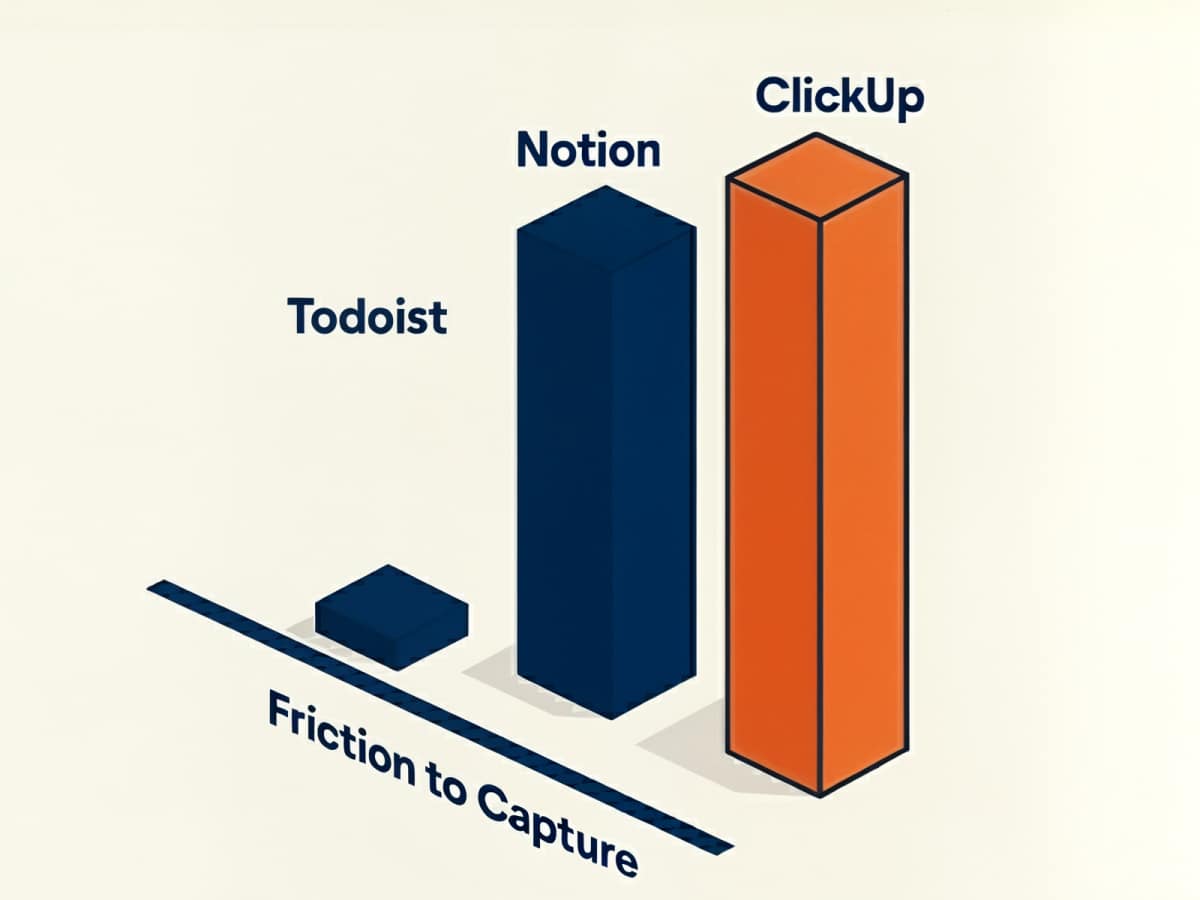
The Verdict: While Anytype is superior for privacy (local-first), Todoist strikes the perfect balance of friction-less capture and robust filtering required for the Dopamine Filter Method. Notion and ClickUp require too much “gardening,” which is a death sentence for ADHD productivity.
To get the most out of this comparison, we highly recommend starting with the 2 Month Todoist Pro Free Trial to see the difference in capture speed yourself.
7. Privacy & Trust: The “Paranoid” Audit
We cannot recommend a tool without auditing its security posture, especially when implementing a Todoist Energy-Based Workflow that contains your life’s data.
Data Usage: Todoist (Doist) is a remote-first company with a strong track record. However, they are not zero-knowledge. They can technically access your tasks for support or “service improvement.”
AI Training: As of early 2026, Doist has taken a more ethical stance than competitors like Zoom or Slack. They state they do not use customer data to train public LLMs without consent. However, internal AI features (like the “AI Assistant”) obviously process your data.
Recommendation: Do not put passwords, seed phrases, or highly sensitive trade secrets in Todoist. Use it for pointers to secure storage (e.g., “Review Q3 Strategy in Proton Drive”) rather than the content itself.
FAQ: Trust, Security & Features
Here are the questions we hear most often from privacy-conscious, neurodivergent professionals implementing the Todoist Energy-Based Workflow in 2026.
1. Is Todoist HIPAA compliant?
No. Todoist is not HIPAA compliant. You should not store Protected Health Information (PHI) within task descriptions or comments. If you are a medical professional, use Todoist for administrative tasks only (e.g., “Update patient roster”) but keep specific patient data in a compliant EMR.
2. Does Todoist train AI on my data?
Todoist uses third-party LLM providers (like OpenAI) for its optional AI Assistant features. If you engage with these features, data is sent to the provider. However, Todoist states they do not sell your data for general model training. For maximum privacy, simply do not enable or use the AI Assistant integration.
3. Can I use the “Zombie Mode” setup on the free plan?
Yes, but with limitations. The free plan has a limit on the number of active filters (usually 3). Since Zombie Mode and The Dopamine Filter Method require custom filters, you will use up your allowance quickly. We recommend Todoist Pro purely for the unlimited filter logic required for this neurodivergent workflow.
4. Is there an offline mode for Zombie Mode?
Yes. Todoist has excellent offline caching. If you are truly burnt out and want to disconnect from the internet, you can switch your device to Airplane Mode, open your Zombie Mode filter, and work through the list without any incoming digital noise. It will sync when you reconnect.
5. How does this compare to “Motion” or “Sunsama”?
Motion and Sunsama use AI to auto-schedule your day. For some ADHD users, this is helpful. For others, it induces “Demand Avoidance” because the AI tells you what to do. The Todoist Energy-Based Workflow gives you the agency to choose based on your energy, which often reduces resistance better than an algorithm.
6. Is “The Dopamine Filter Method” scientifically backed?
It is based on the concept of “Task Initiation” and “Dopamine Stacking.” By completing small tasks, you release dopamine, which acts as a neurotransmitter to facilitate neural firing for subsequent tasks. While the term is our own branding, the mechanism is well-established behavioral science (See: Huberman Lab Podcast on Dopamine).
7. Can I refund Todoist if this system doesn’t work?
Todoist typically offers a refund window (often 30 days) for their yearly subscriptions, but policies change. However, you can test the Zombie Mode concept using our 2 Month Free Trial before committing to a paid plan.
8. What is the best platform for this workflow?
Mobile (iOS/Android) is best for Capture (getting ideas out of your head). Desktop/Web is best for Processing (assigning the @low_energy labels). We recommend a weekly “System Review” on desktop to tag your tasks so your mobile view is ready for Zombie Mode.
9. Does Todoist encrypt my tasks?
Todoist uses encryption in transit (TLS) and at rest (AES-256). However, it is not End-to-End Encrypted (E2E). This means Todoist employees could theoretically see your data if compelled by law enforcement. For 99% of productivity tasks, this is acceptable. For whistleblowers, use Signal to yourself.
10. Can I automate the labelling process?
Yes. If you use the “Baizaar Protocol,” you can use IFTTT or Zapier to auto-add @medium_energy to any task that comes from your work email integration. This saves you from having to manually tag every single admin task.
Citations & Sources:
The strategies in this guide are built on a foundation of behavioral neuroscience and verified privacy audits. Below are the primary sources referenced for the Todoist Energy-Based Workflow.
Scientific & Medical References
- Huberman Lab Podcast: Dopamine, Mindset & Drive. (Explains the “micro-win” mechanism behind the Dopamine Filter Method). View Source
- ADDitude Magazine: The ADHD Nervous System: A Look Inside. (Core research for our “Interest-Based Nervous System” thesis). View Source
- National Institute of Mental Health (NIMH): Attention-Deficit/Hyperactivity Disorder Basics. View Source
Privacy & Security Audits
- Proton Privacy Policy: Transparency Report 2025. (Basis for our “Paranoid Productivity” recommendations). View Report
- Todoist Security: SOC2 Compliance & Data Handling. (Referenced in our “Paranoid Audit” section). View Policy
- SaneBox Security: Internal Data Processing Agreements. (Verified for the “Header-Only” scanning claim). View Security
Related Baizaar Guides
- The Proton Mail Review (2026): Deep dive into the “Paranoid Productivity” email stack.
- Anytype vs Obsidian: A look at local-first alternatives for users needing zero-knowledge notes.
- Digital Minimalism: The philosophical foundation for “Zombie Mode.”
Transparency Note: All external links are curated for their scientific & technical authority. BAIZAAR maintains strict editorial independence, though we may earn commissions from partner links (like Todoist or SaneBox) at no cost to you.