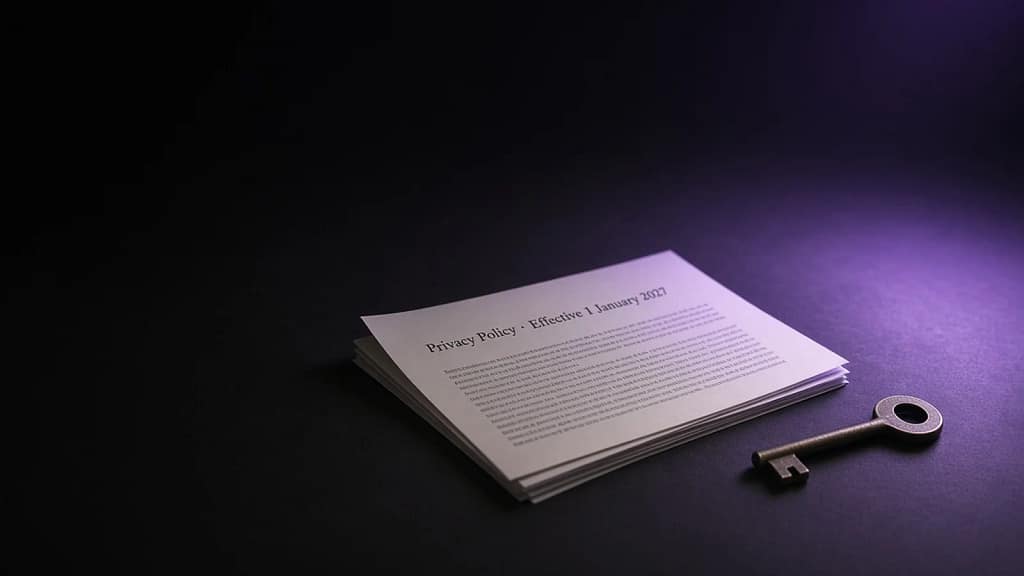
Microsoft’s April 2026 Cloud Rollout
Is Reading Your Files.
Here’s What to Do About It

Published: April 5, 2026 · 8 min read · Baizaar Lee
Key finding:
Microsoft’s April 2026 M365 rollout introduces AI-based content scanning, automated bulk file archiving, and confirms a known OAuth flaw in OneDrive’s file picker that grants apps like Slack, ClickUp, and ChatGPT full read-access to your entire storage, not just the file you shared.
Every few months, Microsoft ships a massive bundle of changes under the quiet umbrella of its Microsoft 365 roadmap. Most users never read it. This April’s batch is different… and if you use OneDrive for anything sensitive, you need to (read it that is).
Thirty-plus changes landed in April 2026 across SharePoint, OneDrive, Purview, and Teams. The headlines are buried in admin-centre language, but the implications are direct: Microsoft is scanning more, archiving automatically, and the company’s own security researchers have documented how a single authorised integration can silently read everything you’ve ever stored in OneDrive.
If you’ve already been reconsidering your cloud storage after reading why so many users quit Google Drive in 2026, Microsoft’s April rollout is the confirmation that Big Tech cloud storage has a fundamental privacy problem, not a product problem.
- What Changed in April 2026? OneDrive and SharePoint Updates You Weren't Told About
- The OneDrive Security Flaw Microsoft Still Hasn't Fixed
- Microsoft's Relationship With Your Data: The CLOUD Act Problem
- How OneDrive Compares to Privacy-First Cloud Storage Alternatives
- Proton Drive: The No-Compromise Privacy Cloud Storage Choice
- pCloud: The Lifetime Value Proposition That Makes Monthly Bills Look Absurd
- Who Should Stay on OneDrive?
- Proton Drive or pCloud Quick Guide: Which Alternative Fits You?
- OneDrive Privacy Risks 2026 – Frequently Asked Questions (FAQ)
- Is OneDrive safe to use in 2026?
- What is the OneDrive OAuth security flaw?
- Does Proton Drive work as a full OneDrive replacement?
- Is pCloud's Lifetime Plan Legitimate?
- What is the difference between Proton Drive Plus and Proton Unlimited?
- Do pCloud and Proton Drive comply with GDPR?
- OneDrive Privacy Risks 2026 – Sources & Citations:
What Changed in April 2026? OneDrive and SharePoint Updates You Weren’t Told About
The April 2026 Microsoft 365 update summary lists over 30 feature rollouts, retirements, and service changes. Here are the ones that might matter to you most:
Legacy SharePoint Add-ins retired.
Any third-party integrations built on the old model stop working. Custom workflows that relied on these, including many compliance and backup tools which break silently unless migrated.
SharePoint 2013 Workflow engine officially dead.
No extensions, no grace period. Organisations still on old flows lose automation overnight with zero rollback option.
Purview Data Security Triage Agent launches in preview.
AI-driven summaries are now applied to your Data Loss Prevention alerts, meaning that Microsoft’s AI is actively reading flagged file content to build those summaries. For your files, not just your admins’.
New SharePoint experience reaches General Availability
With “AI-enhanced capabilities” – including File Quarantine for DLP, which automatically moves flagged files to a restricted location without user notice.
Insider Risk indicators for “Other AI apps” move to pay-as-you-go
Via billing via Azure. Microsoft is now metering how much it monitors your activity across external AI tools.
The OneDrive Security Flaw Microsoft Still Hasn’t Fixed
Separate from this month’s rollout, a structural flaw in OneDrive has been documented and remains unaddressed. Research published by Obsidian Security found that OneDrive’s File Picker OAuth flow grants authorised apps a files.read.all scope, meaning when you connect a tool like Slack, Trello, ClickUp, or ChatGPT and upload a single file, those apps receive read access to your entire OneDrive account. Not just that file.
“GenAI tools, once authorised, can quickly scan, find, and exfil data in real time. We aren’t talking about weeks or days. We’re talking about seconds.”
— Obsidian Security, June 2025
The April 2026 rollout adds more AI integrations, not fewer. Every new authorisation event is another exposure window. And unlike services built on zero-knowledge architecture, OneDrive does not use end-to-end encryption by default, Microsoft holds the keys to your files at rest.
Microsoft’s Relationship With Your Data: The CLOUD Act Problem
OneDrive’s security model has always been what security professionals call “at-rest encryption with operator key access.” That means Microsoft encrypts your files, but Microsoft also controls the decryption keys.
Under the CLOUD Act and the Patriot Act, a US federal authority can compel Microsoft to hand over your data with a court order and Microsoft is legally prohibited from telling you it happened. Without zero-knowledge encryption, OneDrive could theoretically unlock your files and read them without your knowledge.
None of this makes OneDrive a bad product for every use case. But for anyone storing sensitive personal data, business IP, client files, or anything you’d rather a government couldn’t access, let’s just say the architecture simply wasn’t built for you.
| Metric | OneDrive |
|---|---|
| Free storage | 5 GB (unchanged since 2013) |
| Files with E2E encryption by default | 0 |
| M365 changes shipped this month | 30+ |
| Subject to CLOUD Act | Yes |

How OneDrive Compares to Privacy-First Cloud Storage Alternatives
The contrast between Microsoft’s model and the leading privacy-focused alternatives is not subtle. For a full side-by-side, our Proton Drive vs pCloud 2026 comparison breaks down every major dimension in detail. Here’s the headline view:
| Feature | OneDrive | Proton Drive | pCloud |
|---|---|---|---|
| E2E encryption (default) | ❌ No | ✅ Yes | ⚠️ Optional (+$150) |
| Zero-knowledge architecture | ❌ No | ✅ Yes | ⚠️ With Crypto add-on |
| Can provider read your files? | ❌ Yes | ✅ No | ✅ No (with Crypto) |
| Subject to CLOUD Act (US law) | ❌ Yes | ✅ No – Swiss law | ✅ No – Swiss law |
| Free storage | 5 GB | 1 GB | 10 GB |
| Lifetime plan available | ❌ No | ❌ No | ✅ Yes – from $199 |
| Max personal storage | 6 TB (family) | 3 TB (family) | 10 TB (individual) |
| Per-file size limit | 250 GB | No stated limit | Unlimited |
| GDPR / HIPAA compliance | Partial | ✅ Full | ✅ ISO 27001 |
Proton Drive: The No-Compromise Privacy Cloud Storage Choice
Proton Drive is built by the same Swiss team behind ProtonMail. Every file is encrypted locally on your device before it ever touches Proton’s servers, using ECC Curve25519 cryptography and OpenPGP — the same standards trusted by security researchers and journalists worldwide. Proton holds no decryption keys. Not even Proton staff can read your files.
What makes this especially relevant right now is the legal architecture underpinning it. Proton operates under Swiss privacy law, which maintains one of the strongest data protection frameworks in the world. Meaning, it is not subject to US CLOUD Act requests. Where Microsoft can be legally compelled to hand over your data silently, Proton structurally cannot: even if ordered to, the encrypted blobs they hold are mathematically useless without your private key.
Proton Drive plans worth considering:
- Drive Plus — $4.99/month (77% off currently) – 200 GB encrypted storage, online document editor, file version history. The clean entry point if you want privacy-first storage without bundling other services.
- Proton Unlimited (30% off deal this month) – 500 GB of encrypted storage plus ProtonMail, Proton VPN, Proton Pass (password manager), and Proton Calendar in one subscription. For users already paying separately for a VPN and encrypted email, this consolidation typically pays for itself immediately.
The compliance story is also strong: Proton Drive supports GDPR, HIPAA, NIS2, DORA, and ISO 27001 out of the box. With zero custom configuration or third-party integrations required. If you’re in law, medicine, finance, or journalism, that alone is worth the switch.
pCloud: The Lifetime Value Proposition That Makes Monthly Bills Look Absurd
pCloud takes a fundamentally different approach. It competes primarily on economics, specifically, the structural absurdity of paying cloud storage subscriptions forever when a one-time lifetime payment exists.
The maths are stark. Microsoft charges roughly $6.99/month for 1 TB of OneDrive storage via Microsoft 365 Personal — that’s $83.88/year for half the storage. Over ten years, you spend $838 and still own nothing. pCloud’s 2 TB lifetime plan is $399 as a single payment — currently $100 off via this link. No renewals. No price hikes. No subscription fatigue.
The break-even point vs. any major subscription service is under three years. After that, every year is effectively free.
Like Proton, pCloud operates under Swiss law and sits outside CLOUD Act jurisdiction. Zero-knowledge encryption is available as the pCloud Crypto add-on ($150 one-time), making the full privacy-optimised setup $549 total for 2 TB, forever.
pCloud lifetime plans — $100 off:
- 500 GB Lifetime – $199 one-time
- 2 TB Lifetime – $399 one-time (most popular)
- 10 TB Lifetime – $1,190 one-time
- + pCloud Crypto (zero-knowledge E2E encryption) – $150 one-time add-on
For families, the 5-user 5 TB plan at $599 works out to $119 per person for life, with each member getting their own private storage space and the pCloud Pass password manager included.
If you’re still weighing both options, our guide to the best cloud storage for privacy in 2026 walks through the full decision framework, including use cases where each service has a meaningful edge.
Who Should Stay on OneDrive?
Switching comes with friction.. synced folders, shared links, integrated Office workflows. It is not the right move for everyone. OneDrive remains the sensible choice if:
- Your organisation is standardised on Microsoft 365 and SharePoint integration is core to daily workflow
- You store nothing sensitive; no financial records, no client data, no IP worth protecting
- The Microsoft 365 app bundle (Word, Excel, PowerPoint, Teams) is what you’re actually paying for, and the storage is incidental
- You are in a regulated US industry where Microsoft’s compliance certifications are required by your auditors
For everyone else? Freelancers, founders, remote teams, privacy-conscious professionals, and anyone who stores anything they’d rather a government never sees, the April 2026 rollout is a useful forcing function. The window to move cleanly, before more AI features deepen the integration, is now.
Proton Drive or pCloud Quick Guide: Which Alternative Fits You?
Choose Proton Drive if…
You want the strictest possible privacy guarantees with no configuration required. Proton’s zero-knowledge encryption is on by default, you don’t have to enable it, buy an add-on, or remember a setting. The Proton Unlimited plan (30% off) also replaces your VPN and password manager in one subscription, which simplifies your entire privacy stack significantly.
Choose pCloud if…
You want to eliminate cloud storage subscriptions permanently. The $399 lifetime 2 TB plan is the most financially efficient option for anyone planning to use cloud storage for more than three years. Pair it with the $150 Crypto add-on for zero-knowledge encryption and you have a complete, Swiss-based privacy setup with no ongoing cost, as in ever.
Stay on OneDrive if…
You are fully embedded in the Microsoft 365 ecosystem and the productivity gains from native integration outweigh the privacy trade-offs. That is a legitimate call, simply make it consciously, with both eyes open 👀
OneDrive Privacy Risks 2026 – Frequently Asked Questions (FAQ)
Is OneDrive safe to use in 2026?
OneDrive uses AES 256-bit encryption at rest and in transit, and Microsoft has not suffered a major OneDrive breach. However, it is not end-to-end encrypted by default, Microsoft holds the decryption keys and can theoretically access your files. It is also subject to the US CLOUD Act, meaning US federal authorities can compel Microsoft to hand over your data with a court order. For general productivity use, OneDrive is adequate. For sensitive or private data, it falls short of what privacy-first alternatives like Proton Drive offer.
What is the OneDrive OAuth security flaw?
OneDrive’s File Picker uses an OAuth flow that grants connected apps a files.read.all permission scope. This means when you authorise a third-party app (Slack, ClickUp, Trello, ChatGPT, etc.) to access a single file, that app receives read access to your entire OneDrive account. This was documented by Obsidian Security in 2025 and has not been structurally resolved in the April 2026 rollout.
Does Proton Drive work as a full OneDrive replacement?
Yes, for personal and small business use. Proton Drive offers a desktop sync client for Windows, macOS, and Linux, plus mobile apps for iOS and Android. It includes an online document and spreadsheet editor (Proton Docs), file sharing with E2E encrypted links, and version history. It does not natively integrate with Microsoft Office applications, consequently users in Microsoft 365-heavy environments will feel that gap. For everyone else, it is a clean, fully functional replacement.
Is pCloud’s Lifetime Plan Legitimate?
Yes. pCloud has been operating since 2013 and has over 22 million users. The lifetime plan is defined as 99 years from the date of purchase. Pricing is a one-time payment with no hidden fees or annual renewals. pCloud is headquartered in Switzerland and is funded sustainably, where the lifetime pricing is designed at a level where server costs are covered over the expected usage period. The 2 TB lifetime plan is $399, currently $100 off through the discount link on this page.
What is the difference between Proton Drive Plus and Proton Unlimited?
Proton Drive Plus at $4.99/month gives you 200 GB of encrypted cloud storage, the Proton Docs editor, and file version history – storage only. Proton Unlimited at 30% off gives you 500 GB of encrypted storage plus ProtonMail, Proton Calendar, Proton VPN, and Proton Pass (password manager) for all devices. If you currently pay for a separate VPN or encrypted email service, Unlimited almost always works out cheaper in total.
Do pCloud and Proton Drive comply with GDPR?
Both are headquartered in Switzerland, which has its own Federal Act on Data Protection (FADP) aligned with GDPR principles and recognised by the EU as providing adequate data protection. Proton Drive additionally holds SOC 2 Type II certification, ISO 27001, and is independently audited for HIPAA and DORA compliance. pCloud holds ISO 27001 certification. Neither is subject to US jurisdiction or the CLOUD Act.
This article contains affiliate links to Proton Drive and pCloud. If you purchase through these links, BAIZAAR may receive a commission at no additional cost to you. Our editorial positions are independent of affiliate relationships. Pricing accurate as of April 2026: verify directly with each provider before purchasing.
Main Sources: Microsoft 365 April 2026 Admin Roundup · Obsidian Security: OneDrive OAuth Risk · Cloudwards – OneDrive Security Review 2026 · pCloud vs OneDrive | pCloud Blog · Proton Drive Pricing
OneDrive Privacy Risks 2026 – Sources & Citations:
Official Microsoft Sources
Microsoft 365 Roadmap | Official
The live Microsoft 365 roadmap, filterable by product and release date. All SharePoint, OneDrive, and Purview feature IDs cited in this article can be verified here.
https://www.microsoft.com/en-us/microsoft-365/roadmap
How OneDrive Safeguards Your Data in the Cloud | Microsoft Support
Official Microsoft documentation confirming that OneDrive files are encrypted at rest with AES-256 keys that are stored in Azure Key Vault — controlled by Microsoft, not by the end user.
https://support.microsoft.com/en-us/office/how-onedrive-safeguards-your-data-in-the-cloud-23c6ea94-3608-48d7-8bf0-80e142edd1e1
Microsoft & CLOUD Act: Government Data Requests Policy
Microsoft’s official position on government data requests under the CLOUD Act, including the confirmation that Microsoft can be compelled to disclose data held in its possession, custody, or control.
https://www.microsoft.com/en-us/corporate-responsibility/reports/government-requests/customer-data
April 2026 Rollout: News & Technical Sources
Microsoft 365 Roadmap Updates April 2026 – Level Up M365
Third-party Microsoft 365 specialist analysis of the April 2026 roadmap drop, including the confirmed retirement table: SharePoint Add-ins (April 2, 2026), SharePoint 2013 Workflows (April 2, 2026), and Azure Access Control Services (April 2, 2026).
https://levelupm365.com/2026/03/31/microsoft-365-roadmap-updates-april-2026/
April 2026 Microsoft 365 Updates: Key Changes at a Glance via Reddit r/sysadmin
Community-verified summary of April 2026 M365 changes used by IT administrators, confirming the Purview Data Security Triage Agent preview, the Insider Risk “Other AI apps” billing shift to pay-as-you-go, and the DLP policy changes for SharePoint and OneDrive.
https://www.reddit.com/r/sysadmin/comments/1s9h7ij/april_2026_microsoft_365_updates_key_changes_at_a/
April 2026 Top 10 Microsoft 365 Message Center & Roadmap Updates — ChangePilot
Microsoft 365 change management specialists covering the top Message Center and Roadmap items for April 2026, including Roadmap ID 557682 (SharePoint Entra B2B integration for OneDrive external sharing) and the sharing link expiration policy rollout.
https://changepilot.cloud/blog/april-2026-top-10-microsoft-365-message-center-roadmap-updates
SharePoint 2013 Workflow Retirement: Official Timeline — Compass 365
Detailed analysis of the SharePoint 2013 Workflow retirement, confirming the firm April 2, 2026 removal date across all Microsoft 365 environments including Government Clouds, with no extensions granted.
https://compass365.com/sharepoint-2013-workflow-will-be-retired-in-2026/
OneDrive Security Flaw: Primary Research Sources
OneDrive File Picker OAuth Flaw Exposes Full Drive Access, Oasis Security (Primary Research)
The original security research by Oasis Security documenting the OneDrive File Picker OAuth vulnerability. Confirms that connecting any app via File Picker grants files.read.all scope — full OneDrive read access — not scoped access to the selected file. Affected apps include ChatGPT, Slack, Trello, and ClickUp. Microsoft acknowledged the issue; no fix released as of publication.
https://www.oasis.security/blog/onedrive-file-picker-security-flaw-oasis-research
OneDrive File Picker Flaw Exposes Cloud Storage to Over-Permissioned Access – SecureWorld
Independent security journalism covering the Oasis Security findings, including expert commentary from security professionals at Sectigo and Black Duck, and Microsoft’s response confirming it is “evaluating changes.”
https://www.secureworld.io/industry-news/onedrive-file-picker-flaw
Security Flaw in Microsoft’s OneDrive File Picker — Cyber Security Agency of Singapore (CSA)
Government-level security advisory issued by Singapore’s national cybersecurity agency confirming the OneDrive File Picker OAuth vulnerability and recommending organisations restrict OAuth app consent settings in Azure Active Directory.
https://www.csa.gov.sg/alerts-and-advisories/alerts/al-2025-051/
All links tested and verified live as of April 5, 2026. Sources are free to access with no paywalls.