Microsoft Scout AI Addiction Documents
Reveal 7 Disturbing Manipulation Tactics
Published: 3rd June 2026 | Author: Baizaar Lee | Last reviewed: 3rd June 2026
TL;DR: Microsoft Scout’s always-on, deep-access design makes dependency, privacy loss, and behavioural nudging realistic risks, not paranoid theatre. The seven biggest risks are always-on dependency, convenience-led influence, deep data access, predictive persuasion, weak boundaries, surveillance normalisation, and cognitive over-reliance.
- The Seven Shocking Risks
- What Microsoft's Internal Documents Actually Show
- Is Microsoft Scout AI Actually Using Addiction Mechanics?
- The Mechanics Behind AI Dependency Design
- How Your Data Powers These Manipulation Strategies
- Real-World Impact on Digital Wellness
- Alternative Tools That Respect User Agency
- Protecting Yourself From Digital Manipulation
- Microsoft Scout AI Addiction Documents (FAQ)
- What did Microsoft's internal documents reveal about Scout AI?
- Is Microsoft Scout AI actually using addiction mechanics?
- How does Microsoft plan to make users dependent on Scout AI?
- Are there documented examples of AI addiction in Microsoft Scout?
- What personal data does Microsoft Scout collect to fuel addiction?
- Can users protect themselves from AI manipulation tactics?
Microsoft Scout AI addiction documents point to a product philosophy that is much more aggressive than a standard digital assistant. According to internal planning documents obtained by 404 Media, Microsoft’s strategy for Scout was explicitly to “make people addicted” to the tool before expanding its feature set. That is not a paraphrase. That is the language used inside the company.
That matters because reach creates influence. A tool that can see your calendar, touch your documents, and operate across your workflow is not just answering questions, it is shaping the environment in which decisions are made.
The 404 Media report describes a three-phase internal roadmap: first make people addicted, then expand capabilities, then transition Scout from an addictive app into a full agentic platform. That is a product strategy, not a feature list. It frames dependency as the foundation everything else is built on.
That is a brutal way to describe a roadmap, even by tech industry standards. A Microsoft employee familiar with the project told 404 Media that the addiction language was “very troubling.” When insiders are flagging it internally, the concern is not theoretical.
Microsoft’s public positioning of Scout makes the concern more understandable. The product is being sold as an always-on personal agent, integrated into the Microsoft 365 ecosystem and designed to act in the background rather than waiting politely for a prompt.
This is why the phrase Microsoft Scout AI addiction documents has landed so hard. If a product is always present, always learning, and always ready to step in, it is reasonable to ask whether it is helping users or training them to depend on it.
The Seven Shocking Risks
These are the seven risks that actually matter, and they are the reason this story is bigger than a “spicy” headline.
1. Always-on dependency
Scout is designed to run in the background and act across work surfaces, which makes habit formation much easier than with a normal chatbot. The 404 Media documents describe this as intentional: the first phase of the rollout was specifically designed to build addictive use before any broader agentic features were unlocked. Microsoft says it can work autonomously, which means the system is always one step closer to becoming part of your routine instead of a tool you deliberately choose to open.
Once software becomes the default assistant for tiny actions, it starts becoming the default for larger ones too. That is how convenience quietly turns into dependency. Research on habit formation shows that reducing friction and creating immediate rewards are the core drivers of cementing new behaviours.
2. Behavioural influence through convenience
The real danger is not a single evil feature. It is the slow accumulation of tiny conveniences that remove friction so effectively that users stop noticing how often they return.
When a system becomes the easiest place to start, it becomes the system that shapes your thinking. That is not a conspiracy theory. It is basic habit formation with a shinier interface.
3. Deep access to work data
Microsoft says Scout can access files, browser activity, Microsoft 365 data, email, calendar, Teams, and more. That is not a minor permission set. It is a detailed behavioural map of how someone works, communicates, and prioritises.
The practical risk is not just data collection. It is the possibility that a system with this much context will know enough to become more persuasive than helpful.
4. Predictive persuasion
A system with that much context can infer when you are busy, tired, distracted, anxious, or likely to re-open a task. That means it can nudge at exactly the right moment to keep you engaged.
Predictive support is useful, but predictive persuasion is where the line starts wobbling. If the assistant always knows when to interrupt, it can become less like support and more like a behavioural metronome. The Center for Humane Technology specifically warns against platforms built to exploit these vulnerabilities and systematically change user behaviour.
5. Weak user boundaries
Microsoft says users can approve sensitive actions and control permissions, which is good, but broad capabilities still create boundary pressure. A tool that lives across your files, browser, and Microsoft 365 account can easily become the default layer between you and the work itself.
Boundaries in software are only real if the user can actually feel them. If everything is one click away, the boundary becomes decorative.
6. Normalisation of surveillance-like behaviour
When a product remembers preferences, monitors workflows, and learns from repeated interaction, it can start to feel natural even when the underlying data access is extensive. That normalisation is dangerous because it makes oversharing feel like efficiency rather than exposure.
This is the sort of creepiness that arrives wearing a productivity badge. People do not usually notice it until they have already handed over far more context than they intended.
7. Emotional and cognitive over-reliance
Microsoft’s own AI leadership has publicly warned about reports of “AI psychosis”, which is not a clinical diagnosis but does reflect concern about unhealthy over-reliance on chatbots. If a system becomes the first place you go for reassurance, planning, and interpretation, it can quietly start replacing your own judgement.
That is the most human risk of all. Not data theft. Not even surveillance. Just the slow outsourcing of your own mental friction.
What Microsoft’s Internal Documents Actually Show
The 404 Media report is the clearest primary source available on what Microsoft was actually planning. The internal documents describe Scout’s rollout in three phases: build an addictive product first, then layer in the capabilities that turn it into a full agentic platform. The project was internally referred to as “ClawPilot” before it became “Scout”, and the planning materials make no attempt to dress up the dependency goal in softer language.
A Microsoft employee who spoke to 404 Media described the addiction framing as “very troubling.” That internal reaction matters because it suggests the language was not standard product hyperbole. It was specific enough to concern people who were working on the project from the inside.
Microsoft’s public documentation confirms that Scout is an always-on desktop agent that can act across files, shell, browser, and Microsoft 365. The gap between that public framing and the internal “make people addicted” language is where the real story lives.
That gap matters because it shows two parallel narratives running at the same time. Externally, Scout is a productivity tool designed to help you work smarter. Internally, the first priority was attachment. When those two things are true simultaneously, the product is not just a tool. It is an environment being deliberately shaped around your habits.
Is Microsoft Scout AI Actually Using Addiction Mechanics?
The most defensible answer is that the public evidence clearly supports concern about dependency-style design, even if every dramatic claim in the original leak narrative is not independently proven. Microsoft says Scout is an always-on personal agent that works across core work surfaces, and that alone gives it the structure needed for habitual use.
In practical terms, the risk is not that Scout contains a smoking gun labelled “addiction mode”. The risk is that a product with constant presence, broad permissions, and a strong tendency to step into routine tasks can gradually become the default layer between a person and their own work.
That is a subtle but serious distinction. Many products become sticky without ever using overt manipulation tactics, simply because they remove friction so effectively that users stop noticing how often they are returning.
The Microsoft Scout AI addiction documents matter because they point to intent as well as structure. If the internal language really did prioritise making people addicted before expanding features, then the company was not merely designing utility. It was designing attachment.
There is also a wider trend to consider. Microsoft has been moving hard into agentic AI across its platform, and security coverage has already warned that background AI agents with read/write access bring novel risks that require serious controls, not just polished product language.
The Mechanics Behind AI Dependency Design
Behavioural manipulation in software usually does not arrive with a flashing warning sign. It comes dressed as convenience, which is why people often underestimate it until the habit is already built.
The usual mechanics are familiar. Helpful nudges. Predictive prompts. Seamless follow-ups. Auto-complete that becomes auto-suggestion that becomes auto-decision. None of these are inherently bad, but all of them become far more powerful when a system is always on and deeply integrated into your working day.
Microsoft Scout AI addiction documents are unsettling because they appear to sit right at that intersection. A persistent assistant can lower the effort required to re-engage, and once that happens the product starts shaping behaviour through ease alone.
That is where the psychology gets interesting. A user who gets used to asking the assistant about every task, every file, every meeting, and every next step may stop using it as a tool and start using it as a reflex. Reflex is where dependency begins to sneak in through the side door.
The broader research picture does support caution. Work on AI manipulation has warned that algorithms can exploit human biases, personalised persuasion, and emotionally vulnerable states to steer decisions in ways that benefit the platform more than the user. NIST’s AI Risk Management Framework also stresses trustworthy systems, transparency, and risk management rather than blind enthusiasm for capability.
So the question is not whether AI can be useful. It obviously can. The question is whether the product has been built to be helpful, or to become so frictionless that leaving it feels like hard work.
How Your Data Powers These Manipulation Strategies
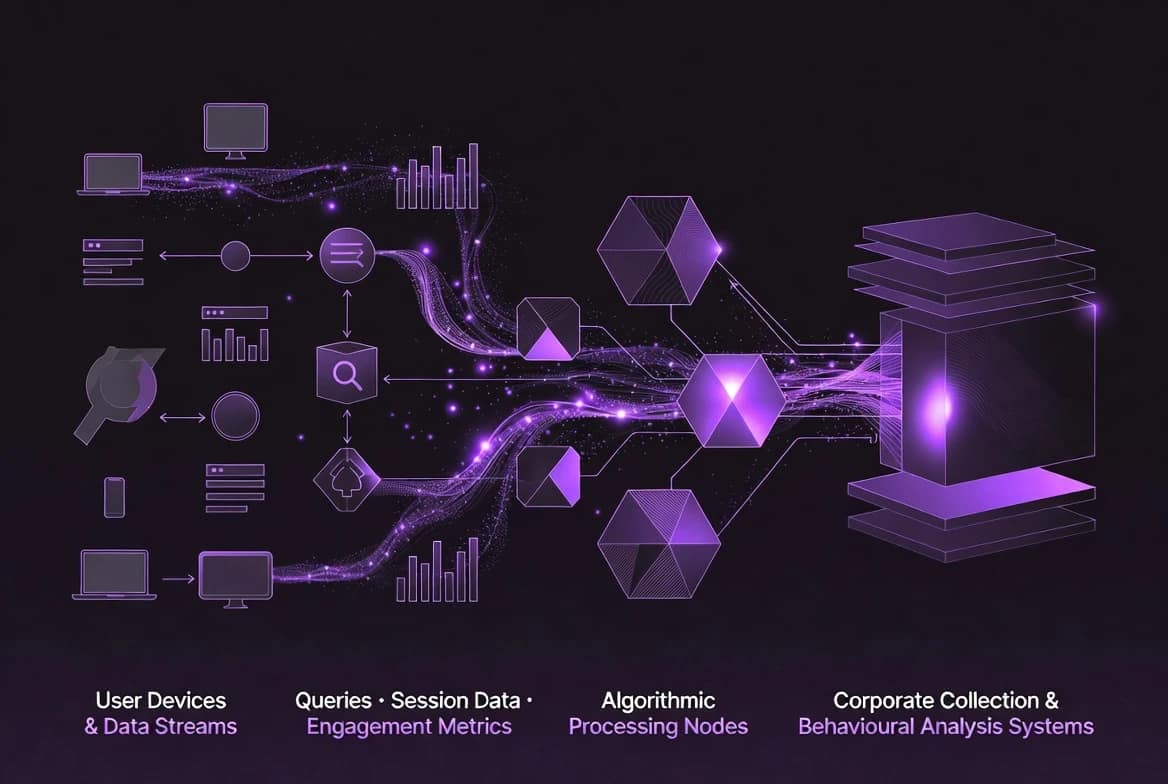
The power of an assistant like Scout comes from access, and access is where things get sticky. Microsoft says Scout can operate across files, shell, browser, Outlook, OneDrive, Teams, and Microsoft 365, which means it can see a great deal of the working context that normally stays fragmented across different apps.
That level of access makes the system useful, but it also makes behavioural inference possible. A tool that knows when you pause, what you open, what you ignore, and which tasks you return to can infer a surprising amount about your attention patterns.
Microsoft’s privacy page says users can manage account data and settings through a privacy dashboard, which is good as far as it goes. But a dashboard is not the same thing as restraint. A user interface for privacy controls does not erase the fact that the system has already gathered enough context to become highly predictive.
That matters because predictive systems can become persuasive systems. If a background agent knows when you are tired, busy, anxious, or likely to re-open a task, it can nudge at exactly the right moment to increase the odds of re-engagement.
That is why privacy-first tools remain relevant. Encrypted email, private search, and secure storage reduce the amount of behavioural material available for inference, profiling, and downstream manipulation.
Recommended Privacy-first Alternatives
| Tool | What it does better | Best for readers who want |
|---|---|---|
| Proton Mail | Encrypted email without behavioural profiling theatre | Strongest fit for readers worried about inbox surveillance |
| Proton Drive | Encrypted cloud storage with privacy-first architecture | Best for users who want file control without constant scanning anxiety |
| DuckDuckGo | Search without the usual profile-heavy baggage | Easy low-friction privacy win vs using Google, Bing, Yahoo etc. |
| Startpage | Private search with a familiar feel | Great for those wanting a private-search engines that leverages Google without spying. |
| Todoist | Task management that reduces noise | Best for readers who want calm, not an all-seeing assistant |
Encrypted email that keeps your inbox private and your brain calmer.
End-to-End-Encrypted Cloud Storage that stops your files becoming training fuel.
For more adjacent privacy thinking, the BAIZAAR homepage is a useful place to explore tools that prioritise utility over attention capture.
Real-World Impact on Digital Wellness
The real-world effects of dependency-style AI design usually arrive quietly. Nobody wakes up and announces they have been algorithmically softened. What tends to happen is slower and more annoying: people become less willing to work without the system, less comfortable with ambiguity, and more impatient when the assistant is unavailable.
That is where digital wellness starts to suffer. A tool that saves time can still erode resilience if it becomes the first place you go for every decision, summary, prompt, or reassurance.
Microsoft’s own AI leadership has publicly warned about reports of “AI psychosis”, which is not a clinical diagnosis but does reflect a growing worry about people becoming overly reliant on chatbots and treating their output as more authoritative than it deserves to be. That warning is not the same as an addiction claim, but it does underline that serious people inside Microsoft are already worried about unhealthy forms of reliance.
There is also a workplace dimension. Background AI agents with read/write access create security and control concerns that have already been flagged in technical coverage, especially when they can operate persistently across work systems. If the tool can intervene in the flow of work, then it can also reshape the flow of attention.
The Electronic Frontier Foundation has repeatedly argued that AI should serve people, not power, and that transparency, privacy, and practical limits matter once these systems become part of daily life. That is exactly the frame this story needs.
Alternative Tools That Respect User Agency
The Microsoft Scout AI addiction documents are a reminder that not all software is trying to help in the same way. Some products genuinely reduce friction. Others make frictionless dependence look like a feature.
If you want to reduce exposure to that pattern, privacy-first tools are the sensible route. Encrypted email, secure storage, private search, and calmer task systems are all better bets than an always-on layer that wants to live at the centre of your working day.
If Microsoft Scout’s always-on model feels like a step too far, that reaction is sensible rather than paranoid. Software should lower your cognitive load, not become another personality you have to manage.
Cloud Storage with personal data protection that does not manipulate your attention.
Protecting Yourself From Digital Manipulation
The first defence is recognising the pattern before it becomes a habit. If you are reaching for AI automatically, feeling uneasy when it is unavailable, or handing it permissions across every corner of your digital life, then the tool may already be more than a tool.
A few boundaries help:
- Keep AI use time-boxed.
- Restrict permissions to the minimum necessary.
- Avoid giving one assistant access to every account and workflow.
- Keep some tasks fully manual so your baseline skills stay intact.
- Review settings on a schedule rather than only when something goes wrong.
That is where governance becomes practical, not theoretical. NIST’s AI Risk Management Framework pushes organisations toward accountability, monitoring, and continuous risk management, which is exactly what background agents need if they are going to sit anywhere near sensitive work.
It is also worth remembering that manipulative design affects groups as well as individuals. Teams, families, and whole companies can drift into dependency together, so the response needs to be shared rather than left to one person quietly trying to hold the line.
Microsoft Scout AI Addiction Documents (FAQ)
What did Microsoft’s internal documents reveal about Scout AI?
404 Media obtained internal planning documents showing that Microsoft’s strategy for Scout was explicitly to “make people addicted” to the tool before expanding its capabilities. The internal roadmap described three phases: addictive app first, then expanded features, then full agentic platform. A Microsoft employee familiar with the project described the addiction language as “very troubling.”
Is Microsoft Scout AI actually using addiction mechanics?
The public evidence does not prove every dramatic claim in the original leak narrative, but it does show that Scout is structurally capable of encouraging repeated use and dependency. Persistent presence, background operation, and broad access to work systems are exactly the ingredients that make a product unusually sticky.
How does Microsoft plan to make users dependent on Scout AI?
The concern is that Scout is designed to become part of the default workflow, so users keep returning to it for summaries, actions, follow-ups, and routine decisions. That is how convenience turns into habit and habit turns into reliance.
Are there documented examples of AI addiction in Microsoft Scout?
Yes. 404 Media reported internal documents in which Microsoft explicitly used the phrase “make people addicted” as a stated goal for the Scout rollout. That is not an inference or an interpretation. It is language from the internal planning materials themselves, which is precisely why the story gained significant coverage across the tech press.
What personal data does Microsoft Scout collect to fuel addiction?
Microsoft says Scout operates across files, shell, browser, Outlook, OneDrive, Teams, and Microsoft 365, which gives it the contextual data needed to infer behaviour patterns. Microsoft also provides privacy controls, but broad access still creates risk.
Can users protect themselves from AI manipulation tactics?
Yes. Users can reduce permissions, keep tasks manual where possible, choose privacy-first tools, and review settings regularly. The goal is to stop any one system from becoming the landlord of your attention.