Proton Pass AI Agent Setup:
7 Powerful Steps for Secure Automation
Because your master password was meant for you,
not your latest automation script.
Published: 22 May 2026 | Author: Baizaar Lee | Last reviewed: 22 May 2026
We all love the idea of an autonomous digital assistant doing our boring admin work while we sip a perfectly brewed pot of caffeine. But beneath the glossy veneer of artificial intelligence lies a terrifying reality that most productivity gurus conveniently ignore. AI agents need your credentials to function. They need API keys, they need login details, and they need access to your private environments. Without a proper Proton Pass AI agent setup, you are effectively handing over the master keys to your digital life to a machine that has zero common sense.
If there is one thing I have learned analysing privacy tools for BAIZAAR, it is that humans are fundamentally lazy when it comes to security (myself included – it’s human nature). We default to the path of least resistance. We paste raw passwords into chat interfaces. We leave API keys in plain text documents. We do this because it is “easy” in the short term, completely ignoring the catastrophic long-term risks. Your Proton Pass AI agent setup is the antidote to this laziness. It provides the necessary friction to keep you safe, whilst remaining frictionless enough that you will actually use it.
If you are currently evaluating the Best Password Manager for Remote Teams in 2026, you already know the stakes are high. Today, we are going to dive deep into exactly how a Proton Pass AI agent setup works, why it is mathematically and psychologically superior to your current method, and how you can configure it in seven powerful steps.
- What the Proton Pass AI Agent Setup Actually Solves
- Why This Specific Workflow Matters Now
- What You Need Before Beginning Your Proton Pass AI Agent Setup
- The 7 Powerful Steps for Your Proton Pass AI Agent Setup
- Step 1: Access the Token Generator in Proton Pass
- Step 2: Establish a Strict Vault Boundary
- Step 3: Enforce Read-Only Access Defaults
- Step 4: Configure Aggressive Expiry Timers
- Step 5: Inject the Instructions into the AI Agent
- Step 6: Execute a Low-Risk Validation Run
- Step 7: Audit the Logs and Prepare for Revocation
- Advanced Use Cases for Your Proton Pass AI Agent Setup
- The Buying Decision: Proton Pass Plus vs Proton Unlimited
- Proton Pass AI agent setup (FAQ)
- BAIZAAR's Review: Proton Pass Plus for AI Automation Agents
- Final Verdict on the Proton Pass AI Agent Setup
What the Proton Pass AI Agent Setup Actually Solves
Let us address the elephant in the room. When we are busy, our brains rely on fast, intuitive thinking. We just want the AI agent to pull the data from our CRM, so we give it full admin access because configuring granular permissions feels like too much hard work. This cognitive bias towards immediate gratification is exactly what cybercriminals rely on.
The Proton Pass AI agent setup interrupts this dangerous habit. It introduces a logical, slow-thinking checkpoint into your workflow. Instead of handing over broad account access, you utilise Personal Access Tokens. As outlined in the official support documentation for Pass access tokens, these tokens allow you to share only specific vault items. They enforce read-only access, they attach a mandatory reason to every single access log, and they expire automatically.
Think about that for a moment. You are removing the burden of having to remember to revoke access later. The system handles it for you.
The Real Cost of Unsecured Automation
When you fail to implement a strict Proton Pass AI agent setup, you open yourself up to silent overreach. A compromised workflow might slowly scrape your internal databases for weeks before you notice. We have seen this pattern before, and it is precisely why we question platform security in articles like Is Microsoft Edge Safe For Passwords In 2026?.
You must shift your mindset. Treat every AI script and CLI tool as a highly capable but completely untrustworthy contractor. You would never give a temp worker your master banking password. Do not give it to your AI.
Stop leaving your digital front door wide open. If you are experimenting with AI workflows, protect your credentials right now.
Secure your first workflow with Proton Pass Plus today at 50% off (BAIZAAR Exclusive)
Why This Specific Workflow Matters Now
The landscape of digital productivity has shifted violently this year. Automation is no longer restricted to developers writing complex Python scripts. Marketers, salespeople, and operations managers are now chaining together AI agents to automate everything from lead generation to inbox zero.
According to the recent Proton blog announcement regarding AI agent credentials, the architecture of password managers had to evolve to meet this new demand. Traditional password managers were built for humans, not machines. A human logs in, copies a password, and logs out. A machine might need to authenticate 400 times an hour.
Your Proton Pass AI agent setup bridges this gap. It allows high-frequency machine access without compromising your overarching security posture. This is a critical distinction that many users miss when reviewing the latest Bitwarden Changes 2026. Proton has built a solution that acknowledges human behavioural flaws and engineers a safety net around them.
What You Need Before Beginning Your Proton Pass AI Agent Setup
Before we get into the technical mechanics of the Proton Pass AI agent setup, let us ensure you have the right tools in place. Preparation requires analytical thinking. Do not skip this phase.
- A Premium Proton Account: The access token feature is available on paid plans, including Pass Plus and Proton Unlimited. If you are serious about privacy, free tiers rarely cut it for advanced automation. You can explore the exact specifications over at Proton Pass.
- A Clear Automation Objective: Know exactly what your AI agent is meant to do. Vague goals lead to overly broad permissions.
- A Dedicated Segregated Vault: You must create a new, isolated vault specifically for the agent. Mixing your personal Netflix password with your corporate AWS keys is a recipe for disaster.
- Enabled Two-Factor Authentication: Before doing anything advanced, ensure your overarching Proton account is locked down by enabling two-factor authentication.
Once you have these four elements verified, you are ready to configure your Proton Pass AI agent setup.
The 7 Powerful Steps for Your Proton Pass AI Agent Setup
Here is the definitive, step-by-step framework to configure your Proton Pass AI agent setup. We have designed this guide to keep you safe from both external threats and your own internal cognitive biases.
Step 1: Access the Token Generator in Proton Pass
Log into your Proton Pass web application. Navigate to your settings and locate the Access Tokens section. This is the command centre for your Proton Pass AI agent setup.
The Behavioural Trap: You might be tempted to use a generic name for your token, like “Agent 1” or “Test Token”. Our brains love shortcuts. Resist this urge.
The Fix: Name the token explicitly based on its function and the agent using it. A name like “CRM Data Puller Read Only” immediately tells your future self exactly what this token does. Clarity eliminates future cognitive load.
Step 2: Establish a Strict Vault Boundary
During your Proton Pass AI agent setup, you will be prompted to select which vaults the token can access. This is the most crucial security perimeter you will establish.
The Behavioural Trap: The easiest option is to grant access to your primary workspace vault. Do not do this.
The Fix: You must have already created a dedicated vault (as mentioned in the prerequisites). Select only this specific, isolated vault. If the agent goes rogue, it only has access to the compartmentalised data within that specific boundary. Compartmentalisation is a foundational rule supported by global cybersecurity advisories.
Step 3: Enforce Read-Only Access Defaults
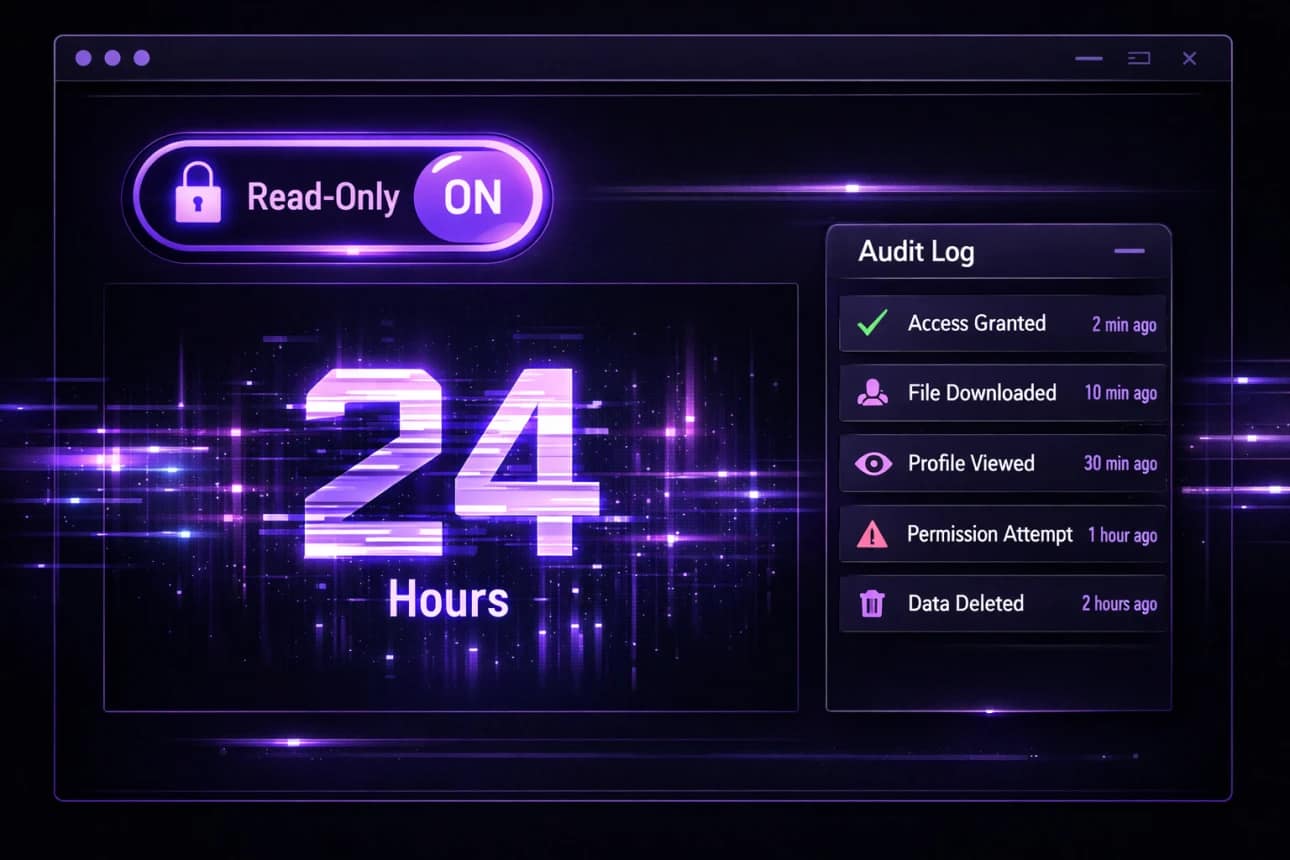
As you continue your Proton Pass AI agent setup, you must define the permissions. Proton’s infrastructure is incredibly smart here. Official guidance dictates that AI agents can only access what you share and cannot create or edit items by default.
The Behavioural Trap: Over-provisioning access “just in case” the agent needs it later. This is a classic forecasting error. We wrongly predict that restricting access now will cause us administrative pain tomorrow.
The Fix: Embrace the friction of least privilege. Only give the agent the ability to read data. If an AI agent cannot overwrite your passwords, it cannot lock you out of your own systems.
Step 4: Configure Aggressive Expiry Timers
A robust Proton Pass AI agent setup relies heavily on expiry controls. Proton allows you to set these tokens to expire anywhere from one hour to one year.
The Behavioural Trap: Setting the token to expire in 365 days because you do not want to deal with it again. This completely negates the security benefit of temporary access.
The Fix: Start with a 24-hour expiry for any new automation test. If the script works and requires ongoing access, extend it to a week or a month. Regular expiry forces you to consciously review the agent’s utility. If you are reading the official support documentation for creating robust access tokens, you will see that expiry is your best defence against forgotten integrations.
Step 5: Inject the Instructions into the AI Agent
Once the token is generated, Proton Pass provides specific markdown instructions. The next phase of your Proton Pass AI agent setup involves passing these instructions to your script or AI interface.
The Behavioural Trap: Copying the instructions alongside other sensitive data in a messy prompt window.
The Fix: Keep the prompt sterile. Feed the agent only the exact markdown required to utilise the token. The cleaner the instruction set, the less likely the agent is to hallucinate or misuse the provided credentials.
Step 6: Execute a Low-Risk Validation Run
Never assume a configuration is secure just because you clicked save. The penultimate step of your Proton Pass AI agent setup is the validation run.
The Behavioural Trap: Trusting the system blindly and walking away.
The Fix: Run the automation on a low-stakes task. Check if the agent can retrieve the required credential. More importantly, try to force the agent to access a credential outside its designated vault to ensure your perimeter holds strong.
Step 7: Audit the Logs and Prepare for Revocation
The final, ongoing step of a mature Proton Pass AI agent setup is auditing. Every time an agent uses a token, Proton logs the event with a mandatory reason.
The Behavioural Trap: Ignoring the logs entirely because reviewing data is tedious.
The Fix: Schedule a weekly five-minute review. Look at the access reasons. If an agent is accessing your CRM credentials at 3:00 AM on a Sunday when your workflow is only meant to run on weekdays, you have a problem. When anomalies occur, use the one-click revocation tool immediately. Deleting the token stops access dead in its tracks.
Analyse your risk exposure. Implement granular, read-only vaults today.
Take control of your credentials with Proton Pass Plus right now
Advanced Use Cases for Your Proton Pass AI Agent Setup
Now that you understand the mechanics, let us look at how a Proton Pass AI agent setup operates in the real world. Abstract concepts are useless without practical application.
The CI/CD Pipeline Guardian
Developers often need scripts to pull database passwords during deployment. Instead of hardcoding these secrets into environment variables, a Proton Pass AI agent setup allows the deployment pipeline to securely fetch the password dynamically. If the pipeline is compromised, the token can be revoked instantly without having to cycle every master database password in the company.
The Sales CRM Data Summariser
Imagine you use an AI agent to read your CRM data and generate morning briefing reports. A sloppy configuration gives the AI full read and write access to your Salesforce or HubSpot. A strict Proton Pass AI agent setup gives the agent a read-only token to a specific vault containing only the API key for the CRM’s reporting module. Your core customer data remains entirely isolated from the AI’s write capabilities.
The Financial Cloud Cost Auditor
Many business and GTM leaders use AI scripts to monitor AWS or Azure server costs. By utilising a Proton Pass AI agent setup, you can grant the script access to a billing-only API key. Furthermore, by setting the token to expire every 30 days, you ensure that even if the script is abandoned, the financial access automatically self-destructs.
The Buying Decision: Proton Pass Plus vs Proton Unlimited
If you have read this far, you recognise that a Proton Pass AI agent setup is non-negotiable for modern digital work. The question is no longer whether to use it, but which tier of the Proton ecosystem delivers the best return on investment.
When humans make purchasing decisions, we often suffer from choice paralysis. Let us strip away the marketing noise and look at the raw logic.
When to Choose Proton Pass Plus
If your sole focus is password management and securing your AI automation workflows, Proton Pass Plus is the surgical choice. It gives you the full capability to execute a flawless Proton Pass AI agent setup. It includes the vault granular sharing, the audit logs, and the access tokens. It is highly cost-effective and solves the immediate credential crisis.
When to Choose Proton Unlimited
Here is where the behavioural economics shift. If you are already paying for a premium secure email provider, a separate cloud storage subscription, and a standalone VPN, you are leaking money and fracturing your trust boundaries.
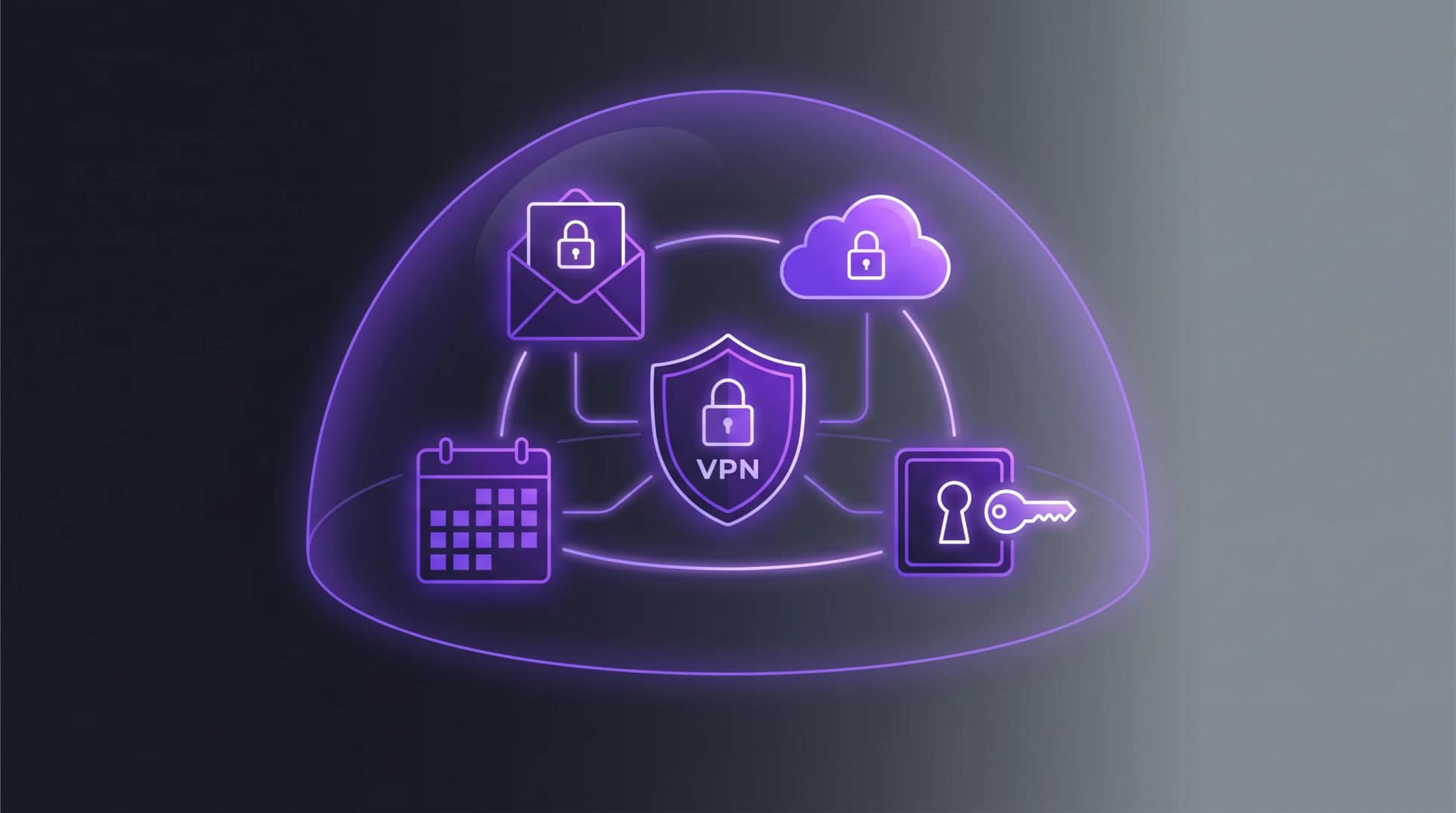
Proton Unlimited bundles Pass Plus alongside Proton Mail, Proton Drive, Proton Calendar, and Proton VPN + Lumo AI. From an operational standpoint, having your Proton Pass AI agent setup integrated into the exact same privacy ecosystem as your encrypted documents and communications reduces your attack surface. You have one provider to trust, one billing cycle to manage, and one cohesive privacy standard.
If you value your time and demand uncompromising data sovereignty, the bundle arithmetic is incredibly compelling.
Stop paying for five different half-trusted services. Consolidate your privacy stack.
Upgrade to Proton Unlimited and get 34% off today (BAIZAAR Exclusive)
Proton Pass AI agent setup (FAQ)
What exactly is a Proton Pass AI agent setup?
A Proton Pass AI agent setup is the strategic configuration of Personal Access Tokens within Proton Pass. It allows you to grant AI agents, scripts, or CLI tools highly restricted, temporary, and logged access to specific credentials without exposing your entire password vault.
Can an AI agent rewrite my passwords if it gets confused?
No. When you configure your Proton Pass AI agent setup correctly, the default architecture ensures that AI agents can only read the data you explicitly share with them. They do not possess the privileges to create, edit, or delete your credentials.
How often should I cycle my access tokens?
In a robust Proton Pass AI agent setup, you should map token expiry to the lifecycle of the project. For ongoing daily automations, a 30-day expiry forces a healthy monthly security review. For temporary data pulls, set the expiry to 24 hours.
Do I need to be a developer to use this feature?
Absolutely not. The brilliance of the Proton Pass AI agent setup is that it democratises secrets management. If you know how to copy and paste markdown text and select a dropdown menu, you have the technical skills required to secure your AI workflows.
Is the access token feature available on the free tier?
No. To execute a comprehensive Proton Pass AI agent setup, you require a paid tier such as Pass Plus, Pass Family, or Proton Unlimited. Advanced security features require premium infrastructure.
BAIZAAR’s Review: Proton Pass Plus for AI Automation Agents
Before you make a final decision, it is vital to strip away the marketing gloss and look at the raw utility of the tool. At BAIZAAR, we do not hand out perfect scores because perfect software does not exist. We evaluate tools based on how effectively they solve real problems without creating new ones.
Here is our pragmatic assessment of Proton Pass Plus specifically evaluated for AI agent credential management.
The Breakdown
- Security Architecture (5/5): The fundamental cryptography is airtight. Granular vault boundaries, read-only defaults, and mandatory audit logs provide a zero-trust environment that actually works in practice.
- Automation Usability (4/5): Generating and deploying access tokens is wonderfully straightforward. However, it loses a mark because token creation is currently restricted to the web application, which adds a minor layer of friction for power users who prefer to live in the terminal.
- Value for Money (4.5/5): At its current price point, you are getting an enterprise-grade security philosophy wrapped in a consumer-friendly package. It is exceptionally cheap insurance against a devastating credential leak.
The Pros:
- Strict read-only access controls prevent rogue AI agents from altering data.
- Mandatory reason logging creates an immediate, transparent audit trail.
- Built-in expiry timers automatically kill access to abandoned workflows.
- True end-to-end encryption governed by strict Swiss privacy laws.
The Cons:
- Token management is currently limited to the web portal.
- The system is only as secure as your vault hygiene; if you dump everything into one vault, the access tokens cannot save you from yourself.
- Not a total replacement for a heavy-duty enterprise secrets manager like HashiCorp Vault if you are running a massive DevOps team.
BAIZAAR Overall Score: 4.5 / 5 (Excellent)
The Pragmatic Verdict:
Proton Pass Plus does not pretend to be a bloated enterprise secrets manager. Instead, it offers an elegant, friction-based solution for digital workers who need to secure their AI automations without requiring a degree in computer science. It is pragmatic, highly affordable, and fundamentally respects your privacy. If you are using AI agents to touch your private data, this is the most sensible investment you can make this year.
Final Verdict on the Proton Pass AI Agent Setup
We are entering an era where AI agents will touch every piece of software we use. Trying to secure these autonomous workers with outdated, human-centric password habits is a fool’s errand.
A disciplined Proton Pass AI agent setup forces you to think slowly and act securely. It uses granular vaults, strict read-only permissions, automatic expiry, and comprehensive audit logs to put a leash on your automations. It eliminates the cognitive burden of wondering whether a rogue script is quietly exporting your digital life.
Stop relying on hope as a security strategy. Lock down your workflows today.
Make the definitive choice for your digital security right now.
Choose Proton Pass Plus or consolidate your life with Proton Unlimited.
Disclaimer: BAIZAAR is independent & reader-supported. When you buy through links on our site, we may earn an affiliate commission at no extra cost to you – typically with exclusive discounts we extend to our readers. We only recommend tools we’ve tested thoroughly and logically trust.