Proton Mail Plus Review 2026:
Still the King of Private Email?
Proton Mail Plus is worth $3.99/month in 2026. End-to-end encryption between Proton users, zero-access inbox storage under Swiss law, one custom domain, 15GB storage, and Proton Mail Bridge for desktop clients on Windows, macOS, and Linux. For individual private email, nothing at this price point matches the architecture.
- Proton Mail Plus review 2026 Edition: The Verdict First
- Where Proton Mail Came From and Why It Matters
- What It Actually Costs – Proton Mail plus
- Proton Mail Plus vs Proton Unlimited
- Proton Mail Plus vs Gmail vs Outlook
- Who This Is For
- The Bits That Are Actually Annoying
- Where Proton Mail Plus Fits in a Paranoid Productivity Stack
Transparency note: This article contains affiliate links. If you sign up through our links, we earn a small commission at no extra cost to you. We only recommend tools we would genuinely point a friend towards, which keeps the list shorter than most affiliate sites would prefer.
Proton Mail Plus review 2026 Edition: The Verdict First
Burying the conclusion is what review sites do when they are not confident in their own opinion. We are not doing that.
Proton Mail Plus is the right plan if email is your specific concern. Not a VPN. Not cloud storage. Just the inbox, encrypted, under your own domain, accessible from your existing desktop email client without rebuilding your whole workflow.
Here is where it gets worth paying attention to, though. If you are already paying separately for a VPN and a password manager, add those subscription costs up before committing to Plus. Proton Unlimited bundles full-featured email, VPN across 10 devices and 15,000+ servers, 500GB encrypted storage, and a password manager for $9.99/month on annual billing. The maths often makes Plus look like the less sensible choice when you actually run them.
🔒 Proton Mail Plus – 40% Off Annual Billing
15GB storage, 10 addresses, one custom domain, and Bridge on Windows, macOS, and Linux. The 40% saving only applies on the annual plan. Monthly billing stays at $4.99, if you feel committed to privacy use this link to get 40% Off Proton Mail Plus today.
Where Proton Mail Came From and Why It Matters
Geneva, 2013. A group of researchers who had met at CERN and became, practically speaking, professionally annoyed at the state of email privacy.
That origin is not marketing copy. It explains why the product is structured the way it is. The cryptographic architecture came first. The product followed it. Most email “security” is bolted on after the business model is already set. Proton’s model was built the other way round, and that shows in the result.
The company is incorporated in Switzerland and subject to the Swiss Federal Data Protection Act, which sits outside US intelligence-sharing frameworks and EU data-transfer agreements. When Proton has received valid Swiss court orders in documented cases, the most they could legally produce was encrypted ciphertext they cannot read themselves. Inbox content stayed inaccessible in every case on record.
Over 100 million registered accounts globally as of early 2026. The codebase is open source and publicly auditable on GitHub. Independent security firms including Securitum and Radically Open Security have reviewed it. No critical vulnerabilities in the core encryption layer have been found through those audits. That is not exciting copy. It is the thing that actually matters.
Proton Mail Plus: How the Encryption Works
End-to-end between Proton users
When you send a message to another Proton Mail user, your device encrypts it before it leaves. Proton’s servers only ever see ciphertext. The encryption uses 4096-bit RSA keys with OpenPGP standards and AES-256 for the message body. There is no point in that process where Proton holds a readable version of your message.
What happens when you email a Gmail or Outlook address
Different situation. That message travels via TLS-encrypted transit, which is the standard baseline across the global email network. The recipient’s provider receives a readable copy on delivery. That is not a Proton-specific gap; it is how email works between providers.
For genuinely private cross-provider communication, the tool is Password-Protected Email. The message is sent as a secure link and opened by the recipient using a shared password you coordinate separately. Slightly awkward to explain the first time. After that it is just a pattern.
Zero-access storage
Your inbox is stored on Proton’s servers under cryptographic keys only you hold. Proton cannot decrypt it. Not because of a policy. Because the architecture does not give them that capability.
A lot of “secure email” providers encrypt data at rest while keeping the decryption keys themselves, which means they can access your mail if legally compelled. Proton genuinely cannot. Those are structurally different things, not variations on the same product.
What does not get end-to-end encrypted
Subject lines, for messages going to and from non-Proton addresses. They are encrypted at rest on Proton’s servers, meaning no Proton employee can read them. But SMTP, the protocol underpinning all email globally, does not support end-to-end encrypted subjects across different providers. This applies to every email service in existence. For fully encrypted subjects, both sender and recipient need Proton accounts.
What Proton Mail Plus Gives You
Storage and aliases
15GB total storage, shared across Proton Mail and your Proton Drive allocation.
For most professionals, 15GB is workable. Several years of normal correspondence including attachments usually sits between 5 and 8GB. Heavy archival users who receive large files regularly will hit that ceiling, and Proton does not warn you proactively when you are close. Keep an eye on it.
The 10 aliases are more useful than they sound on a spec sheet. Here is how they work in practice:
- One address for professional correspondence, proposals, invoices, the one on business cards
- One for newsletters and publications you have actively chosen to receive
- One for online retail and subscription services
- One for any signup you are uncertain about
- Spare slots for client-specific addresses, or rotating ones for anything high-risk
When one gets compromised or starts generating noise, you disable it. Everything else stays clean. That removes the need to unsubscribe from anything ever again, which sounds trivial until you calculate how much time most people spend on exactly that.
Custom domain
One custom domain is included in the Plus plan. You update the DNS records at your registrar, Proton verifies, and your mail routes through their encrypted infrastructure under your own domain name from that point forward.
For freelancers and consultants, this is the practical detail that makes Plus genuinely useful rather than just privately useful. A professional address without handing the whole arrangement to Google Workspace.
DNS setup takes around 20 minutes with a registrar that has a sensible interface. Some do not. You will find out quickly which camp yours is in.
Proton Mail Bridge
Bridge is the feature that separates paid from free for desktop users, and it is the one that makes an actual migration feel manageable rather than disruptive.
It runs as a local background application on Windows, macOS, and Linux and exposes your Proton inbox through standard IMAP/SMTP. Apple Mail, Outlook, Thunderbird, any client that speaks IMAP connects to it and behaves exactly as it would with any other account. The encryption operates transparently beneath it.
One thing to know before you start: Bridge must be actively running on your machine for the connection to stay live. If it closes during a system update or gets accidentally quit, your client stops syncing. The error message your client shows will not clearly identify Bridge as the cause. You will spend some time on that the first occasion. After that you will know exactly where to look.
For ADHD-wired professionals who depend on one consistent desktop environment and find browser-tab management genuinely disruptive to focus, Bridge removes a real friction point. It is worth more than the spec sheet makes it look.
Dark web monitoring
Breach database monitoring is included with Plus, alerting you when your registered addresses appear in known data leaks.
Passive rather than active. It tells you when something has already happened rather than preventing the underlying breach. What it enables is fast, specific remediation: identify the affected address, rotate the relevant credentials, retire that alias. With a 10-alias setup, the blast radius of any single compromise is contained to the services using that specific address. Your primary correspondence stays untouched throughout.
The rest of the plan
- Unlimited messages, folders, labels, and custom filter rules
- Auto-reply and catch-all address routing
- Password-Protected Emails for non-Proton recipients
- 10 hide-my-email aliases via Proton Pass
- 25 personal calendars in Proton Calendar
- Hardware security key support: YubiKey, Titan, and FIDO2/WebAuthn standards
- Priority support queue, noticeably faster response times than the free tier in practice
- Easy Switch import assistant for Gmail and Outlook migration
Hardware security key support deserves a specific note. TOTP two-factor authentication is fine. Hardware key authentication is considerably more resilient against phishing and credential theft. Most email providers charge extra for it or simply do not support it. On Plus it is included without ceremony.
What It Actually Costs – Proton Mail plus
| Billing Period | Monthly Cost (USD) | Monthly Cost (GBP approx.) | Annual Total (USD) |
|---|---|---|---|
| Monthly | $4.99 | £3.95 | $59.88 |
| Annual | $3.99 | £3.15 | $47.88 |
| 2-Year | $3.49 | £2.76 | $83.76 |
Annual billing is 20% cheaper than monthly. The 40% figure cited in Proton’s promotional materials refers to the saving on annual versus the standard monthly rate before any promotional pricing. The two-year plan reduces the effective monthly cost to $3.49.
If you are ready to migrate and confident in the product, the two-year plan is the sensible financial call. If not, go annual first. Proton has operated without ownership changes or notable service disruptions since 2013. The commitment is not a significant exposure.
💰 Save on Proton Mail Plus – Annual Billing
$3.99/month on annual billing. New accounts can start on a monthly plan before committing to annual if preferred. Claim Your 40% off discount for Proton Mail Plus here.
Proton Mail Plus vs Proton Unlimited
This is where most of the real decision-making sits.
| Feature | Proton Mail Plus | Proton Unlimited |
|---|---|---|
| Annual billing price | $3.99/mo | $9.99/mo |
| Storage | 15GB | 500GB |
| Email addresses | 10 | 15 |
| Custom domains | 1 | 3 |
| Proton VPN | Not included (basic Free VPN applies to all accounts) | Full VPN Plus (10 devices, 15,000+ servers) |
| Proton Drive | Shared within 15GB total storage | 500GB shared |
| Proton Pass | 10 hide-my-email aliases | 50 vaults, unlimited aliases |
| Proton Sentinel | No | Yes |
| Best for | Email-first users | Full de-Google migration |
A note on the VPN row. Proton Mail Plus does not include Proton VPN Plus. Every Proton account, including the free tier, comes with a basic free VPN. Plus does not upgrade that. Full VPN access with 10 devices, 15,000+ servers, and no speed restrictions is an Unlimited-only feature. Worth being clear on that before purchase.
Proton Sentinel is the feature that separates Unlimited for users with an elevated threat model. Advanced account monitoring, anomalous login detection, high-risk session alerts. Aimed at journalists, lawyers, and security professionals who have had a concrete reason to wonder whether their accounts are being actively targeted. Not hyperbole for everyone. A specific tool for a specific situation.
The consolidation arithmetic is straightforward. A decent standalone VPN subscription runs £6 to £10 a month. A password manager sits at £2 to £4. Proton Unlimited at $9.99/month covers both, plus 500GB encrypted cloud storage, plus everything in the Plus mail plan. If those categories are already in your budget, running Plus separately alongside other subscriptions rarely makes financial sense.
⚡ Proton Unlimited – 30%+ Off Annual Billing
500GB encrypted storage. Full VPN, Drive, Pass, Calendar, and Mail under one account. Do the subscription maths before committing to Plus separately – Get Proton Unlimited with 30% off exclusive for readers.
Proton Mail Plus vs Gmail vs Outlook
One framing correction before the table. Gmail is not free. It costs communication data. Google’s product is profitable because processing email generates commercially useful signals. The service exists in exchange for that arrangement. Proton charges $3.99/month because the subscription is the business model, not the data.
| Feature | Proton Mail Plus | Gmail Free | Outlook Free |
|---|---|---|---|
| End-to-end encryption | Yes, between Proton users | No | No |
| Zero-access inbox | Yes | No | No |
| Email content scanned | No | Yes | Partial |
| Open source and audited | Yes | No | No |
| Data jurisdiction | Switzerland | USA | USA |
| Custom domain | Yes, 1 included | Paid via Google Workspace | Paid via Microsoft 365 |
| Desktop client support | Yes, via Bridge (Win/macOS/Linux) | Yes, native IMAP | Yes, native IMAP |
| Monthly cost | $3.99 on annual billing | Costs your data | Costs your data |
The one column where Gmail and Outlook hold a genuine technical edge: native IMAP without a bridge application. Bridge works reliably and is actively maintained, but it is an additional local process to manage. A review that does not name that is not actually a review.
Who This Is For
Good fit:
- Privacy-conscious professionals wanting encrypted correspondence and a custom domain without the Google or Microsoft overhead
- Freelancers and consultants where client confidentiality carries professional weight, not just personal preference
- People mid-way through de-Googling who want to start with email before committing to a full ecosystem rebuild
- ADHD users and neurodivergent knowledge workers who function better with a stable desktop client and one fewer browser tab to track
- Linux users who want a properly encrypted inbox that Bridge supports natively
Not the right fit:
- Anyone already paying for a standalone VPN and password manager. Unlimited will almost certainly work out cheaper overall
- Organisations needing SSO, admin consoles, or team-level audit logging. That belongs in Proton’s Business plans
- Users who rely on CRM or automation integrations through Zapier or Make. Proton’s deliberately closed architecture has an integration cost that does not resolve with workarounds
The Bits That Are Actually Annoying
A review that skips this section is an advert.
15GB fills up faster than expected during migration. If you import several years of Gmail history, you can absorb a significant portion of that ceiling before sending a single new message. The import assistant does not flag this proactively. Decide before you start whether you genuinely need every email from 2019.
Bridge closes and your email just stops. When Bridge quits, your desktop client stops syncing. The error message is not specific about the cause. You will spend some time on this the first time it happens. After that, Bridge running becomes part of your machine startup routine.
Subject lines. SMTP is SMTP. Already covered under encryption but worth repeating here because it catches people off guard after purchase. Non-Proton recipients see subject lines in transit. That is the protocol globally. It is not changing.
Plus does not include VPN access. Worth stating plainly here as well as in the comparison table. If you are expecting a bundled VPN as part of Plus, you will be disappointed. That requires Unlimited.
Mobile third-party clients are not supported via Bridge. The Proton iOS and Android native apps are well-built and fast in 2026. But Bridge on mobile does not exist. If your mobile workflow depends on a third-party client, you are using the Proton app or you are not using Proton on mobile.
The import assistant needs supervision. The migration works. Folder hierarchies on the other side often need manual corrections. If your old inbox has complex label structures or nested filters, set aside proper time for post-import cleanup before you archive the old account.
Where Proton Mail Plus Fits in a Paranoid Productivity Stack
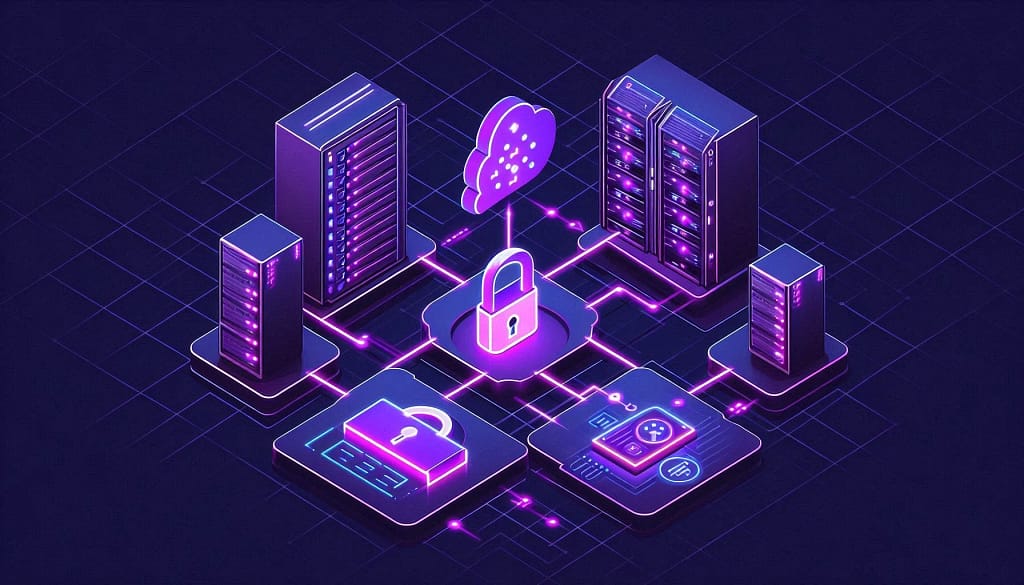
Paranoid Productivity, in BAIZAAR terms, means treating privacy as a design default rather than a feature you activate after the fact. The tools you use should carry it built in.
Proton Mail Plus works as the communications anchor of that kind of setup. A practical starting stack looks like this:
- Proton Mail Plus for encrypted email and custom domain routing
- Proton Pass (10 hide-my-email aliases included with Plus) for alias generation before every new service signup
- Proton Calendar (25 encrypted calendars included) so schedule data stays outside Google entirely
- Proton Drive storage is shared within your 15GB Plus allocation; upgrade to Unlimited when that becomes the constraint
The specific value for ADHD users is one login covering email, calendar, and alias management. One master password or hardware key. No overhead from remembering which privacy tool handles which function. That reduction in daily friction is persistent rather than dramatic, and persistent improvements compound in a way that single productivity tools rarely manage.
For the full build, our complete Paranoid Productivity setup guide for 2026 covers the stack in proper detail.
Proton Mail Plus – Frequently Asked Questions (fAQ)
Is Proton Mail Plus worth paying for in 2026?
For most individual users, yes. At $3.99/month on annual billing you get genuine end-to-end encryption between Proton users, zero-access inbox storage, one custom domain, Proton Mail Bridge on Windows, macOS, and Linux, and dark web monitoring. The codebase is open source and independently audited. The one scenario where it may not be the right tier: if you also need full VPN access and a password manager, Proton Unlimited at $9.99/month usually works out cheaper across the combined cost.
Does Proton Mail Plus encrypt subject lines?
No. Subject lines are not end-to-end encrypted for messages sent to or received from non-Proton addresses. This is a constraint of SMTP, the protocol underpinning all email globally, not a gap specific to Proton. Subject lines are encrypted at rest on Proton’s servers, so Proton staff cannot read them. For fully encrypted subjects, both sender and recipient need to be on Proton Mail.
Can I use Proton Mail Plus with Outlook, Apple Mail, or Thunderbird?
Yes. Proton Mail Bridge is included with Plus. It runs as a local background application on Windows, macOS, and Linux and presents your Proton inbox via standard IMAP/SMTP, so any compatible desktop email client connects to it as it would any other account. Bridge must be actively running for the connection to stay live.
Does Proton Mail Plus include a VPN?
No. Proton Mail Plus is an email-only paid upgrade and does not include Proton VPN Plus. All Proton accounts, including the free tier, come with a basic free VPN. The full VPN upgrade (10 devices, 15,000+ servers, no speed restrictions) is exclusive to Proton Unlimited.
What is the actual difference between Proton Mail Plus and Proton Unlimited?
Mail Plus covers email, calendar, and the base Proton Drive storage within the 15GB total allocation. Unlimited adds full Proton VPN across 10 devices and 15,000+ servers, 500GB shared encrypted storage, Proton Pass with 50 vaults and unlimited aliases, Proton Sentinel, and 3 custom domains instead of 1. Unlimited costs $9.99/month on annual billing versus $3.99 for Plus.
Is Proton Mail actually private from government data requests?
Proton is incorporated in Switzerland under the Swiss Federal Data Protection Act, outside US and EU surveillance frameworks. Because inbox content uses zero-access encryption, Proton cannot produce readable email content even under a valid legal order. They do not hold the decryption keys. Account metadata including IP addresses can be subject to valid Swiss court orders in appropriate legal circumstances. That distinction between content and metadata is worth understanding clearly.
Does Proton Mail have a free tier?
Yes. 1GB of storage, one email address, and 150 outgoing messages per day. No Bridge, no custom domain, no dark web monitoring. Running the free account alongside your existing inbox for a few weeks before committing to migration is worth doing.
Is Proton Mail’s codebase open source?
Yes. The web client, iOS and Android apps, and cryptographic libraries are publicly available on GitHub. Independent security audits by Securitum and Radically Open Security have not identified critical vulnerabilities in the core encryption layer. That statement is only credible because the audits are published and the code is visible.