IceDrive Review 2026:
Uncompromised Privacy in the Cloud
How does IceDrive’s Zero-Knowledge Encryption Stand Up?
By Baizaar Lee | Published: 30 April 2026 | Updated: 30 April 2026
IceDrive is a zero-knowledge encrypted cloud storage service built by a Welsh team and registered in Gibraltar, which puts it outside the reach of the US CLOUD Act and means your files are encrypted on your device before they ever leave it. This IceDrive review 2026 covers everything UK users, freelancers, and privacy-first individuals actually need to know: the lifetime plans that start at £224 ($299 / €254), the Twofish 256-bit encryption that runs on your device rather than IceDrive’s servers, and the real limitations that most reviews skip past.
There is a 10 GB free tier with no card required. So if you have been quietly watching the privacy cloud storage market wondering whether anyone has built something worth paying attention to that isn’t Google or Dropbox, the answer is yes. It’s been sitting in Wales the whole time.
- Why This IceDrive Review 2026 Exists (And Why Now)
- IceDrive Review 2026: Quick Specs at a Glance
- The Virtual Drive Feature: More Than Just Cloud Sync
- IceDrive Pricing 2026: Lifetime Plans vs Monthly Subscriptions
- IceDrive Lifetime Pricing (One-Time Cost Model)
- iceDrive Subscription Features Breakdown: What You Actually Get
- IceDrive Lifetime Plans Feature Comparison Matrix
- The Honest Caveats: What IceDrive Cannot Do
- IceDrive Review 2026: The Verdict Against pCloud and Proton Drive
- Frequently Asked Questions About IceDrive
- What is IceDrive and is it worth it for UK users in 2026?
- Can I replace Google Workspace with IceDrive?
- Is IceDrive safe for storing sensitive business documents in the UK?
- Does IceDrive work on Linux or Chromebook?
- What happens to my IceDrive lifetime plan if IceDrive shuts down?
- How does IceDrive's Twofish encryption differ from standard AES-256?
Why This IceDrive Review 2026 Exists (And Why Now)
Sometime around 2023, the cloud storage conversation effectively closed. Google Drive was fine. Dropbox was overpriced. Everyone moved on. Nobody checked if anything better had appeared.
IceDrive did not get that memo.
While the market settled into a comfortable loop of American platforms storing your files under US jurisdiction, a Gibraltar-registered outfit with Welsh operational roots has been building something most UK users have genuinely never encountered. That isn’t a pitch. It’s a market gap. And in 2026 specifically, the timing feels relevant in a way that it didn’t two years ago.
The UK Online Safety Act grants Ofcom the explicit power to mandate content scanning on platforms under Section 110, as detailed in FTI Consulting’s regulatory analysis of the Act. That creates a structural tension for any cloud provider holding your encryption keys: they can be compelled to use them. IceDrive cannot be compelled to hand over what it structurally does not possess. The zero-knowledge architecture means IceDrive has no keys to hand over, not just that they’ve promised not to look. Those are very different things.
That is the entire argument for this IceDrive review 2026. Everything else is implementation detail.
IceDrive Review 2026: Quick Specs at a Glance
Core identity:
- Product type: Client-side zero-knowledge encrypted cloud storage with virtual drive mounting
- Encryption standard: Twofish 256-bit, applied client-side before transmission (IceDrive holds no decryption keys)
- Registered jurisdiction: Gibraltar; operationally built in Wales, UK
- Regulatory exposure: Outside US CLOUD Act; UK/Gibraltar privacy law framework applies
- Free tier: 10 GB with no credit card required
- Zero-knowledge encryption: Included in all paid plans at no extra cost
Platform availability:
- Desktop: Native virtual drive applications available for Windows, macOS, and Linux (Note: WebDAV was officially deprecated on 15 April 2026)
- Mobile: iOS and Android apps with on-device Twofish encryption
- Web: Full browser-based web app for upload, download, and folder management – view the web app here
- No per-device licence fees
The single most useful comparison fact: pCloud charges $150 (approx. £120 / €141) as an add-on for its zero-knowledge encryption layer (pCloud Crypto). IceDrive includes equivalent encryption in every paid plan. Proton Drive includes zero-knowledge encryption by default, even free, but offers no lifetime storage option at all.
The Virtual Drive Feature:
More Than Just Cloud Sync
Most cloud storage platforms sync. IceDrive streams.
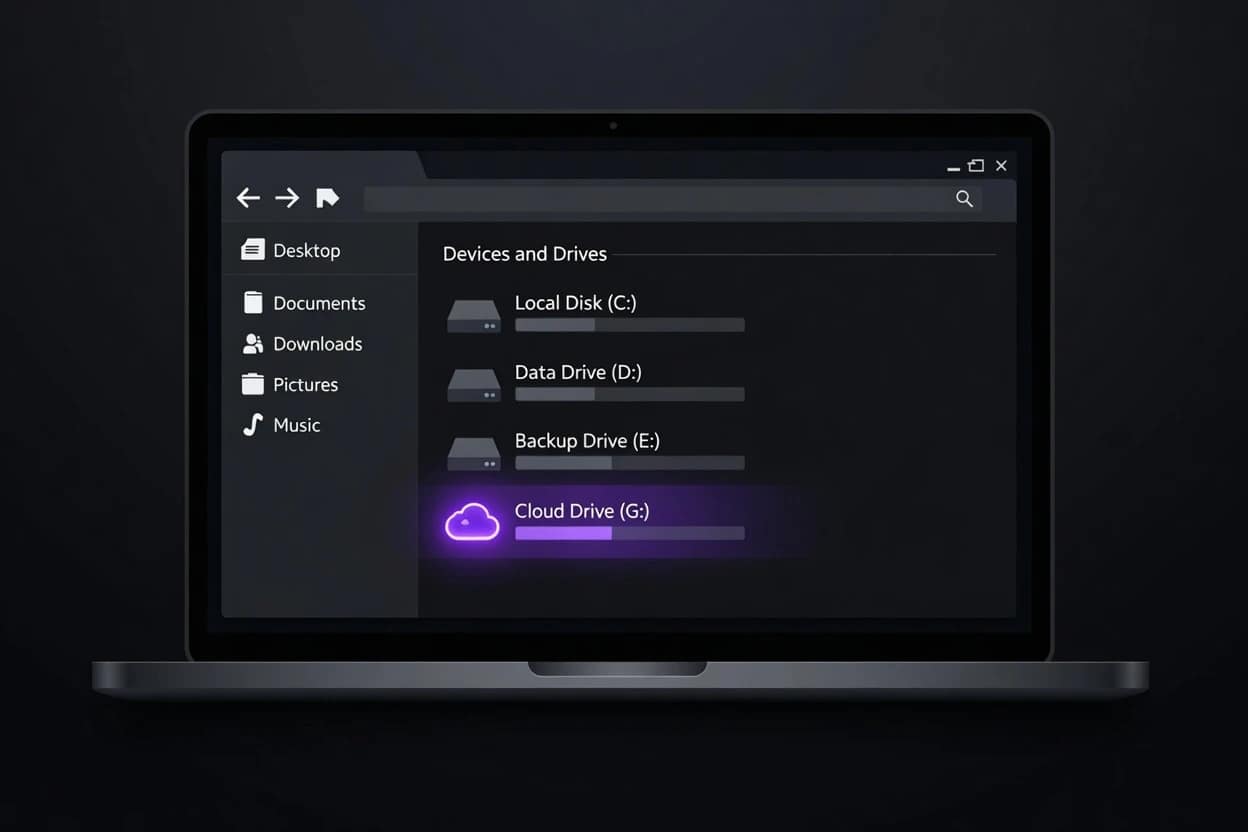
The desktop application mounts your cloud storage as a virtual hard drive, appearing in Windows Explorer or macOS Finder exactly like a physical external drive. For example, Drive letter G: on Windows. A mounted volume on Mac. You open files from it, navigate folders in it, save back to it. The files live on IceDrive’s servers, not on your machine. Nothing pulls down locally until you actually open it.
This matters more than most tech blogs acknowledge, which is why we are highlighting it in our IceDrive review 2026. A significant proportion of working professionals are running laptops with 256GB SSDs. That’s fine for the OS and applications. It’s less fine when you’re also trying to store client project folders, creative assets, or archives. IceDrive’s virtual drive gives you navigable storage that behaves like a local drive while consuming effectively zero local space.
There is a caveat, and it’s a real one. Because IceDrive doesn’t support block-level sync (covered properly in the Limitations section below), re-saving a large file means the full file travels back to the server, not just the changed portion. Opening a 4GB video file, trimming three seconds, and saving it re-uploads the entire 4GB. For document-heavy workflows, that’s barely noticeable. For video, audio production, or large CAD work, you’ll feel it. The virtual drive experience itself is polished. The transfer architecture has clear room to develop.
IceDrive Pricing 2026: Lifetime Plans vs Monthly Subscriptions
A core focus of this IceDrive review 2026 is the sheer financial value of their storage tiers. IceDrive offers two distinct pricing lanes: lifetime one-time payments and rolling subscriptions. No lock-in. Cancel anytime.
The 30-Day Refund Window IceDrive backs all of these paid tiers with a full 30-day money-back guarantee. If you buy in and suddenly realise the lack of block-level sync ruins your specific workflow, you can pull the ripcord. You get your money back. It is a no-questions-asked exit strategy that makes testing their zero-knowledge virtual drive genuinely risk-free.
IceDrive Monthly Pricing (Subscription Model)
| Plan | Price |
|---|---|
| Free | Free (N/A) |
| Pro | $9.99 / £9.99 / €9.99 |
| Pro+ | $15.99 / £14.99 / €14.99 |
| Pro Max | $26.99 / £24.99 / €24.99 |
IceDrive Yearly Pricing (Subscription Model)
| Plan | Price |
|---|---|
| Free | Free (N/A) |
| Pro | $99 / £99 / €99 |
| Pro+ | $159 / £149 / €149 |
| Pro Max | $269 / £249 / €249 |
IceDrive Lifetime Pricing (One-Time Cost Model)
| Plan | Price |
|---|---|
| Free | Free (N/A) |
| Basic | $299 / £224 / €254 |
| Personal | $524 / £419 / €449 |
| Personal+ | $794 / £599 / €674 |
iceDrive Subscription Features Breakdown: What You Actually Get
The pricing tiers do not just increase your storage. They fundamentally change how IceDrive behaves on your devices. Here is a granular look at how the features stack up across the Free, Subscription, and Lifetime models.
1. Security & Zero-Knowledge Architecture
Encryption at rest, TLS transfers, and GDPR compliance are standard across the board. Every tier runs on ISO 27001-certified Tier III+ data centres with zero third-party tracking.
The crown jewel, however, is the client-side zero-knowledge encryption. This is completely walled off from the free tier. If you pay for any plan whether monthly, yearly, or lifetime you unlock the zero-knowledge vault. Two-factor authentication relies on GAuth for free users, while paid tiers unlock SMS options for enhanced account recovery.
2. Storage & Device Sync Limits
Free accounts are strictly capped at 10 GB. Subscriptions scale massively from 2 TB (Pro) up to 6 TB (Pro Max).
The catch? Device sync limits. Subscriptions are generous, allowing you to sync between 3 and 10 devices depending on your tier, with up to 20 sync pairs per device. Lifetime plans are peculiarly strict here. Regardless of which lifetime tier you buy, you are hard-capped at 2 sync devices and 3 sync pairs. It is a strange bottleneck for a lifetime commitment. Plan your hardware setup accordingly.
3. The Desktop & Mobile Experience
The standout Virtual Drive feature is available to everyone, allowing you to mount your cloud storage natively. However, the Encrypted Virtual Drive is strictly a paid feature.
Mobile apps are universally excellent, offering offline file access and media streaming on all tiers. Camera auto-upload works for free users, but without cryptographic protection. Paid users get their camera uploads secured with zero-knowledge encryption the second the photo is taken.
4. File Versioning & Recovery
This is where the subscription and lifetime models diverge wildly.
Free users get absolutely zero file versioning. If you overwrite a file by mistake on the free tier, the old version is gone.
Monthly and yearly subscriptions scale generously. The Pro tier gives you 30 days of history and 25 file versions. Pro Max pushes that to 90 days and 100 versions. Lifetime plans, by contrast, are heavily restricted. You get just 14 days of version history and a maximum of 30 file versions. If historical file recovery is critical to your workflow, the subscription model is mathematically safer.
5. Collaboration & Public Link Controls
IceDrive is not a team sport. Public links, activity streams, and basic comments are available to all. Meaningful control is paywalled.
Setting expiry dates, download caps, preview-only modes, and password protection on your links requires a paid tier. Furthermore, direct user-to-user sharing and the ability to request files from external clients are exclusively reserved for paying customers.
6. IceDrive Docs (The Upcoming Horizon)
IceDrive is currently building a native document and spreadsheet editor to rival Google Workspace. The basic rich editors will be free. However, the features that actually matter for business the encrypted documents, encrypted spreadsheets, collaborative editing tools, and PDF exporting will be locked securely behind the paid tiers.
IceDrive Lifetime Plans Feature Comparison Matrix
Here’s the complete feature set breakdown, it’s worth noting only the storage quota varies across paid lifetime plans, so the matrix below uses a combined “Lifetime” column to cover the feature set for all one-time-cost tiers vs the Free tier.
| Feature | Free | Lifetime |
|---|---|---|
| Storage | ||
| Storage Quota | 10 GB | Varies by Plan |
| IceDrive Desktop | ||
| Virtual Drive | ✓ | ✓ |
| Encrypted Virtual Drive | No | ✓ |
| Desktop Sync | ✓ | ✓ |
| Sync Devices | No | 2 |
| Sync Pairs (Per Device) | No | 3 |
| IceDrive Mobile | ||
| Mobile App | ✓ | ✓ |
| Camera Auto Upload | No Crypto | ✓ |
| Offline Files | ✓ | ✓ |
| Media Streaming | ✓ | ✓ |
| Versioning | ||
| File Versions | No | 14 Days |
| Maximum File Versions | No | 30 |
| Collaboration | ||
| Public Links | ✓ | ✓ |
| User-to-User Sharing | No | Full |
| Request Files | No | ✓ |
| Activity Stream | ✓ | ✓ |
| Comments & Discussions | ✓ | ✓ |
| Public Link Controls | ||
| Expiry Date | No | ✓ |
| Download Cap | No | ✓ |
| Preview-Only Mode | No | ✓ |
| Password Protection | No | ✓ |
| IceDrive Docs (Coming Soon) | ||
| Rich Document Editor | ✓ | ✓ |
| Spreadsheet Editor | ✓ | ✓ |
| Encrypted Documents | No | ✓ |
| Encrypted Spreadsheets | No | ✓ |
| Collaboration | No | ✓ |
| PDF Export | No | ✓ |
| Security | ||
| Encryption at Rest | ✓ | ✓ |
| Zero-Knowledge Crypto | No | ✓ |
| Encrypted Transfers (TLS 1.2 / 1.3) | ✓ | ✓ |
| Two-Factor Authentication (2FA) | GAuth | GAuth / SMS |
| GDPR & UK GDPR Compliant | ✓ | ✓ |
| ISO 27001-certified, Tier III+ data centers | ✓ | ✓ |
| No 3rd Party Ads, Tracking or Data Selling | ✓ | ✓ |
| Support | ||
| Support Level | Standard | Priority |
The Honest Caveats: What IceDrive Cannot Do
No block-level sync. This is the most technically significant limitation. Most tech sites skip past it too quickly, but a transparent IceDrive review 2026 demands we address it directly. Block-level sync uploads only the changed chunks of a modified file rather than the whole thing. Dropbox has had it since 2012. pCloud supports it. IceDrive does not. For anyone regularly modifying large files, this is a genuine workflow cost and should factor into the decision before purchase rather than after.
Third-party integrations are limited. IceDrive’s integration ecosystem is smaller than pCloud’s. If your daily workflow depends on direct tool connections to project management platforms, automation services, or specialist business applications, you will notice the gap. pCloud’s six additional years in the market show in its integration layer.
Zero-knowledge encrypted folders cannot be shared with collaborators. This is the most frustrating limitation for anyone working in a team. Zero-knowledge architecture means IceDrive cannot read the contents of your encrypted folders, which is the point. The consequence is that those folders are structurally yours alone. Standard (non-encrypted) folders can be shared with password protection and link expiry controls. But the encrypted folders? You can’t hand those to a colleague.
The zero-knowledge encryption architecture is genuinely well-implemented. The sharing restrictions are genuinely limiting for team use. Both things are completely true, and this IceDrive review 2026 would be doing you a disservice by pretending otherwise.
IceDrive Review 2026: The Verdict Against pCloud and Proton Drive
IceDrive is the right answer for a specific profile, and the wrong one for a different profile. There is no useful fence-sitting here.
| Factor | IceDrive | pCloud | Proton Drive |
|---|---|---|---|
| Zero-knowledge encryption | Included in all paid plans | $150 (£120 / €141) add-on | Included in all plans including free |
| Lifetime plan available | Yes, from $299 (£224 / €254) | Yes, from $199 | No lifetime plan |
| Block-level sync | No | Yes | No |
| Third-party integrations | Limited | Broader ecosystem | Limited |
| Data jurisdiction | Gibraltar / Wales, UK | Switzerland / Luxembourg | Switzerland |
| US CLOUD Act exposure | No | No | No |
| Free storage | 10 GB | 10 GB | 1-5GB |
| Encryption algorithm | Twofish 256-bit | AES-256 (add-on only) | AES-256 end-to-end |
| Share encrypted folders | Not possible | Yes (Crypto folders) | Yes |
| Best for | Privacy + lifetime value, solo use | Feature completeness, teams | Privacy default-on, Proton ecosystem users |
Choose IceDrive if zero-knowledge encryption at a one-time price is the priority, you’re UK-based and want your data outside US jurisdiction without a recurring subscription, and your work is primarily individual rather than highly collaborative. The Basic lifetime plan at $299 (approx. £224 / €254) represents the best upfront value in privacy cloud storage when factoring in the included zero-knowledge encryption.
While pCloud’s entry lifetime plan looks cheaper at $199 on the surface, they require a $150 Crypto add-on for zero-knowledge encryption. That brings pCloud’s true secure cost to $349. IceDrive gives you that security by default for $299.
Choose pCloud if block-level sync matters for your workflow, you work with shared encrypted folders in a team, or you want the longer lifetime-plan track record. The pCloud vs OneDrive 2026 comparison on Baizaar covers pCloud’s case in depth, including the Microsoft OAuth flaw that surfaced in April 2026.
Choose Proton Drive if you want zero-knowledge encryption active by default on everything without configuring it, and you’re already in the Proton ecosystem. No lifetime plan exists, and the free tier is only 1 GB, but the privacy architecture is default-on in a way that suits users who don’t want to think about it. The Proton VPN for Business UK review on Baizaar covers the broader Proton privacy stack and the UK regulatory landscape for context.
BAIZAAR’s IceDrive Review 2026 Rating
4.6 / 5 ⭐️⭐️⭐️⭐️✨
To conclude BAIZAAR’s IceDrive Review 2026, IceDrive stands as the undisputed heavyweight for zero-knowledge encryption at a sensible price point. The virtual drive is not just a clever gimmick. It is a total workflow upgrade that effectively hands you a massive hard drive without eating a single megabyte of your physical laptop space.
When you factor in what Big Tech charges, then just to actively scan your data, the Basic lifetime plan at $299 (approx. £224 / €254) stops being just another cloud tier. It becomes a permanent exit from the miserable monthly subscription treadmill. Yes, the lack of block-level sync and the inability to share encrypted folders are genuine compromises. They are not minor footnotes. If you need a highly collaborative workspace for a sprawling team, look elsewhere.
But if you work solo, value your privacy, and want your files stored securely outside the reach of the US CLOUD Act? IceDrive is exceptional. It secures your data, stays out of your way, and leaves your bank account alone after day one. Know what it is before committing, but once you do, you will never look back.
Try IceDrive free for yourself – 10 GB, no credit card required. Test the virtual drive on the free tier first. If it holds up for your daily workflow, view the IceDrive lifetime plans here to lock in genuinely the smartest long-term play in the privacy market right now.
Frequently Asked Questions About IceDrive
What is IceDrive and is it worth it for UK users in 2026?
IceDrive is a zero-knowledge cloud storage service registered in Gibraltar and built in Wales, UK. It uses Twofish 256-bit client-side encryption, meaning your files are encrypted on your device before transmission and IceDrive holds no decryption keys. Lifetime storage plans start at $299 (approx. £224 / €254) for the Basic tier, rising to $794 (approx. £599 / €674) for the Personal+ tier.
For UK users in 2026 this IceDrive review recommends it specifically if you: want encrypted cloud storage without a recurring subscription, prioritise data jurisdiction outside the US CLOUD Act, and work primarily solo or with a small group where sharing encrypted folders is not a daily need. The Online Safety Act’s Section 110 powers mean zero-knowledge architecture is no longer just a nice-to-have for privacy-conscious users in the UK. It’s increasingly a structural protection. The Cambridge Analytica guide to zero-knowledge encryption covers the technical concept clearly for anyone who wants to understand what client-side key generation actually means in practice before trusting any provider with their files.
IceDrive is not worth it if you need block-level sync for large file workflows, rely heavily on third-party integrations, or need to share encrypted folders with collaborators.
Can I replace Google Workspace with IceDrive?
No. Not completely, and the distinction is worth being precise about.
IceDrive is cloud storage. Google Workspace is a productivity suite: Gmail, Docs, Sheets, Slides, Meet, Calendar, and enterprise admin tools, with Google Drive as the storage layer. IceDrive replaces Google Drive specifically. It replaces none of the other Workspace components.
What IceDrive does better than Google Drive: Twofish zero-knowledge encryption included by default, Gibraltar jurisdiction outside US CLOUD Act reach, no AI scanning of stored files, and a one-time lifetime payment option. What it does not do: real-time collaborative document editing, email, calendar, video conferencing, or enterprise identity management.
As noted throughout our IceDrive review 2026, for UK freelancers or small businesses looking to move sensitive file storage away from Google without a complicated migration, IceDrive handles that specific job well. Pair it with Proton Mail for email and you have removed your two highest-exposure data vectors from Google’s infrastructure without rebuilding your entire workflow from scratch.
Is IceDrive safe for storing sensitive business documents in the UK?
Yes, for individual use. IceDrive’s Twofish zero-knowledge encryption means only the account holder can decrypt stored files. The Gibraltar registration places it outside US CLOUD Act jurisdiction, and IceDrive has no technical ability to access encrypted file contents even if legally compelled to try.
The limitation is collaboration. Zero-knowledge encrypted folders cannot be shared with other IceDrive users or external parties while maintaining zero-knowledge protection. If you need to share sensitive documents with colleagues or clients, you would either share via standard (non-encrypted) shared links with password protection, or use a different service that supports encrypted folder sharing such as Proton Drive.
For individual document archiving or solo client work, the ultimate takeaway of our IceDrive review 2026 is that IceDrive remains among the most structurally private options available at this price point.
Does IceDrive work on Linux or Chromebook?
When testing and researching at BAIZAAR HQ for this IceDrive review 2026, it revealed that IceDrive successfully addressed one of its biggest historical criticisms by releasing a native desktop application for Linux. Linux users now get the full virtual drive experience alongside Windows and macOS users. It is also crucial to note that as of 15 April 2026, IceDrive has officially disabled WebDAV for all new users and is sunsetting the protocol entirely due to reliability and security issues.
If you plan to use IceDrive, you must use their native apps; third-party WebDAV mounting is dead. Chromebook users can access IceDrive through the web app, which covers core upload, download, and folder management functions. Mobile apps with full Twofish encryption support are available for iOS and Android. The mobile app details are covered on IceDrive’s mobile page.
What happens to my IceDrive lifetime plan if IceDrive shuts down?
IceDrive does not currently publish a formal data escrow agreement or portability guarantee beyond standard data export. If the service were discontinued, lifetime plan holders would need to export their data during any announced wind-down period. IceDrive has been operational since 2019 and is actively developing its product, which is encouraging. But it does not have the decade-plus track record of pCloud’s lifetime model.
The practical mitigation is straightforward: treat IceDrive as your primary cloud layer but maintain a local backup of anything you cannot afford to lose. A lifetime cloud plan and an external hard drive are not mutually exclusive. They’re complementary. This is good practice regardless of which cloud provider you use.
How does IceDrive’s Twofish encryption differ from standard AES-256?
Twofish is a symmetric block cipher that was a finalist in the US NIST competition that ultimately selected AES as the standard. Both Twofish and AES-256 are considered cryptographically secure as of 2026. Twofish uses a 128-bit block size and supports 128, 192, or 256-bit keys. IceDrive implements Twofish at 256-bit key length on the client side.
As we evaluated cryptographic standards for this IceDrive review 2026, the practical difference for end users remains minimal from a security standpoint. Both algorithms are effectively unbroken under current cryptographic knowledge. Twofish is more computationally intensive than AES-256, which is why most mainstream providers default to AES with hardware acceleration. IceDrive’s choice of Twofish is a deliberate signal about their privacy posture rather than a technical necessity. Whether that distinction matters to you depends on your threat model. For most UK freelancers and individuals, both algorithms offer more protection than the question of which algorithm you chose will ever be tested.
Disclosure: This article contains affiliate links. If you purchase IceDrive through our links, BAIZAAR may earn a small commission at no extra cost to you. We assess every tool on its actual merits before writing about it. That’s the deal.