SaneBox Privacy Review:
Hacking the Hedonic
Treadmill of “Inbox Zero”

TL;DR
What it is: SaneBox is a privacy-first email sorting tool that analyses only message headers (sender, subject, timestamp) and never downloads or reads your email body content.1
Who it’s for: This SaneBox privacy review is written for professionals drowning in email, ADHD brains experiencing decision fatigue, and anyone who values automated sorting without surrendering their data to AI training models.
Problem it solves: Traditional email management creates a hedonic treadmill where “Inbox Zero” feels good for a brief window, then you adapt back to overwhelm.2 Manual sorting burns executive function. As we explore in this SaneBox privacy review, AI assistants like Gmail and Outlook often read every word to train their models.3
What you get: Automated email triage (SaneLater, SaneNews, SaneBlackHole folders), privacy-by-design architecture, IMAP compatibility with most providers (Gmail, Outlook, Fastmail), and peace of mind that your private correspondence stays private.
The trade-off: A key finding of our SaneBox privacy review is the functional trade-off: because SaneBox uses header-only analysis, it cannot generate AI summaries of email content. If you want your emails read and summarised, this is not your tool. If you want private email management without surveillance, it is.
Try it: Grab BAIZAAR’s $25 SaneBox credit here (covers roughly 3 to 7 months depending on your plan). 14-day free trial included, no credit card required to start.
- TL;DR
- What Is Hedonic Adaptation, and Why Your Inbox Relapses
- Why "Inbox Zero" Feels Good, Then Feels Pointless
- SaneBox Privacy Review: How It Helps (Without Reading Your Emails)
- Comparison Table: SaneBox vs. Superhuman vs. Standard AI
- The 5-Minute Setup (So You Actually Do It)
- Privacy and Security Notes (Plain English)
- Who Should Use SaneBox (And Who Should Not)
- Breaking the Hedonic Treadmill With Automated Systems
- Pricing Reality Check
- Frequently Asked Questions – SaneBox
- Verdict of this SaneBox Privacy Review
- References
What Is Hedonic Adaptation, and Why Your Inbox Relapses
Your inbox hit zero last Tuesday. You felt unstoppable for a brief window, perhaps an hour, maybe less. Then the dopamine wore off… 23 new emails arrived, and you were right back where you started: overwhelmed, anxious, and wondering why clearing 200 emails changed nothing.
This is hedonic adaptation in action.
Hedonic adaptation (also called the “hedonic treadmill”) is your brain’s evolutionary feature that returns you to baseline happiness no matter what happens. Win the lottery? Research by Brickman and colleagues found lottery winners were no happier than controls when interviewed 12 to 18 months after their windfall.4 Achieve inbox zero? Same story. The happiness boost is real but temporary, and your brain recalibrates almost immediately.
Psychologist Sonja Lyubomirsky’s research at UC Riverside demonstrates that people adapt more quickly to positive changes than negative ones. The brain evolved to notice threats (unread emails, missed deadlines) far more persistently than wins (clean inbox, completed tasks). This asymmetry explains why the anxiety of 50 unread emails lingers for hours, but the satisfaction of clearing them vanishes in minutes.
For this SaneBox privacy review, understanding hedonic adaptation is critical. Most tools fail because they treat email as a volume problem. SaneBox treats it as a cognitive load problem.
Why “Inbox Zero” Feels Good, Then Feels Pointless
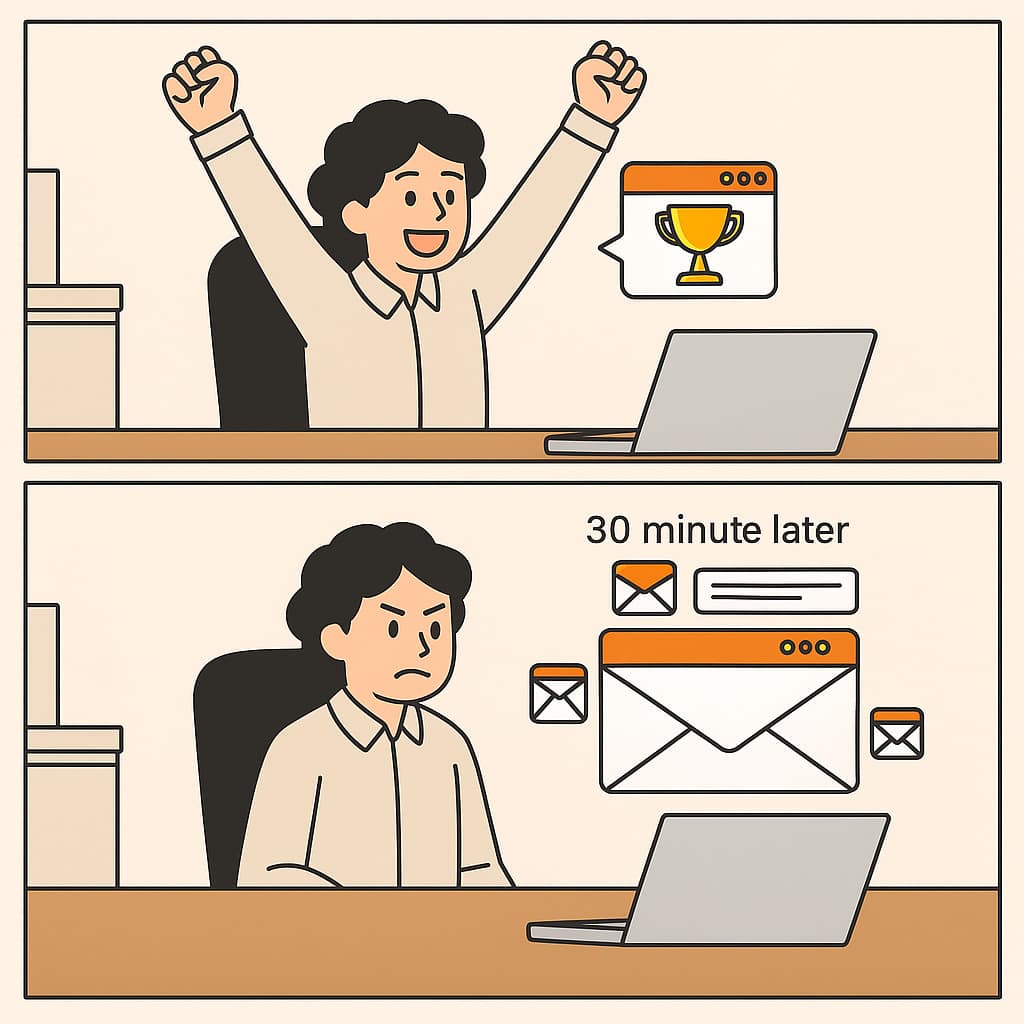
The inbox zero methodology popularised by productivity gurus promised clarity and control. The reality? It works for about 0.3% of humans and tortures the rest.
Here’s why the treadmill spins faster with zmanual email management:
Decision fatigue compounds hourly. Every unread email is a micro-decision: important or noise? Urgent or later? Delete, archive, or flag? For an ADHD brain, this is catastrophic. Research indicates that 62% to 85% of individuals with ADHD have working memory deficits,5 which directly sabotage sorting, prioritising, and task initiation.
The dopamine hit disappears instantly. Clearing your inbox releases a small burst of dopamine, the same neurochemical that drives motivation and reward. But hedonic adaptation kicks in within minutes to hours, and your baseline returns.6 You’re back to feeling “normal” (which, if you have ADHD, often means mildly anxious).
Manual systems collapse under real-world conditions. You wake up with inconsistent executive function. Some days you can build elaborate folder hierarchies. Other days you can barely open the app. Rigid inbox rules fail the moment your brain decides it’s done cooperating.
The research is blunt: Dr. E.J. Masicampo’s research at Wake Forest University demonstrated that simply making a plan to complete a task reduced cognitive intrusion by 77%, even without completing the task.7 The act of externalising the decision (not the completion) is what provides psychological relief. As confirmed in our SaneBox privacy review, automated systems beat willpower every single time.
SaneBox Privacy Review: How It Helps (Without Reading Your Emails)
SaneBox operates on a fundamentally different architecture than Gmail, Outlook, Superhuman, or any other “AI-powered” email tool. It never downloads the body of your emails. It analyses only metadata: sender address, subject line, timestamp, and your interaction history.8
This design choice has two consequences detailed in this SaneBox privacy review. First, it works with end-to-end encrypted email providers without breaking encryption. Second, even if SaneBox wanted to spy on you (they don’t), the system is not built to access email content.
Header-Only Analysis: What It Sees, What It Never Touches
SaneBox monitors which senders you open, reply to, archive, or delete. It learns patterns over roughly one week of training. Once trained, it automatically moves low-priority emails (newsletters, receipts, promotional noise) into separate folders that you check when you have spare cognitive capacity.
Your main inbox only shows messages requiring immediate attention.
What our SaneBox privacy review confirmed it sees:
- Sender email address
- Subject line
- Timestamp
- Whether you opened it
- Whether you replied
What SaneBox never sees:
- Email body content
- Attachments
- Any information inside the message
This is the opposite of Gmail’s AI, which scans every word to build advertising profiles, or Microsoft Outlook’s cloud processing, which requires server-side access to plaintext emails. Even newer players like Superhuman require full content access to provide summarisation features.
Your emails never leave your server. SaneBox uses IMAP to instruct your email provider to move messages between folders, but the content stays on your provider’s servers.
The Trade-Off You Need to Understand
Because SaneBox uses header-only analysis, it cannot generate AI summaries of email content. It cannot tell you “this email is about a meeting” or “this person wants a refund.” It can only tell you “this sender usually gets ignored” or “you always reply to this domain within an hour.”
If you want your emails read and summarised by an AI assistant, SaneBox is the wrong tool. If you want automated sorting without surrendering your private correspondence to someone else’s training data, this SaneBox privacy review concludes it is the only tool that makes this trade-off honestly.
Comparison Table: SaneBox vs. Superhuman vs. Standard AI
In any SaneBox privacy review, context is king. Here is how it stacks up against the speed-focused Superhuman and the data-hungry giants.
| Feature | SaneBox (Privacy-First) | Superhuman (Speed-First) | Gmail / Outlook (Standard AI) |
|---|---|---|---|
| Reads Email Body? | NO (Header-only analysis) | YES (Required for summaries) | YES (Used for ads/training) |
| Data Privacy | Metadata only. Content stays on your server.9 | Content processed for features. | Content mined for user profiling. |
| AI Summaries | No (Privacy trade-off). | Yes (Core feature). | Yes (Gemini / Copilot). |
| Platform Support | Any IMAP (Gmail, Outlook, Fastmail). | Gmail & Outlook only. | Proprietary only. |
| Cost | $7 – $36/mo | $30/mo | Freemium (paid with your data & card depending on subscription). |
| Best For | Privacy, ADHD, Overwhelm. | Speed, Sales, Founders. | General users. |
| Review Verdict | Safest Choice | Fastest Choice | Default Choice |
| Offer | $25 Credit (Try Risk-Free) | No standard trial. | N/A |
The 5-Minute Setup (So You Actually Do It)
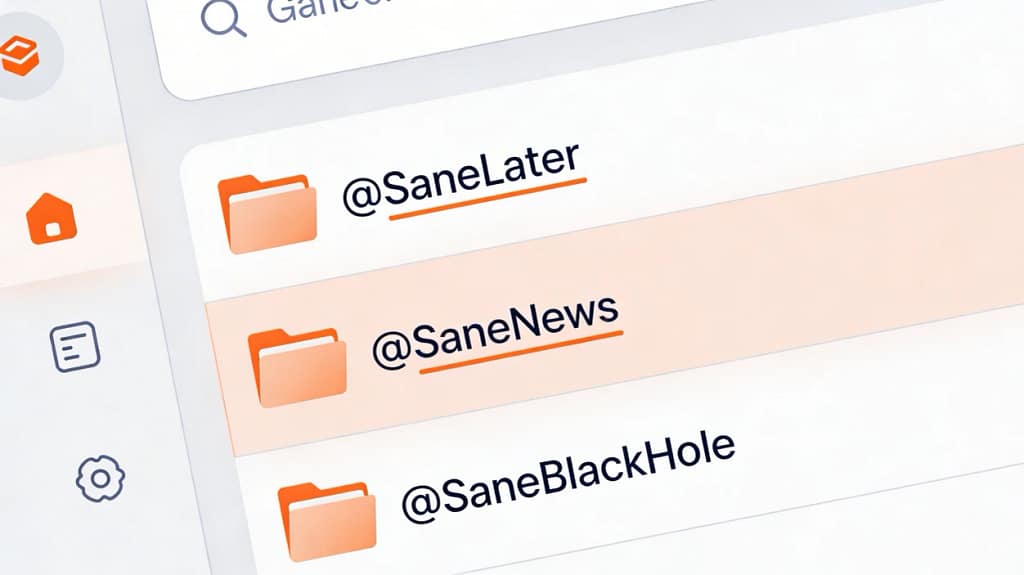
Part of our SaneBox privacy review process involved testing the onboarding friction. Here is the optimised path:
Step 1: Sign up and connect your email account.
SaneBox works with Gmail, Outlook, Apple Mail, Fastmail, and most IMAP-compatible providers. You keep your current inbox. No new app to learn.
Step 2: Let it watch for one week.
SaneBox observes your behaviour. Open an email? It learns. Reply immediately? It learns. Ignore 47 newsletters in a row? It learns. You do nothing except use email normally.
Step 3: Check SaneLater once daily.
After the training week, SaneBox starts moving low-priority emails into a folder called “@SaneLater.” Check this folder once per day (or once per week, depending on your risk tolerance). If something important landed there, drag it back to your inbox. SaneBox learns from the correction.
Step 4: Use SaneBlackHole for permanent silence.
Drag any annoying sender (spam, relentless marketers, your cousin who forwards chain emails) into the @SaneBlackHole folder. You will never see an email from them again. No unsubscribe link, no confirmation click, just permanent digital ghosting.
Step 5 (optional): Enable Do Not Disturb mode.
If you need uninterrupted deep work, turn on SaneNoDisturb. Incoming emails pause entirely until you turn it off. No notifications, no temptation, no context switching.
Common pitfalls found during our SaneBox privacy review:
- Checking SaneLater obsessively defeats the purpose. Set a specific time (e.g., 4pm daily) and stick to it.
- Over-correcting the algorithm by dragging things back too often confuses the system. Let it be wrong occasionally.
- Expecting perfection in week one. The algorithm needs at least 7 to 10 days of behaviour data to reach 90% accuracy.
Privacy and Security Notes (Plain English)
The most critical part of this SaneBox privacy review is the security audit. SaneBox’s architecture is different from competitors because emails never leave your server. You grant SaneBox IMAP access (read-only for headers), and it operates by creating folders and moving messages between them. Your email provider (Gmail, Proton, Fastmail) still holds all the data.
Encryption: SaneBox uses TLS encryption in transit and stores user credentials in Hardware Security Modules (HSMs). They are SOC 2 Type II compliant, which means annual third-party audits of their security practices. This report is available upon request.
Data retention: SaneBox retains metadata (sender addresses, timestamps, your sorting behaviour) to power the learning algorithm. They state clearly in their privacy policy that they do not sell user data and do not use email content to train public AI models (because they do not have access to email content).
Access control: If you use Azure Active Directory or Google Workspace, you can authenticate via OAuth with multi-factor authentication. This is stronger than storing your email password directly in SaneBox’s system.
The honest risk: No SaneBox privacy review is complete without mentioning the metadata risk. SaneBox can see who you email, how often, and what times you’re active. If this metadata pattern is sensitive (journalists, whistleblowers, activists), consider whether header-only analysis is sufficient. For 99% of professionals managing work email, this is the best privacy trade-off available in the automated email sorting market.
If you need true zero-knowledge email, the only option is manual sorting with an end-to-end encrypted provider like Tutanota. SaneBox sits in the middle: automated convenience without surrendering email body content.
Who Should Use SaneBox (And Who Should Not)
Based on this SaneBox privacy review, here is our recommendation on who fits the tool best.
Best fit:
- Privacy-conscious professionals who refuse to let Gmail or Outlook scan their emails for advertising data.
- ADHD brains drowning in decision fatigue. Every newsletter you manually delete is a wasted unit of executive function. Automate it.
- GTM leaders managing 100+ emails daily across multiple accounts. SaneBox scales to unlimited accounts on higher-tier plans.10
- Remote teams who need sorting without breaking end-to-end encryption.
Poor fit:
- People who get 10 emails per day. You do not need automation. Manual sorting costs you 90 seconds.
- Jobs requiring immediate response to every email (customer support, legal compliance, crisis management). SaneBox’s filtering might create dangerous gaps.
- Users who want AI summaries or smart replies. As noted in this SaneBox privacy review, it does not read email bodies, so it cannot generate content-aware features.
- Extreme minimalists who enjoy manual inbox gardening. If sorting email is your meditation, save your money.
Breaking the Hedonic Treadmill With Automated Systems
The psychological research on hedonic adaptation offers one useful insight: chasing big wins delivers temporary happiness bumps that fade within days to months. What actually sustains wellbeing? Automated systems that reduce daily friction, and strong social connections.11
SaneBox will not make you happy. But it will stop your inbox from making you miserable.
By removing the repetitive cognitive load of email sorting, you free up mental resources for the work (and relationships) that actually matter. The hedonic adaptation still happens, but the baseline shifts upward because the process requires zero daily effort.
Research on hedonic adaptation suggests three strategies that actually work:
Set many smaller goals instead of one big one. Inbox zero is a big goal that delivers one dopamine hit. SaneBox creates micro-wins every time you open your inbox and see only 3 messages instead of 50.
Enjoy the process, not just the outcome. If clearing your inbox feels like punishment, you are optimising the wrong variable. SaneBox removes the punishment entirely by automating the sorting.
Pursue strong social connections. While happiness from inbox zero is fleeting, decades of research show that relationships are the strongest predictor of long-term wellbeing. Stop wasting executive function on newsletters and spend it on people.
Pricing Reality Check
As part of our SaneBox privacy review, we analysed the pricing model to see if it holds value:
- Snack Plan: $7/month or $59/year ($4.92/month annual) — 1 email account, core features
- Lunch Plan: $12/month or $99/year ($8.25/month annual) — 2 email accounts, advanced features
- Dinner Plan: $36/month or $299/year ($24.92/month annual) — unlimited accounts, priority support
Pricing varies based on annual versus monthly billing. Annual subscriptions save roughly 30% to 50% compared to monthly.12
Compared to Superhuman ($30 per month), SaneBox is roughly one-quarter to one-half the price at the high end. Compared to doing nothing and burning executive function manually sorting 100 emails per day, it is an investment in not hating your life.
BAIZAAR Reader Exclusive Offer: Grab a $25 credit using this link, which covers approximately 3 to 7 months depending on your plan. 14-day free trial included, no credit card required to start.
If you are not ready to commit, test it for a week and see what disappears from your attention. If your inbox feels calmer after 7 days, upgrade. If not, cancel within the trial window and pay nothing.
Frequently Asked Questions – SaneBox
How does this SaneBox privacy review compare it to Gmail’s AI sorting?
Gmail scans the full body content of every email to train its AI models and build advertising profiles. SaneBox analyses only headers (sender, subject, timestamp) and never downloads email body content. This means SaneBox cannot generate summaries or smart replies, but it also means your private correspondence stays private.
Does SaneBox train AI models on my email data?
No. Our SaneBox privacy review confirms it does not have access to email body content, so it cannot use your emails to train public AI models. The learning algorithm analyses only metadata (sender patterns, your sorting behaviour) to improve filtering accuracy for your account only.
How long does it take for SaneBox to learn my preferences?
Roughly one week. During the first 7 to 10 days, SaneBox observes which emails you open, reply to, archive, or ignore. After this training period, accuracy typically reaches 90%. You can accelerate learning by manually dragging misplaced emails back to your inbox (SaneBox learns from corrections).
Can I use SaneBox if I have ADHD or struggle with email overload?
Absolutely. SaneBox is specifically designed for people experiencing decision fatigue from manually sorting emails. Every newsletter you delete manually is a wasted unit of executive function.13 SaneBox automates that decision-making without requiring you to build complex filter rules. We have covered this extensively in BAIZAAR’s ADHD email management strategies, and SaneBox fits perfectly into neurodivergent-friendly productivity stacks.
What happens if an important email lands in SaneLater?
Check your @SaneLater folder once daily (or set a specific time like 4pm). If something important was misplaced, drag it back to your inbox. SaneBox learns from this correction and adjusts its algorithm. The system improves accuracy over time based on your behaviour.
Does SaneBox work offline?
No. SaneBox operates via IMAP connection to your email server, so it requires an internet connection to sort emails. However, once emails are sorted into folders, you can access those folders offline using your email client’s offline mode.
Is SaneBox HIPAA compliant or suitable for regulated industries?
No. SaneBox is not HIPAA compliant and should not be used for Protected Health Information (PHI) or highly regulated data. If you work in healthcare, legal, or finance with strict compliance requirements, consult your IT department before using third-party email tools.
Can I cancel SaneBox if it does not work for me?
Yes. The 14-day free trial allows you to test SaneBox risk-free. If you subscribe and later decide it is not a fit, you can cancel anytime. Monthly subscriptions stop at the end of the billing cycle. Check SaneBox’s current refund policy for annual subscriptions before purchasing.
How does SaneBox compare to building manual email filters?
Manual filters require upfront setup time and constant maintenance as new senders appear. SaneBox learns dynamically based on your behaviour, so it adapts to new patterns automatically. If you enjoy building elaborate filter rules, manual filters are free. If you want set it and forget it automation, SaneBox saves hours of maintenance time.
Verdict of this SaneBox Privacy Review
Stop running on the treadmill. Automate the sorting. Reclaim your brain.
To conclude this SaneBox privacy review: if you want your inbox quieter without an AI reading your private emails, SaneBox is the only tool I have trusted so far that makes this trade-off honestly.
Claim your $25 SaneBox credit here (14-day free trial included, no credit card required to start).
For complete privacy beyond email, consider combining SaneBox with privacy-focused infrastructure:
- Proton Mail for end-to-end encrypted email
- Proton VPN for network-level privacy
- Proton Drive for zero-knowledge cloud storage
This creates what we call the “Paranoid Productivity” stack: maximum efficiency without sacrificing digital rights.
Transparency note: BAIZAAR maintains strict editorial independence. All external links are curated for scientific and technical authority. We may earn commissions from partner links like SaneBox at no cost to you. Read our full affiliate disclosure and advertising policy.
References
- SaneBox (2026) – “How does SaneBox work?” SaneBox Help Center: https://www.sanebox.com/help/155-how-does-sanebox-work ↩︎
- SaneBox (2026) – “Privacy & Security: Can SaneBox read my email?” SaneBox Help Center: https://www.sanebox.com/help/223-privacy-security-can-sanebox-read-my-email ↩︎
- Lee, B. (2026). “SaneBox: Secure AI Email Tools That Don’t Spy in 2026?” BAIZAAR: https://baizaar.tools/sanebox-privacy-review-secure-ai-email-tools-2026/ ↩︎
- Brickman, P., Coates, D., & Janoff-Bulman, R. (1978). “Lottery winners and accident victims: Is happiness relative?” *Journal of Personality and Social Psychology*, 36(8), 917-927: https://gwern.net/doc/psychology/1978-brickman.pdf ↩︎
- Kofler, M. J., et al. (2020) “Working memory and short-term memory deficits in ADHD: A bifactor modeling approach.” *Neuropsychology*, 34(6), 686-698. PMC: https://pmc.ncbi.nlm.nih.gov/articles/PMC7483636/ ↩︎
- Lyubomirsky, S. (2011) “Hedonic Adaptation to Positive and Negative Experiences.” In S. Folkman (Ed.), The Oxford Handbook of Stress, Health, and Coping. Oxford University Press: https://sonjalyubomirsky.com/wp-content/uploads/2024/03/Lyubomirsky-2011.pdf ↩︎
- Masicampo, E. J., & Baumeister, R. F. (2011). “Consider it done! Plan making can eliminate the cognitive effects of unfulfilled goals.” *Journal of Personality and Social Psychology*, 101(4), 667-683: http://users.wfu.edu/masicaej/MasicampoBaumeister2011JPSP.pdf ↩︎
- ToolGuide (2026) “SaneBox: Features, Pricing & Reviews (2026).” ToolGuide: https://www.toolscope.io/tools/sanebox ↩︎
- SaneBox. (2026) “Security.” SaneBox: https://www.sanebox.com/security ↩︎
- SaneBox. (2026) “Pricing.” SaneBox: https://www.sanebox.com/pricing ↩︎
- Hedonic treadmill. (2005) Wikipedia: https://en.wikipedia.org/wiki/Hedonic_treadmill ↩︎
- Trustradius. (2026) “SaneBox Pricing 2026: Compare Plans and Costs.” TrustRadius: https://www.trustradius.com/products/sanebox/pricing ↩︎
- Martinussen, R., et al. (2005) “A meta-analysis of working memory impairments in children with attention-deficit/hyperactivity disorder.” *Journal of the American Academy of Child & Adolescent Psychiatry*, 44(4), 377-384: https://pubmed.ncbi.nlm.nih.gov/15782085/ ↩︎