Top 7 Most Secure Password Manager 2026: The Ultimate Security Guide for Remote Teams
Remote work has fundamentally transformed how businesses handle sensitive information, making password security more critical than ever. With cyber attacks increasing by 38% in 2024 and remote workers being prime targets, finding the most secure password manager 2026 has become essential for protecting your digital assets and maintaining business continuity.
The challenge isn’t just about remembering passwords anymore ”it’s about implementing enterprise-grade security that protects your entire team’s digital footprint. Whether you’re managing a small startup or a large enterprise, the wrong password management choice could expose your organisation to devastating breaches that cost an average of $4.45 million per incident.
This comprehensive guide examines the most secure password management solutions available in 2026, focusing specifically on features that matter most for remote teams. We’ll dive deep into encryption standards, zero-knowledge architectures, and compliance requirements to help you make an informed decision that protects your business. Explore advanced security solutions that leading organisations trust for their most sensitive data.
Table of Contents
Understanding Password Manager Security Fundamentals
The foundation of any secure password manager lies in its encryption methodology and architectural design. When evaluating the most secure password manager 2026 options, understanding these core security principles becomes crucial for making informed decisions.
Zero-Knowledge Architecture
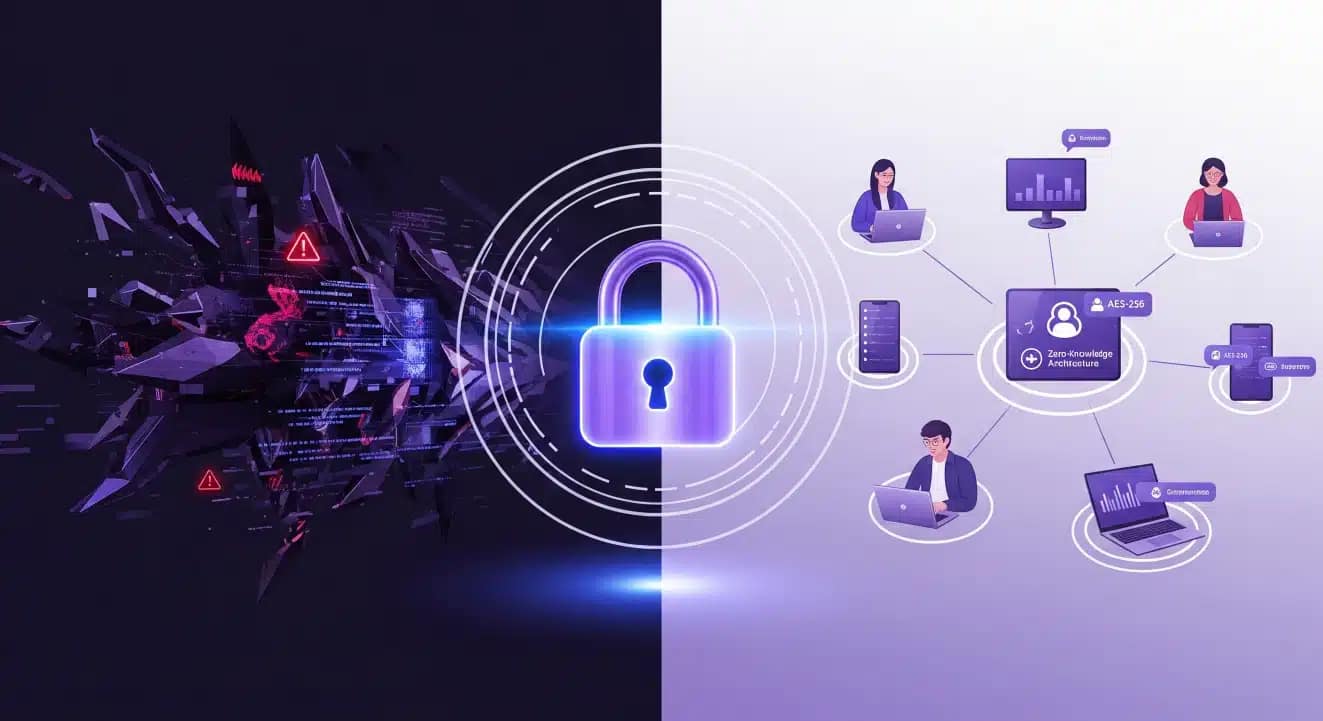
Zero-knowledge architecture represents the gold standard in password manager security. This approach ensures that even the service provider cannot access your encrypted data, creating an impenetrable barrier against both external threats and internal vulnerabilities.
In a true zero-knowledge system, your master password serves as the sole key to decrypt your vault. The password manager company never receives, stores, or has access to this master password or your unencrypted data. This architectural choice means that even if the company’s servers are compromised, your sensitive information remains protected.
End-to-End Encryption Standards
Modern password managers employ various encryption standards, but AES-256 encryption has emerged as the industry benchmark. This military-grade encryption standard would take billions of years to crack using current computing technology, making it virtually unbreakable.
However, encryption strength alone doesn’t guarantee security. The implementation methodology, key derivation functions, and secure communication protocols all contribute to the overall security posture. Leading solutions combine AES-256 encryption with PBKDF2, Argon2, or similar key strengthening algorithms.
Security Through Open Source
Open-source password managers offer unique security advantages through transparency and community scrutiny. When source code is publicly available, security researchers worldwide can identify and report vulnerabilities, leading to faster patches and more robust security.
This transparency also eliminates concerns about hidden back-doors or questionable practices that might exist in closed-source solutions. Organisations like security research institutions consistently recommend open-source solutions for high-security environments.
Top 7 Most Secure Password Managers for 2026
After extensive analysis of security features, audit results, and enterprise capabilities, these seven solutions represent the most secure password manager 2026 options for remote teams.
1. Proton Pass – Privacy-First Enterprise Security
Proton Pass leads our security rankings with its uncompromising commitment to privacy and advanced security features designed specifically for business environments. Built by the team behind ProtonMail, this solution combines zero-knowledge architecture with enterprise-grade features.
Key Security Features:
- End-to-end encryption with AES-256 and Argon2 key derivation
- Open-source codebase with regular third-party security audits
- Swiss-based infrastructure with strict privacy laws
- Advanced threat detection and breach monitoring
- Secure password sharing with granular access controls
Proton Pass excels in remote team scenarios with its intuitive sharing mechanisms and comprehensive audit trails. The platform’s integration with Proton’s broader ecosystem provides additional security layers for organizations prioritizing privacy. Get 50% off premium password protection with Proton Pass via this reader exclusive discount.
2. Bitwarden – Open Source Enterprise Leader
Bitwarden has established itself as the premier open-source password manager for enterprise deployments. Its transparent development process and robust feature set make it an excellent choice for security-conscious organizations.
Security Highlights:
- Fully open-source with community-verified security
- Multiple deployment options including self-hosting
- Comprehensive compliance certifications (SOC 2 Type II, GDPR)
- Advanced reporting and analytics for security teams
- Flexible authentication options including SSO integration
The platform’s self-hosting capability appeals to organizations requiring complete control over their password management infrastructure.
3. 1Password Business – User Experience Excellence
1Password Business combines strong security with exceptional user experience, making it ideal for organizations transitioning to password management solutions. Its Travel Mode and advanced sharing features cater specifically to remote work scenarios.
Notable Features:
- Secret key architecture providing additional security layer
- Watchtower breach monitoring and vulnerability alerts
- Advanced item sharing with time-limited access
- Comprehensive API for custom integrations
- Detailed audit logs and compliance reporting
4. Dashlane Business – AI-Powered Security
Dashlane leverages artificial intelligence to enhance security monitoring and threat detection. Its proactive approach to password security makes it valuable for organizations seeking automated security management.
AI-Enhanced Security:
- Intelligent breach monitoring across the dark web
- Automated password health scoring and recommendations
- Smart security alerts based on usage patterns
- Advanced phishing protection with real-time warnings
- Comprehensive security dashboard with actionable insights
5. Keeper Security – Zero-Knowledge Enterprise
Keeper Security focuses heavily on zero-knowledge architecture and advanced encryption methods. Its enterprise features include privileged access management and detailed compliance tools.
Enterprise Security Features:
- BreachWatch dark web monitoring
- Encrypted file storage and sharing
- Privileged access management integration
- Advanced role-based access controls
- Comprehensive compliance reporting tools
6. NordPass Business – Streamlined Security
NordPass offers a streamlined approach to business password management with strong security foundations and user-friendly interfaces designed for rapid deployment.
Security and Usability:
- XChaCha20 encryption for enhanced performance
- Intuitive admin dashboard for team management
- Advanced password health monitoring
- Secure password sharing with access controls
- Integration with popular business tools
7. LastPass Business – Legacy Enterprise Solution
Despite recent security challenges, LastPass remains relevant for organizations with existing investments in their ecosystem. However, careful consideration of recent security incidents is essential.
Established Features:
- Mature enterprise feature set
- Extensive third-party integrations
- Advanced policy management
- Comprehensive reporting capabilities
- Large ecosystem of business tools
Encryption Methods and Zero-Knowledge Architecture
Understanding the technical foundations of password manager security helps organizations make informed decisions about protecting their digital assets. The most secure password manager 2026 solutions implement multiple layers of encryption and security controls.
Advanced Encryption Standards
Modern password managers utilize sophisticated encryption algorithms that go beyond basic AES-256 implementation. The most secure solutions employ layered encryption approaches that protect data both at rest and in transit.
Encryption Algorithm Comparison:
| Algorithm | Key Length | Security Level | Performance |
|---|---|---|---|
| AES-256 | 256 bits | Military Grade | Excellent |
| XChaCha20 | 256 bits | Next-Gen | Superior |
| Twofish | 256 bits | High Security | Good |
XChaCha20, used by solutions like NordPass, offers performance advantages over AES while maintaining equivalent security levels. This next-generation encryption algorithm provides faster processing speeds, particularly beneficial for mobile devices and resource-constrained environments.
Key Derivation Functions
The strength of password-based encryption depends heavily on key derivation functions (KDFs) that transform your master password into encryption keys. Leading password managers implement advanced KDFs that resist various attack methods.
PBKDF2 remains widely used but newer alternatives offer enhanced security. Argon2, winner of the Password Hashing Competition, provides superior resistance against both brute-force and side-channel attacks. scrypt offers memory-hard properties that make specialized hardware attacks more difficult.
Secure Remote Protocol Implementation
Remote teams require secure communication protocols that protect password data during synchronization and sharing operations. The most secure implementations use multiple protocol layers to ensure data integrity.
Transport Layer Security (TLS) 1.3 provides the foundation for secure communications, while additional application-layer encryption ensures that even TLS vulnerabilities cannot compromise password data. Certificate pinning and perfect forward secrecy add additional protection layers.
Hardware Security Module Integration
Enterprise-grade password managers increasingly integrate with Hardware Security Modules (HSMs) for enhanced key protection. These dedicated security devices provide tamper-resistant key storage and cryptographic operations.
HSM integration particularly benefits organizations with strict compliance requirements or handling highly sensitive data. The hardware-based root of trust significantly enhances the overall security posture beyond software-only solutions.
Remote Team Security Features Comparison
Remote work environments present unique security challenges that require specialized password management features. The most secure password manager 2026 solutions address these challenges through comprehensive remote team capabilities.
Secure Password Sharing Mechanisms
Traditional password sharing methods like email or messaging platforms create significant security vulnerabilities. Modern password managers implement secure sharing mechanisms that maintain encryption throughout the sharing process.
Granular Access Controls allow administrators to define precisely who can access specific credentials and what actions they can perform. Time-limited sharing ensures that access automatically expires, reducing the risk of abandoned access permissions.
Emergency Access Features provide critical business continuity capabilities. Designated team members can gain access to essential credentials during emergencies while maintaining audit trails and security controls.
Cross-Platform Synchronization Security
Remote teams use diverse device ecosystems requiring seamless synchronization without compromising security. Leading solutions implement device-specific encryption keys that protect data even if synchronization infrastructure is compromised.
Device Authentication mechanisms ensure that only authorized devices can access password vaults. Multi-factor device enrollment and device trust management provide additional security layers for organizations with strict access policies.
Offline Access Capabilities ensure productivity during connectivity issues while maintaining security through local encryption and secure re-synchronization protocols.
Administrative Controls and Monitoring
Remote team management requires comprehensive administrative capabilities that provide visibility and control without compromising individual privacy. Advanced solutions offer detailed monitoring and policy enforcement tools.
Real-Time Activity Monitoring provides administrators with insights into password usage patterns, helping identify potential security issues or policy violations. Automated alerts notify administrators of suspicious activities or policy breaches.
Policy Enforcement capabilities ensure consistent security practices across distributed teams. Password complexity requirements, sharing restrictions, and access policies can be centrally managed and automatically enforced.
Integration with Remote Work Tools
Modern remote teams rely on various collaboration and productivity tools that require seamless password manager integration. The most secure solutions provide native integrations with popular business platforms.
Single Sign-On (SSO) Integration streamlines user authentication while maintaining security through centralized identity management. Privacy-focused tools and services often provide enhanced integration capabilities for security-conscious organizations.
API Access and Custom Integrations enable organizations to integrate password management into existing workflows and business systems. Comprehensive APIs support automation and custom security implementations.
Enterprise Password Management Solutions
Large organizations require password management solutions that scale effectively while maintaining enterprise-grade security standards. The most secure password manager 2026 enterprise solutions provide comprehensive features for complex organizational structures.
Scalability and Performance Considerations
Enterprise deployments must handle thousands of users while maintaining responsive performance and high availability. Leading solutions implement distributed architectures that scale horizontally while preserving security.
Load Balancing and Redundancy ensure consistent availability even during peak usage periods or infrastructure failures. Geographic distribution capabilities support global organizations with users across multiple regions.
Performance Optimization techniques minimize latency and improve user experience without compromising security. Intelligent caching, compression, and protocol optimization contribute to superior performance.
Advanced User Management
Enterprise environments require sophisticated user management capabilities that support complex organizational structures and dynamic team compositions. Advanced solutions provide flexible user provisioning and management tools.
Role-Based Access Control (RBAC) enables organizations to define granular permissions based on job functions and organizational hierarchy. Custom roles and permission sets provide flexibility for unique organizational requirements.
Automated User Provisioning integrates with existing identity management systems to streamline user onboarding and offboarding processes. SCIM (System for Cross-domain Identity Management) support enables automated synchronization with HR systems.
Compliance and Governance Features
Enterprise organizations often operate under strict regulatory requirements that mandate specific security controls and audit capabilities. Leading password managers provide comprehensive compliance features.
Audit Logging and Reporting capabilities generate detailed records of all password-related activities, supporting compliance audits and security investigations. Customizable reports address specific regulatory requirements.
Data Residency Controls ensure that sensitive password data remains within specified geographic boundaries, addressing data sovereignty requirements and regulatory compliance.
High Availability and Disaster Recovery
Enterprise password management requires robust availability and recovery capabilities to ensure business continuity. Advanced solutions implement comprehensive disaster recovery and business continuity features.
Multi-Region Deployment options provide geographic redundancy and improved performance for global organizations. Automated failover capabilities ensure minimal disruption during infrastructure issues.
Backup and Recovery systems protect against data loss while maintaining security through encrypted backups and secure recovery procedures. Regular recovery testing validates disaster recovery capabilities.
Compliance and Certification Requirements
Regulatory compliance represents a critical consideration for organizations selecting password management solutions. The most secure password manager 2026 options provide comprehensive compliance features addressing various regulatory frameworks.
Industry-Specific Compliance Standards
Different industries operate under specific regulatory requirements that impact password management selection. Understanding these requirements helps organizations choose appropriate solutions.
Healthcare (HIPAA) requirements mandate specific security controls for protecting patient information. Password managers serving healthcare organizations must provide audit trails, access controls, and encryption standards that meet HIPAA requirements.
Financial Services (PCI DSS, SOX) regulations require stringent security measures for protecting financial data. Compliance with Payment Card Industry Data Security Standard (PCI DSS) and Sarbanes-Oxley Act (SOX) influences password management selection.
Government (FedRAMP, FIPS) standards provide security frameworks for organizations serving government clients. Federal Risk and Authorization Management Program (FedRAMP) certification and Federal Information Processing Standards (FIPS) compliance ensure appropriate security levels.
International Privacy Regulations
Global organizations must navigate complex international privacy regulations that impact password management practices and vendor selection.
General Data Protection Regulation (GDPR) affects organizations handling European Union resident data. Password managers must provide data portability, deletion capabilities, and privacy controls that support GDPR compliance.
California Consumer Privacy Act (CCPA) and similar state-level regulations create additional compliance requirements for organizations serving California residents. Privacy controls and data handling practices must align with CCPA requirements.
Security Certifications and Audits
Third-party security certifications provide independent validation of password manager security controls and practices. These certifications help organizations assess vendor security posture.
SOC 2 Type II audits evaluate security controls over extended periods, providing detailed insights into operational security practices. This certification particularly benefits organizations with strict vendor security requirements.
ISO 27001 certification demonstrates comprehensive information security management system implementation. Organizations prioritizing security often require vendors to maintain ISO 27001 certification.
Penetration Testing and Security Audits provide ongoing validation of security controls. Regular third-party security assessments help identify and address potential vulnerabilities before they can be exploited.
Multi-Factor Authentication and Advanced Security
Multi-factor authentication represents a critical security layer that significantly enhances password manager protection. The most secure password manager 2026 solutions implement comprehensive MFA options that address various security scenarios and user preferences.
Hardware Token Integration
Hardware security keys provide the highest level of MFA security through cryptographic authentication that resists phishing and man-in-the-middle attacks. Leading password managers support various hardware token standards.
FIDO2/WebAuthn support enables seamless integration with modern security keys like YubiKey devices and Google Titan keys. This standard provides strong authentication while maintaining user experience simplicity.
Smart Card Integration appeals to organizations with existing smart card infrastructures. PIV (Personal Identity Verification) and CAC (Common Access Card) support enables integration with government and enterprise identity systems.
Biometric Authentication Options
Modern devices provide various biometric authentication methods that enhance security while improving user experience. Advanced password managers leverage these capabilities for seamless authentication.
Fingerprint Authentication provides quick access while maintaining security through unique biological characteristics. Touch ID and similar technologies enable rapid vault access without compromising security.
Facial Recognition systems offer hands-free authentication that works well in various environments. Face ID and Windows Hello face authentication provide convenient access control.
Voice Recognition and other emerging biometric methods expand authentication options for users with accessibility needs or specific security requirements.
Adaptive Authentication Systems
Intelligent authentication systems analyze user behavior and environmental factors to adjust security requirements dynamically. This approach balances security and usability based on risk assessment.
Risk-Based Authentication evaluates factors like device trust, location, and usage patterns to determine appropriate authentication requirements. High-risk scenarios trigger additional verification steps while trusted environments enable streamlined access.
Behavioral Analytics monitor user interaction patterns to identify potential account compromise. Unusual typing patterns, navigation behaviors, or access times can trigger additional security measures.
Emergency Access and Recovery
Secure recovery mechanisms ensure that users can regain access to password vaults while maintaining security controls. Advanced solutions provide multiple recovery options that address various scenarios.
Emergency Contacts enable trusted individuals to provide account recovery assistance during emergencies. This feature particularly benefits organizations where individual users might become unavailable.
Secure Recovery Codes provide alternative access methods when primary authentication factors become unavailable. These codes must be stored securely and used only during legitimate recovery scenarios.
Security Audit Results and Breach History {#security-audits}
Understanding the security track record and audit results of password managers helps organizations make informed decisions about vendor selection. The most secure password manager 2026 solutions demonstrate consistent security through regular audits and transparent incident handling.
Third-Party Security Audit Analysis
Independent security audits provide objective assessments of password manager security implementations. Regular auditing demonstrates vendor commitment to security and helps identify potential vulnerabilities.
Cure53 and other reputable security firms conduct comprehensive audits that examine cryptographic implementations, application security, and infrastructure controls. These audits often result in public reports that provide transparency into security practices.
Penetration Testing Results reveal how password managers perform under simulated attack conditions. Regular penetration testing helps identify and address security weaknesses before they can be exploited by malicious actors.
Historical Security Incident Analysis
Examining past security incidents helps organizations understand how vendors respond to security challenges and implement improvements. Transparent incident handling demonstrates organizational maturity and commitment to security.
LastPass Security Incidents in 2022 highlighted the importance of robust encryption implementations and secure key management. These incidents provide valuable lessons about password manager security architecture.
Breach Response Procedures demonstrate how vendors handle security incidents, communicate with customers, and implement remediation measures. Effective incident response capabilities indicate organizational security maturity.
Continuous Security Monitoring
Leading password managers implement comprehensive security monitoring systems that detect and respond to potential threats in real-time. These capabilities provide ongoing protection beyond initial security implementations.
Threat Intelligence Integration enables password managers to respond quickly to emerging threats and attack patterns. Integration with threat intelligence feeds helps identify and mitigate new attack vectors.
Automated Vulnerability Scanning continuously monitors password manager infrastructure and applications for security vulnerabilities. Automated scanning enables rapid identification and remediation of potential security issues.
Security Certification Maintenance
Maintaining security certifications requires ongoing compliance with security standards and regular re-certification processes. This demonstrates sustained commitment to security excellence.
Annual Certification Renewals ensure that security controls remain effective and current with evolving threat landscapes. Regular re-certification validates ongoing security program effectiveness.
Compliance Monitoring systems track adherence to security standards and identify areas requiring attention. Continuous compliance monitoring helps maintain certification status and security posture.
Implementation Guide for Remote Teams
Successfully implementing password management solutions for remote teams requires careful planning and systematic execution. The most secure password manager 2026 deployment strategies address common challenges and ensure smooth transitions.
Pre-Implementation Planning
Effective password manager deployment begins with comprehensive planning that addresses organizational requirements, user needs, and security objectives. Thorough planning reduces implementation challenges and improves adoption rates.
Security Requirements Assessment identifies specific security needs based on organizational risk profile, compliance requirements, and threat landscape. This assessment guides vendor selection and configuration decisions.
User Experience Evaluation considers how password management will impact daily workflows and user productivity. Balancing security requirements with usability ensures successful adoption across remote teams.
Integration Planning identifies required integrations with existing business systems, authentication infrastructure, and productivity tools. Comprehensive privacy tool integration often provides enhanced security benefits.
Phased Deployment Strategy
Gradual deployment reduces risks and enables organizations to address issues before full-scale implementation. Phased approaches provide opportunities for feedback and refinement.
Pilot Program Implementation begins with small groups of users who can provide feedback and identify potential issues. Pilot programs help refine deployment procedures and training materials.
Department-by-Department Rollout enables systematic expansion while maintaining support quality and addressing department-specific requirements. This approach allows for customization and optimization.
Executive and IT Team Priority ensures that leadership and technical teams gain familiarity with password management systems early in the deployment process. Early adoption by key stakeholders demonstrates organizational commitment.
User Training and Adoption
Comprehensive training programs ensure that remote team members understand password manager capabilities and security best practices. Effective training directly impacts adoption rates and security outcomes.
Interactive Training Sessions provide hands-on experience with password manager features and workflows. Live training sessions enable real-time questions and personalized guidance.
Documentation and Resources support ongoing learning and provide reference materials for common tasks. Comprehensive documentation reduces support requests and enables self-service problem resolution.
Security Awareness Integration combines password manager training with broader security awareness education. This holistic approach reinforces security culture and best practices.
Ongoing Support and Optimization
Successful password manager implementations require ongoing support and continuous optimization based on user feedback and changing requirements.
Help Desk Integration ensures that support teams can effectively assist users with password manager questions and issues. Proper support integration reduces user frustration and improves adoption.
Performance Monitoring tracks system performance and user satisfaction to identify optimization opportunities. Regular monitoring helps maintain high service levels and user experience.
Feature Utilization Analysis identifies underutilized features that could provide additional security benefits. Feature analysis guides training updates and process improvements.
Cost-Benefit Analysis for Business Deployment
Understanding the financial implications of password manager deployment helps organizations make informed investment decisions. The most secure password manager 2026 solutions provide significant return on investment through security improvements and operational efficiencies.
Direct Cost Components
Password manager investments include various direct costs that organizations must consider during budget planning. Understanding these costs enables accurate financial planning and vendor comparison.
Licensing Fees vary significantly based on feature sets, user counts, and deployment models. Enterprise solutions typically offer volume discounts and flexible licensing options.
Implementation Costs include training, integration, and deployment expenses. Professional services and consulting may be required for complex implementations or organizations with specific requirements.
Ongoing Support Costs cover technical support, maintenance, and updates. Comprehensive support packages often provide better value than basic support options for enterprise deployments.
Indirect Cost Savings
Password managers generate significant indirect savings through improved security, reduced support costs, and enhanced productivity. These benefits often exceed direct implementation costs.
Security Incident Reduction provides substantial cost savings through decreased breach probability and impact. The average data breach costs $4.45 million, making password manager investment highly cost-effective.
Help Desk Cost Reduction results from fewer password-related support requests. Password managers can reduce help desk tickets by 50-70%, generating significant operational savings.
Productivity Improvements emerge from streamlined authentication processes and reduced password-related delays. Time savings across large organizations can justify password manager investments independently.
Return on Investment Calculations
Comprehensive ROI analysis considers both costs and benefits over multi-year periods. Most organizations achieve positive ROI within 6-12 months of password manager deployment.
Security Risk Mitigation Value quantifies the financial benefit of reduced security risks. Risk assessment methodologies help organizations calculate potential loss prevention values.
Operational Efficiency Gains measure productivity improvements and cost reductions across various business processes. These gains often provide the largest ROI components for password manager investments.
Compliance Cost Reduction results from simplified audit processes and automated compliance reporting. Organizations with strict regulatory requirements often see significant compliance-related savings.
Total Cost of Ownership Analysis
Long-term TCO analysis provides comprehensive cost perspectives that support strategic decision-making. Multi-year TCO calculations reveal the true financial impact of password manager investments.
Scalability Considerations examine how costs change as organizations grow and requirements evolve. Scalable solutions often provide better long-term value than fixed-capacity alternatives.
Migration Costs consider expenses related to changing password management solutions. Understanding migration costs helps organizations make informed long-term vendor decisions.
Feature Evolution Value assesses how expanding feature sets provide additional value over time. Solutions with active development roadmaps often provide better long-term value propositions.
FAQ Section
What makes a password manager the most secure option for 2026?
The most secure password manager 2026 combines zero-knowledge architecture, military-grade encryption (AES-256 or XChaCha20), open-source transparency, and regular third-party security audits. Key security features include end-to-end encryption, advanced key derivation functions like Argon2, multi-factor authentication support, and comprehensive breach monitoring. Additionally, the most secure solutions maintain clean security track records, provide detailed audit logs, and implement robust incident response procedures.
How do I evaluate password manager security for my remote team?
Evaluate password manager security by examining encryption standards, architecture design, audit results, and compliance certifications. Look for zero-knowledge architecture that ensures the provider cannot access your data, AES-256 or stronger encryption, SOC 2 Type II certification, and regular third-party security audits. Consider the vendor’s security track record, breach history, and incident response procedures. For remote teams, prioritize secure sharing mechanisms, cross-platform synchronization security, and comprehensive administrative controls.
Which encryption method provides the best security for business password managers?
AES-256 encryption remains the gold standard for password manager security, providing military-grade protection that would take billions of years to crack. However, newer algorithms like XChaCha20 offer equivalent security with better performance characteristics. The encryption implementation matters as much as the algorithm—look for solutions using advanced key derivation functions (Argon2, PBKDF2, or scrypt), perfect forward secrecy, and secure key management practices. The most secure solutions layer multiple encryption methods for comprehensive protection.
What compliance certifications should I look for in enterprise password managers?
Essential compliance certifications for enterprise password managers include SOC 2 Type II (operational security controls), ISO 27001 (information security management), and industry-specific certifications like HIPAA for healthcare or FedRAMP for government contractors. Look for GDPR compliance for European operations, PCI DSS for payment processing, and regular third-party security audits. The most secure solutions maintain multiple certifications and undergo continuous compliance monitoring to ensure ongoing adherence to security standards.
How do I implement secure password sharing for distributed remote teams?
Implement secure password sharing through password managers with granular access controls, time-limited sharing capabilities, and comprehensive audit trails. Use role-based permissions to control who can access specific credentials and what actions they can perform. Establish clear policies for password sharing, require multi-factor authentication for sensitive accounts, and regularly review access permissions. Consider comprehensive security solutions that provide enterprise-grade sharing features designed specifically for remote team collaboration.
What should I do if my current password manager experiences a security breach?
If your password manager experiences a breach, immediately change your master password and enable multi-factor authentication if not already active. Review and update passwords for critical accounts, especially those with high sensitivity or value. Monitor the vendor’s incident response communications for specific guidance and timeline updates. Consider migrating to a more secure alternative if the breach reveals fundamental security weaknesses. Implement additional security measures like hardware security keys and review your overall security posture to prevent future incidents.
Conclusion
Selecting the most secure password manager 2026 requires careful evaluation of security features, compliance capabilities, and remote team functionality. The solutions highlighted in this guide represent the most advanced password management options available, each offering unique advantages for different organizational needs.
Proton Pass leads in privacy-focused security with its zero-knowledge architecture and Swiss-based infrastructure, making it ideal for organizations prioritizing data sovereignty and privacy. Bitwarden excels in open-source transparency and enterprise features, while 1Password provides exceptional user experience without compromising security.
The key to successful password manager implementation lies in matching solution capabilities with organizational requirements. Consider your compliance needs, team size, integration requirements, and security risk profile when making selection decisions. Remember that the most secure solution is one that your team will actually use consistently and correctly.
Remote work security challenges will continue evolving, making robust password management more critical than ever. By implementing one of these secure solutions and following best practices for deployment and ongoing management, organizations can significantly enhance their security posture while enabling productive remote collaboration.
Take action today to protect your organization’s digital assets. Explore enterprise-grade security solutions that provide the advanced protection your remote team needs to operate securely in today’s threat landscape. The cost of prevention remains far lower than the cost of recovery from a security incident.
Your organization’s security depends on the decisions you make today. Choose wisely, implement thoroughly, and maintain vigilantly to ensure your password management solution continues providing robust protection as threats evolve and your organization grows.