
Todoist for ADHD: A Real‑World Playbook for Focus, Routines & Flawless Days for 2026
If your brain feels like fifty browser tabs and three of them are playing music you can’t find, you’re in the right place.
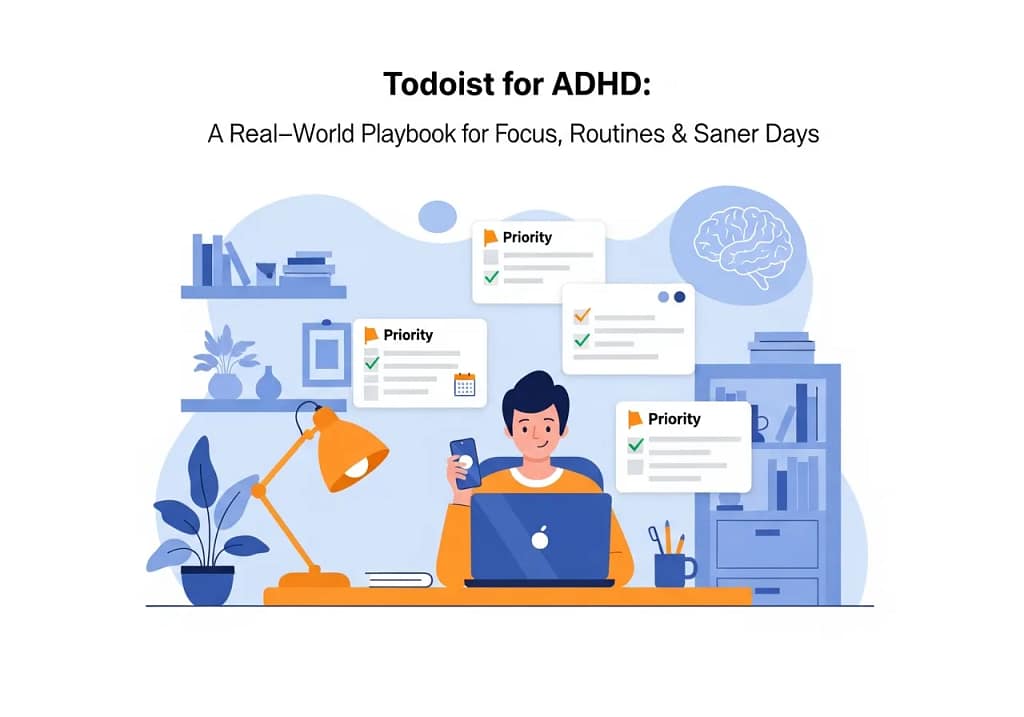
This guide is for people with ADHD (diagnosed, self‑suspected, or just “why can’t I finish a planner?”) who want to utilise Todoist for ADHD to become a calm, reliable second brain — not another abandoned app icon buried on page three of your home screen.
We’ll walk through:
- The ADHD headaches that wreck your day: time blindness, overwhelm, home chaos.
- The specific Todoist features that actually help when you keep them simple.
- A realistic three‑phase setup that respects your energy and expectations.
- How to give yourself a fair test drive of the full feature set with 2 months of Todoist Pro free.
If you already know you want the “all the knobs” version while you read, open this in a new tab for later:
👉 Organize your life and work with Todoist Pro
Table of Contents
Why Todoist Can Work Brilliantly for ADHD Brains
ADHD doesn’t just mean “easily distracted”. It hits executive function — planning, prioritising, starting and finishing. The tools that help the most tend to:
- Take pressure off your memory by acting as a single trusted capture bucket.
- Stay visually simple instead of burying you in dashboards and widgets.
- Give you clear time cues — reminders, due dates, calendar views.
- Support small, winnable steps instead of epic, vague projects.
From the official Todoist Pro page, Todoist is framed as your “trusted second brain”, used by over 25 million people to track everything from work projects to birthday reminders. It leans on:
- Tasks, projects, due dates and reminders so you “never miss a thing”.
- Natural‑language input — things like “read the news every weekday at 7AM”.
- Cross‑platform apps, extensions and widgets so it’s “with you everywhere”.
- Customisable filters, labels, priorities and templates.
- Deep integrations with your calendar, email and 90+ other tools.
In other words: Todoist is flexible enough to handle your chaos, but simple enough that you don’t need a project management degree to use it. Exactly what we want for ADHD.
If you’re brand new to the app, park this tab and browse your own explainer first, then come back here for the ADHD‑specific twist:
- Further reading: What Is Todoist? The Ultimate Guide for 2025 (link to your existing post)
Core ADHD Problems — And the Todoist Setups That Actually Help
1. Time Blindness & “How Is It Due Today Already?”
The ADHD bit
Time blindness is that delightful combo of:
- Underestimating how long things take.
- Overestimating what you can squeeze into an afternoon.
- Only feeling deadlines once they’re on fire.
Todoist can’t fix the brain chemistry, but it can make time visible instead of abstract.
Turn language into realistic dates
When you add tasks, talk to Todoist like you think:
Submit timesheet every last Friday at 4pmStart tax return next SaturdayCheck meds refill in 10 days
Todoist’s natural‑language engine turns these into recurring tasks and due dates without you fiddling with date pickers. Less friction, more follow‑through.
Pair Todoist with your calendar
Lists are nice; time blocks are better.
Link Todoist to your calendar so tasks appear where your time actually lives. This:
- Stops you from booking ten “1‑hour” tasks into a three‑hour afternoon.
- Makes your day a timeline, not a guilt spreadsheet.
- Helps you see at a glance whether you’re overcommitting Future You.
You explore this “workday as a whole” angle brilliantly in:
- Further reading: Time Management at Work in 2025: The Practical Todoist Playbook to Reclaim Your Day
A 5‑minute daily plan that doesn’t melt your brain
Every morning (or the night before):
- Open the Today view.
- Pick three “if I only did these, today still counts” tasks.
- Mark them as your highest priority.
- Push everything else to realistic dates or strip the due date entirely.
That’s it. No colour‑coded eight‑step routine. Just three meaningful steps and some honest rescheduling.
When Pro earns its keep
Todoist Pro adds:
- Richer reminders.
- More powerful filters and custom views.
- Smoother calendar integrations.
If your main issue is “I only remember until it’s too late”, it’s worth testing those extras properly using the same offer you highlight across Baizaar:
👉 Organize your life and work with Todoist Pro
For readers weighing the upgrade, point them to your plan breakdown:
- Further reading: Todoist Pro vs Free vs Business (2025): Is Premium Worth It?
2. Overwhelm, Guilt Lists & “Everything Feels Important”
The Todoist for ADHD bit
To an ADHD brain, “open that email” and “sort my finances” can feel equally urgent. Over time you end up with:
- One massive, emotionally loaded list.
- A mix of tiny tasks and life‑changing projects.
- A deep reluctance to even open the app.
We want Todoist to feel like a calm control room, not a firing squad.
Keep your projects stupidly simple
Resist the urge to create a project for every idea.
Start with a tiny set of big‑bucket projects, for example:
- Home & Life
- Work / Business
- Admin & Money
- Health & Brain
- Someday / Parking Lot
This echoes the clean structure that runs through posts like:
- Todoist Project Management: How to Better Leverage its Features in 2025
- Todoist Best Practices: Stop Missing Deadlines & Finally Get Stuff Done
Fewer buckets = fewer decisions every time you add something.
Turn vague monsters into small, obvious steps
Swap:
Sort living room
for:
Clear coffee tableFold clothes on sofaEmpty one drawer
Swap:
Fix finances
for:
Check current account balanceList monthly subscriptionsCancel one subscription
ADHD makes it easier to start when the next action is insultingly clear. Todoist’s subtasks make this painless.
Use priority flags like traffic lights, not judgement labels
Try a simple scheme:
- P1 (red) – Real‑world consequence if this doesn’t happen today.
- P2 (orange) – Moves the needle this week.
- P3 (blue) – Nice to do if there’s space.
- No flag – Parking lot / someday.
This fits neatly with the way you use priorities in:
- 5 Advantageous Time-Saving Tips with Todoist
The point is not “be perfect”; it’s “see the true emergencies at a glance”.
Cap Today so it can’t bully you
Set a personal rule:
- Max 3 P1 tasks per day.
- Max 7 active tasks on the Today list.
Everything else either:
- Gets a different day, or
- Drops into Someday.
That way, opening Todoist feels like checking a reasonable plan, not stepping into a courtroom.
3. Starting Is Harder Than Continuing (It’s a Dopamine Thing)
The ADHD bit
You know exactly what to do. Somehow, “start the task” still feels like wading through quicksand. That’s not laziness; it’s how ADHD handles motivation and reward.
We use Todoist to lower the activation energy.
Make capture instant and messy
The Todoist Pro page really leans on “with you everywhere” — apps, browser extensions, widgets. Use that to your advantage.
Set things up so there’s always a capture point within one or two taps. Then adopt one rule:
“If it matters at all, it goes into Todoist.”
No tags. No decisions. No clever structure. Just In. The. Inbox.
You can file things during your daily or weekly tidy‑up. For now, you’re building the habit of trusting Todoist more than your brain.
Build micro‑routines that give you quick wins
Create a project called Routines with sections like:
Morning Kick‑OffWork ShutdownSunday Reset
Under Morning Kick‑Off, list a few tiny steps:
- Open calendar.
- Open Todoist Today.
- Choose three top tasks.
- Start a 25‑minute focus timer for the first one.
This mirrors the “balanced, sustainable system” vibe in:
- Banishing Burnout: A Balanced Productivity System (A Todoist Guide for 2025)
Short, consistent wins feed your motivation without demanding superhero energy.
Play with Karma only if it feels fun
Todoist’s “Karma”, streaks and stats can be:
- A nice little dopamine hit, or
- A passive‑aggressive report card.
Treat it as an experiment:
- Turn Karma on for a week.
- If it helps you enjoy ticking things off, keep it.
- If it feels like judgement, switch it off and never think about it again.
For more “hidden feature” fun once the basics work, send readers to:
- Game-Changing Todoist ADHD Hacks: 9 Hidden Features That Supercharge Focus
4. Home Chaos, Domestic Dread & ADHD Households
The Todoist for ADHD bit
ADHD doesn’t clock out when you leave work. Home clutter, forgotten laundry and mystery paper piles can be just as brutal on your nervous system.
This is where we borrow heavily from your own mega‑guide and put Todoist at the centre.
Create a single “Home Hub” project
Inside it, add sections like:
Kitchen & FoodBedroom & ClothesLiving Room & TechBathroom & CleaningPaperwork & MoneyHousehold Reset
You already model this room‑by‑room approach in:
Todoist becomes the dashboard for that system.
Copy one room at a time
Instead of trying to rebuild your whole house in one go:
- Pick the room that annoys you most.
- Pull just that room’s key tasks into Todoist as a checklist.
- Break into 5‑ to 15‑minute actions.
Done. Nothing fancy, just “visibility plus small steps”.
Tag tasks by energy, not shame
Create labels like:
@low-energy@phone-only@10-minutes
On tired days, open the @low-energy filter and do whatever looks most doable. No heroics required.
Schedule “resets” instead of “transformations”
Rather than Clean kitchen once every geological era, add recurring micro‑tasks:
Kitchen reset – 10 minsBedroom floor rescue – 10 minsClear one paper pile
ADHD responds far better to short, consistent resets than to occasional “tear it all apart” crusades.
A Three‑Phase ADHD‑Friendly Todoist Blueprint
Trying to build The Perfect System in one afternoon is a classic ADHD move… right before abandoning it on Wednesday. So we go slow on purpose.
Phase 1 – One Brain, One Inbox (Days 1–7)
Goal: make Todoist the default place your brain drops things.
- Install Todoist on your phone, laptop and browser.
- Set Inbox as your default capture.
- Create just your small set of big‑bucket projects.
For one week:
- Capture everything into Inbox.
- Once per day, spend 5–10 minutes:
- Moving anything important from Inbox into a project.
- Giving it a realistic due date or leaving it undated.
No labels. No filters. No templates. You’re building trust, not an aesthetic.
Phase 2 – Calendar, Reviews & Tiny Routines (Weeks 2–3)
Now we add just enough structure to feel grounded.
- Connect your calendar so tasks become blocks of time.
- Add a recurring Daily Check‑In (5 mins):
- Open Today.
- Choose three key tasks.
- Move, delete or downgrade everything else.
- Add a recurring Weekly Reset (20–30 mins):
- Empty Inbox.
- Archive or delete stale tasks.
- Look at each project and ask, “What actually matters this week?”
This is the same backbone you use in your workday content:
- Further reading: Time Management at Work in 2025: The Practical Todoist Playbook to Reclaim Your Day
Phase 3 – Carefully Add the Power Features (Weeks 4+)
Only once Phases 1–2 feel normal do we layer on the clever bits:
- Labels for energy (
@low-energy), context (@deep-work,@errands,@calls) and people. - Filters for smart views like:
- “Today’s P1 tasks only”.
- “Low‑energy tasks without due dates”.
- Templates for repeating mini‑projects: client onboarding, travel, content releases, monthly reports.
This is where your more advanced how‑tos shine:
- 5 Advantageous Time-Saving Tips with Todoist
- Todoist Project Management: How to Better Leverage its Features in 2025
- Maximizing Todoist App Features Cross Platform (2025 Guide)
It’s also the point where Todoist Pro is easiest to evaluate honestly. You’ll actually be using reminders, filters and templates enough to know if they’re worth paying for.
If you want to test the full feature set while you’re in this phase, grab the 2‑month access:
👉 Organize your life and work with Todoist Pro
Mental Health, ADHD & Honest Expectations
Before we all run off to colour‑code our lives, a quick reality check.
- Todoist does not treat ADHD. Apps are support tools, not medication or therapy.
- You are allowed to have days where the only thing you tick off is “existed and maybe showered”.
- You will fall off your system sometimes. That doesn’t mean it’s broken; it means you’re human.
The real wins look like this:
- You drop fewer truly important balls.
- When chaos happens, it’s easier to climb back out.
- Your brain spends less energy remembering everything and more actually doing things (or resting).
If your day‑to‑day life still feels unmanageable even with tools like this in place, that’s a sign to talk to an ADHD‑literate professional, not to double down on to‑do lists.
For a deeper dive into sustainable pace and avoiding burnout with Todoist, point readers to:
Gentle Next Steps
If your brain is currently doing the “this is a lot” face, fair. Let’s keep it tiny.
Today or tomorrow:
- Install Todoist on the devices you actually use.
- Capture everything that hits your brain for 24 hours.
By the end of the week:
- Create your small set of big‑bucket projects.
- Start a 5‑minute daily check‑in ritual.
Over the next month:
- Link your calendar, add a weekly reset, and gently layer in routines, labels and filters.
- Give yourself permission to test the full feature set properly, then decide if it’s worth keeping:
👉 Organize your life and work with Todoist Pro
You don’t need a perfectly optimised life. You just need a system that’s a bit kinder to your future self than whatever’s going on right now — and Todoist is very capable of being that, especially when you design it with ADHD in mind.
Is Todoist actually good for ADHD?
Yes — when you keep it simple. Todoist does the things ADHD brains need most: a single trusted inbox, clear priorities, reminders, and easy calendar linking. It’s also lighter and less overwhelming than many “all‑in‑one workspaces”, which suits ADHD users who don’t want to manage their own mini‑Jira.
Your broader overviews back this up:
What Is Todoist? The Ultimate Guide for 2025
Todoist Best Practices: Stop Missing Deadlines & Finally Get Stuff Done
Do I need Todoist Pro, or is the free version enough?
The free plan is perfectly good for:
• Capturing tasks.
• Creating projects.
• Setting basic due dates and reminders.
Pro becomes worth looking at if you:
• Rely heavily on reminders and notifications.
• Want custom filters, labels and views.
• Live and die by calendar integration and templates.
Rather than guessing, give yourself two proper months with all the knobs turned on, then decide: Todoist Pro vs Free vs Business (2025): Is Premium Worth It?
How should I set up Todoist if I’m completely overwhelmed?
Start with the minimum viable system:
• One Inbox.
• 4–6 big‑bucket projects.
• A Today view strictly capped at three important tasks.
Use it like that for a week. Only then add:
• Calendar linking.
• A 5‑minute Daily Check‑In.
• A 20‑minute Weekly Reset.
Ignore Karma, labels, filters and templates until the basics feel boring.
Over‑engineering on day one is the fastest way to ghost the app.
What’s the best way to use Todoist for ADHD home organisation?
Use a single Home Hub project with sections for each area of your home, and then steal shamelessly from: Ultimate ADHD Home Organization Guide: 13 Rooms, 400+ Tasks, Destroy Overwhelm Forever
Turn those room lists into Todoist subtasks. Keep each action small enough that you could do it while listening to a podcast.
Add recurring 10‑minute resets instead of heroic deep‑cleans and tag tasks by energy level so you can pick something that matches how you feel.
Can Todoist help with ADHD time blindness?
It can help a lot when you:
• Use natural‑language repeating tasks (every weekday at 9am, every month on the 1st).
• Link Todoist to your calendar, so tasks turn into actual time blocks.
• Do a quick daily review to check that your plans match the time you actually have.
Pairing this with short focus sprints (for example, using timers on your phone) means you see both what to do and how long you’ve got in a way that ADHD brains tend to handle better.
I always abandon productivity systems. How do I stop doing that with Todoist for ADHD?
Design Todoist so you can crawl back to it without rebuilding anything.
Let your absolute fallback be:
• Inbox for capture.
• Today with three important tasks.
• Weekly Reset to clear the cruft.
When you fall off (you will, we’re all human), you:
• Open Todoist.
• Clear Today.
• Pick three realistic tasks.
Nudge everything else to the future or into Someday.
No drama, no “I’ve failed the system”. Just back on the bike.
Leave a Comment