Todoist Ramble Voice Tasks:
The Magic That’ll Change Task Capture in 2026.
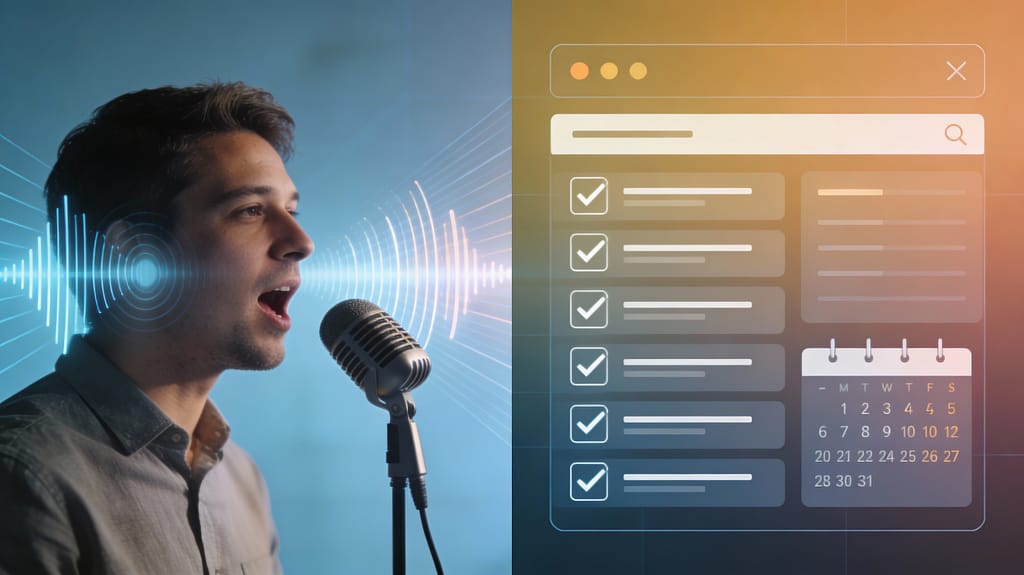
Speak It. Todoist Rambles It. Done.
Table of Contents
Stop. Typing. Everything.
You’re juggling ten browser tabs. A Slack message pings. Your co-worker asks a question mid-thought. And there’s that nagging idea you had in the shower—the one that could solve the client problem.
Sound familiar? actually Note to self: quit blogging. Kidding.. well less keyboard perhaps, voice recognition has ascended in capability nowadays with the rise of ML, AI and NLP in a hyper-connected billionaire fuelled tech race. Live translation is lowering barriers in communication between borders and personal assistant verbal scribes are lowering barriers time wasted..
The friction is real. Traditional task management makes you stop, open an app, click fields, type carefully, add dates, assign priorities. By the time you’ve finished entering the task, you’ve already lost momentum on what matters.
Todoist just fixed that with Ramble—a voice-to-task feature that lets you speak naturally and watch your chaos become organized action. No typing. No forms. Just you, your thoughts, and instant structure.
If you’re tired of interrupting your flow to capture tasks, this could be worth investigating..
What Is Todoist Ramble (And Why It’s Not Just Voice Memo Spam)
Ramble isn’t a voice memo app that sits in a folder collecting dust. It’s real task intelligence disguised as casual conversation.
Here’s what happens:
- You speak freely – “Hey, I need to call Sarah about the contract tomorrow at 2, then follow up with the dev team on that API issue, mark it urgent.”
- Ramble listens, transcribes, and parses. – Your scattered thought becomes three separate, properly-formatted tasks:
- Call Sarah about contract (Tomorrow, 2 PM, Project: Sales)
- Follow up with dev team on API issue (P1, Project: Engineering)
- Tasks land in your Todoist – Ready to roll, with metadata intact (dates, priorities, projects, all detected from your natural speech).
The magic? Natural Language Processing (NLP) does the heavy lifting. Ramble understands context—it catches “tomorrow at 2,” translates that to a deadline, detects priority language like “urgent” or “ASAP,” and even figures out which project each task belongs to.
This is 2025 productivity. No fluff. Just structure from speech.
The Real-World Wins: Where Ramble Shines
1. Capture Ideas While Your Hands Are Busy
You’re cooking dinner, walking the dog, driving to a meeting—your brain has the idea, but your hands don’t have a free second to type.
Ramble solves it. Speak into your phone or laptop, and the task is captured. No friction. No lost thoughts.
One Baizaar tester reported: “I used to keep a notepad next to my kitchen counter. Now I just hit Ramble and continue prepping dinner. Tasks are already organized when I sit down to feast.”
2. Rapid-Fire Brainstorming Sessions
Sales team running a prospect brainstorm? Product team jamming on feature ideas? Engineering team troubleshooting a critical issue?
Speak at natural pace. Ramble catches everything. Instead of one person typing while others lose focus, everyone speaks freely, and all ideas become actionable items instantly.
No more: “Who’s taking notes? Can someone type that down?” Everyone can jump in.
3. Accessibility Without Compromise
For users with mobility, repetitive strain, or accessibility needs, Ramble is a game-changer. You’re not using a workaround or “alternative” interface—you’re using the exact same powerful Todoist, just voice-first.
How to Use Todoist Ramble Voice Tasks: Easy Playbook
Step 1: Open Ramble (It’s Built Into Todoist)
- Mobile: Tap the microphone icon in the Quick Add bar.
- Desktop: Use the Ramble feature in your Todoist app (or browser via the web app).
- Web: Accessed through the same interface as your task list.
Note: Ramble is currently in beta and available to all Todoist users. Free plan limits will roll out soon, but you get unlimited access during beta.
Step 2: Speak Your Brain
Don’t script it. Don’t worry about perfect wording. Just talk.
Examples of what you can say:
- “Call Mom next Sunday at 10 AM”
- “Fix the login bug—urgent, engineering project”
- “Read that article Sarah sent about AI tools, tag it personal knowledge, due Friday”
- “Buy milk and eggs”
- “Schedule the quarterly review meeting with the team—sometime next month”
Ramble handles dates (relative like “next week” or absolute like “December 25”), priorities (mention “urgent,” “high priority,” “ASAP” naturally), projects (if you say a project name), and even subtasks.
Step 3: Review & Edit (Optional, But Recommended)
Ramble shows you a preview mode before tasks are finalized. You see:
- The tasks it parsed
- Detected deadlines, priorities, and projects
- Any metadata it captured
If something’s wrong, just say it:
- “Actually, I meant Monday, not Tuesday”
- “Remove that”
- “That task is for the Marketing project, not Sales”
Ramble lets you speak corrections naturally. No need to re-do the whole thing.
Step 4: Say “That’s All” and Confirm
Once you’re happy, say “That’s all” or click “Add tasks.” All tasks sync to your Todoist workspace instantly.
Todoist Ramble Voice Tasks vs. Manual
| Feature | Manual Typing | Ramble (Voice) |
|---|---|---|
| Time to capture 3 tasks | 2–3 minutes | 30–45 seconds |
| Interruption to your flow | High (must stop, open app, type) | Low (speak while doing) |
| Metadata capture | Manual entry for each field | Auto-detected from speech |
| Hands-free | No | Yes |
| Works while multitasking | No | Yes |
| Accessibility needs | Limited | Excellent |
| Learning curve | Minimal | None (just talk) |
The takeaway: Ramble isn’t 10% faster. It’s a fundamentally different way to capture tasks—one that fits real life instead of interrupting it.
Todoist Ramble + Your Workflow: Practical Plays
Editors Note: I’d love to hear feedback from anyone that can manage one week of their own or one of the below plays, I always read the comments.
Play 1: The Morning Brain Dump
Start your day with one Ramble session (2–3 minutes):
“Write the client proposal, due Friday. Schedule the team sync meeting, Tuesday 10 AM. Review the analytics report. Call the vendor about pricing. Research that competitor tool for the product review.”
Result: 5 tasks, organized by project and deadline, captured in the time it takes to pour coffee.
Play 2: The Meeting Debrief
Meeting ends. Before you check email, hit Ramble:
“Follow up with John about the contract terms. Send the deck to the stakeholders. Create the Q1 roadmap based on what we discussed today. Flag the risk item we talked about—engineering dependencies.”
Result: Action items are instantly in your Todoist, assigned to the right projects, with context notes. You’re not scrambling for your notepad later.
Play 3: The Async Team Collaboration
In a distributed team? Ramble is your async secret weapon:
- Team member speaks their update: “Shipped the login flow. Found a bug in the reset password logic—P1, needs immediate review. Blocked waiting on design feedback for the onboarding screens.”
- Ramble creates tasks and assigns to the right project.
- Other team members see the blockers and action items in real-time, without a status meeting.
The Todoist Ramble Advantage: Why This Matters for Your Productivity Stack
It’s Not Competing with Note-Taking Apps
Ramble isn’t Otter.ai or Notion Voice Notes (though those are great for different things). Ramble is specifically for task capture—it understands actionable items, not just transcription.
You say: “I need to think about how to restructure the team”
Otter hears: “I need to think about how to restructure the team” (transcript)
Ramble hears: Task: “Think about team restructuring” (P1, Personal project, due next week)
That’s the difference.
It Works Inside Your Existing Todoist Workflow
If you’re already using Todoist:
- Todoist Hub – Ramble fits seamlessly with many existing best practices augmenting them.
- Team Workspaces – Speak tasks for your team and personal projects in one session.
- Advanced Filters – All voice-captured tasks are filterable like any other.
- Calendar Sync – Dates you mention are instantly synced to your calendar.
- Zapier & Integrations – Voice-created tasks trigger the same automations as manual ones.
There is no single “special Ramble workflow.” It makes your existing system faster, more accessible, lower friction if that’s what matches your style of data entry. Some prefer using pen and paper, I often do in certain circumstances then digitise it with Ramble as well aha.
Combines with Other 2025 Todoist Features
- Ramble + Project Insights: See which tasks created by voice have the most risk or are overdue.
- Ramble + Team Workspaces: Brainstorm with your team, all tasks auto-assigned to shared projects.
- Ramble + NLP task input: Whether you type or speak, Todoist understands sophisticated language.
Ramble FAQ: Common Questions Answered
Q: Does Ramble understand my accent or dialect?
A: Ramble uses modern speech-to-text powered by AI, so it handles accents, regional dialects, and various speech patterns pretty well. If it misses something, the edit-in-preview mode lets you correct it instantly.
Q: Can I use Ramble offline?
A: Ramble requires an internet connection (it’s processing your voice in real-time). Once tasks are created, they sync to Todoist normally.
Q: What if Ramble misses a deadline I mentioned?
A: You’ll see it in the preview. Just say “That task is due tomorrow” or “Set a deadline for Friday.” Ramble lets you speak corrections naturally.
Q: Is Ramble available on all Todoist plans?
A: Currently, Ramble is in beta and available to all Todoist users (Free, Pro, and Business). Usage limits for the Free plan will roll out soon. Try Todoist Pro free for 2 months here to explore Ramble unlimited during beta.
Q: How is this different from Todoist’s regular “Add task” NLP?
A: Todoist has always understood typed natural language (“Buy milk tomorrow”). Ramble is voice input—it’s optimized for spoken speech patterns (which are messier, faster, less formal) and works hands-free. Same intelligence, different input method.
The Honest Takes: Where Ramble Shines & Where It Might Not
🎯 Ramble is brilliant for:
- Quick, high-volume task capture (brainstorms, daily dumps, meeting debriefs)
- Hands-free scenarios (driving, cooking, meetings)
- Teams that value async collaboration and clear action items
- Anyone with accessibility needs
- Users who get interrupted a lot (which is, let’s face it, everyone)
⚠️ Ramble might not be your move if:
- You’re in a silent office and speaking feels weird (though just a Slack/Teams call away, or use it on your commute)
- You need to capture complex, highly-structured data (e.g., a detailed project plan with 50 subtasks)
- You’re working on a Todoist Business team that hasn’t updated to support Ramble yet (check your team’s settings)
Next Step: Try Ramble Today
Ramble is in beta. That means it’s free to try right now with your existing Todoist account.
- Open Todoist (mobile or web)
- Tap/click the microphone icon (or hit Quick Add and look for Ramble)
- Speak one task—even just “Explore Ramble”
- Confirm and watch it land in your inbox
If you want unlimited voice sessions and the full Todoist Pro feature set (calendar sync, advanced filters, unlimited projects), Try Todoist Pro free for 2 months here (no credit card needed, cancel anytime).
We’ve tested it. It works. And once you stop typing tasks and start speaking them, there’s no going back.
Final Thought
Productivity tools are supposed to reduce friction, not add it. Too many apps make you learn their way of working. Todoist Ramble is the opposite—it learns your way (speaking naturally) and translates that into structure.
That’s the whole game.
Now stop reading this and go capture some tasks. Your brain will thank you.